
Production Scheduling Software Guide: Features, Methods, Costs and Implementation
 User Solutions Team
Every manufacturer faces the same fundamental challenge: turning a backlog of customer orders into a realistic, executable plan that keeps machines running, workers productive, and deliveries on time. Production scheduling software solves this problem by replacing spreadsheets, whiteboards, and guesswork with automated, constraint-aware scheduling that accounts for the real-world complexity of your shop floor. In this guide, we break down everything you need to know to evaluate, select, and implement production scheduling software - drawing on 35+ years of hands-on experience at User Solutions.
What Is Production Scheduling Software?
Production scheduling software is a specialized application that sequences manufacturing jobs across machines, labor, and resources while respecting finite capacity constraints. It answers the question every production manager asks daily: what should run where, when, and in what order?
Unlike general-purpose project management tools, production scheduling software understands manufacturing-specific concepts:
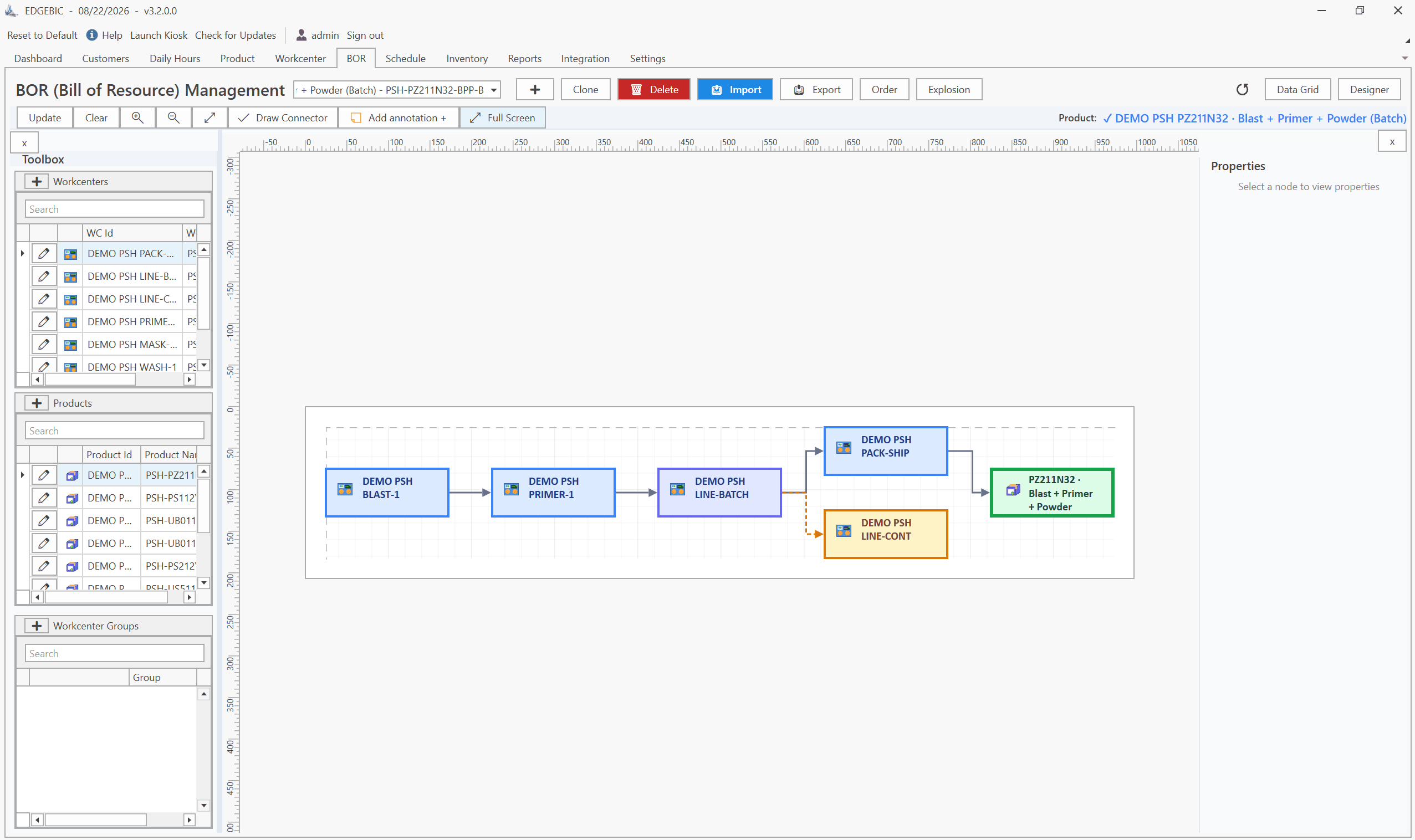
- Routings and operations - multi-step processes where each operation depends on the previous one
- Setup and changeover times - the time lost switching between different jobs on the same machine
- Finite capacity - the reality that a machine can only run one job at a time
- Material constraints - you can't start a job if raw materials haven't arrived
- Labor availability - skilled operators aren't interchangeable across all work centers
- Tooling and fixtures - secondary resources that constrain what can run simultaneously
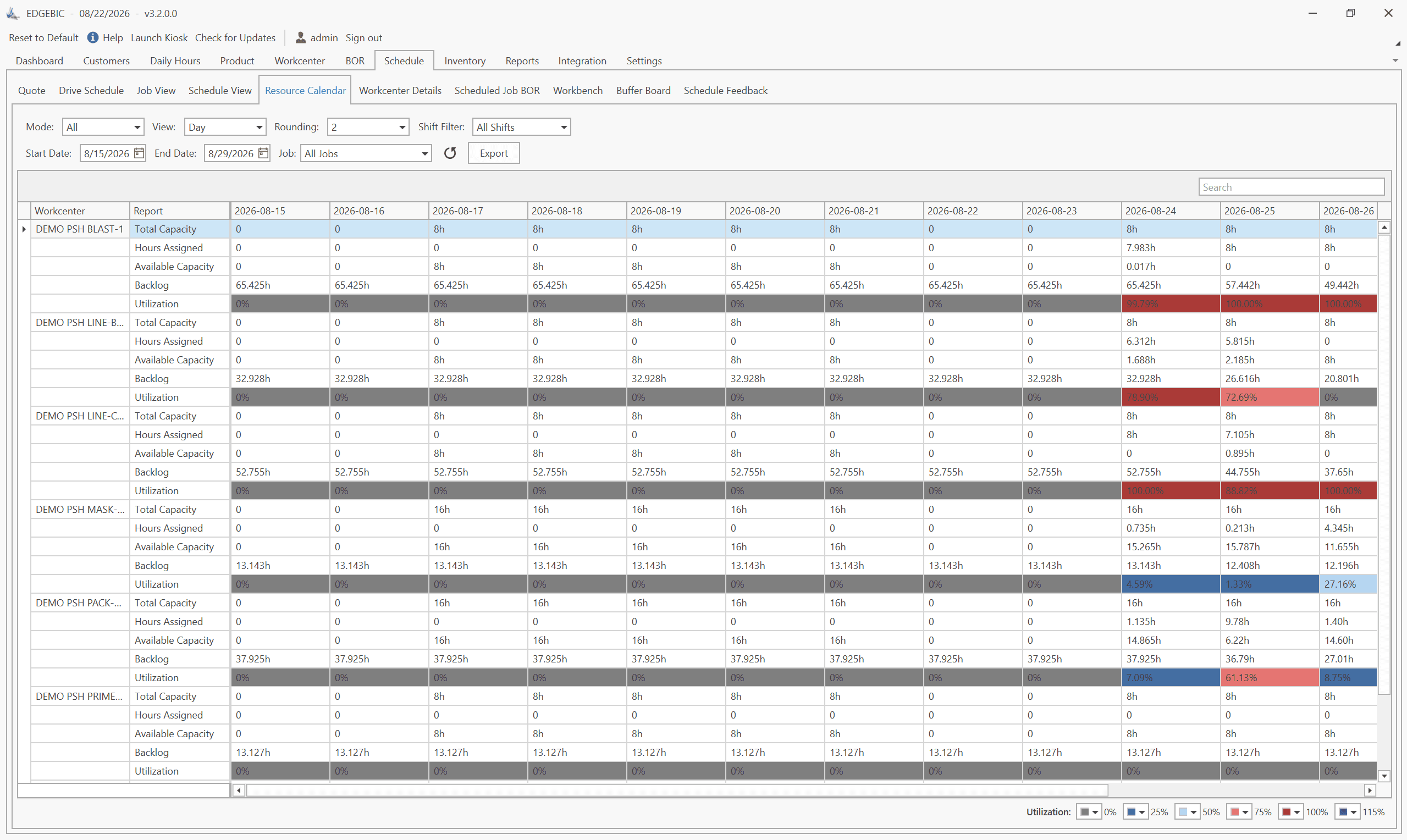
At its core, the software takes your open orders, your available resources, and your constraints, then generates a time-phased schedule - typically displayed as a Gantt chart - that tells every work center exactly what to run and when.
How It Differs from a Spreadsheet
Spreadsheets are static. The moment you enter a schedule into Excel, it begins decaying. A single machine breakdown, a material delay, or a rush order forces a manual cascade of changes across dozens of cells. In our experience working with manufacturers across 100+ implementations, companies using spreadsheets spend 4-8 hours per week just maintaining their schedule - time that could be spent optimizing it.
Production scheduling software is dynamic. Change one variable and the entire schedule recalculates in seconds.
Why Manufacturers Need Dedicated Scheduling Software
The gap between planning and execution is where manufacturers lose money. MRP tells you what materials to order and when. ERP manages your financial and operational data. But neither provides a realistic, minute-by-minute production plan that accounts for capacity constraints.
Here's what happens without dedicated scheduling:
- Missed deliveries - without visibility into true capacity, you promise dates you can't hit
- Excessive overtime - poor sequencing creates bottlenecks that require overtime to clear
- Low machine utilization - machines sit idle waiting for upstream operations or missing materials
- Long lead times - jobs queue unnecessarily because nobody optimized the sequence
- Inventory bloat - you build to stock because you don't trust your ability to build to order on time
Dedicated scheduling software addresses each of these by giving you a single source of truth for your production plan. Companies like GE, Cummins, BAE Systems, and the US Navy rely on scheduling software to manage complex manufacturing environments - but the same principles apply to a 20-person job shop.
The Cost of Doing Nothing
We've seen manufacturers lose 5-15% of revenue annually to scheduling-related inefficiencies. For a $10M shop, that's $500K-$1.5M in margin erosion from overtime, expediting fees, late-delivery penalties, and lost customers. The right scheduling tool typically pays for itself within a single quarter.
Key Features of Production Scheduling Software
Not all scheduling software is created equal. When evaluating options, look for these essential capabilities:
Visual Scheduling (Gantt Charts)
A drag-and-drop Gantt chart is the backbone of any scheduling tool. It should display jobs across work centers on a timeline, allow manual overrides, and update downstream schedules instantly when you move a job.
Finite Capacity Scheduling
The software must respect the actual capacity of each resource. If a CNC mill can run one job at a time with an 8-hour shift, the schedule should never double-book it. Learn more about how finite vs. infinite capacity scheduling impacts your planning accuracy.
What-If Scenario Analysis
Before committing to a schedule, you should be able to test alternatives. What happens if we add a second shift? What if we outsource this bottleneck operation? What-if analysis lets you compare scenarios before making real-world commitments.
Material and Resource Constraint Tracking
The schedule should account for material availability dates, tooling, fixtures, and secondary resources - not just primary machines.
Real-Time Rescheduling
When disruptions happen (and they always do), the software should recalculate the entire schedule in seconds, not minutes.
Integration Capabilities
Your scheduling tool must exchange data with your ERP, MRP, and shop floor systems. Look for support for direct database connections, APIs, and CSV import/export.
| Feature | Basic Scheduling | Advanced (APS) | User Solutions RMDB (EDGEBIC) |
|---|---|---|---|
| Gantt chart visualization | Yes | Yes | Yes |
| Finite capacity scheduling | Limited | Yes | Yes |
| What-if scenarios | No | Some | Unlimited |
| Material constraints | No | Yes | Yes |
| Multi-plant support | No | Some | Yes |
| Drag-and-drop rescheduling | Some | Yes | Yes |
| ERP integration | Basic CSV | API | API + CSV + DB |
| One-time license option | Rare | Rare | Yes |
Types of Production Scheduling Methods
Understanding scheduling methods helps you choose software that matches your manufacturing environment.
Forward Scheduling
Starts from today (or a material availability date) and schedules operations forward in time. Best for make-to-stock environments where you want to start as soon as possible.
Backward Scheduling
Starts from the customer due date and works backward, determining the latest possible start date for each operation. Ideal for just-in-time environments where you want to minimize work-in-process inventory.
Finite Capacity Scheduling
Assigns jobs only when a resource is actually available. This is the gold standard for realistic scheduling and the approach used by RMDB, its successor EDGEBIC, and most serious manufacturing scheduling tools.
Infinite Capacity Scheduling
Loads all jobs based on due dates without checking whether the resource has available capacity. Useful for rough-cut capacity planning but produces unreliable schedules for shop floor execution.
Constraint-Based Scheduling
Focuses on the bottleneck resource (the constraint) and schedules everything else around it. Rooted in the Theory of Constraints, this method maximizes throughput at the system level.
Priority-Based / Rule-Based Scheduling
Uses dispatching rules - earliest due date, shortest processing time, critical ratio - to sequence jobs. Simple to understand and implement, but doesn't guarantee optimal results.
How to Choose the Right Scheduling Software
Selecting production scheduling software comes down to matching the tool to your specific environment. For a printable version of this process, use our buyer's checklist for production scheduling software. Here's a structured approach:
Step 1: Define Your Scheduling Challenges
Before looking at software, document your top 5 pain points. Common ones include:
- Chronic late deliveries
- Excessive overtime
- No visibility into shop floor status
- Inability to give customers reliable delivery dates
- Bottleneck work centers with long queues
Step 2: Assess Your Manufacturing Environment
Your shop type dictates your scheduling needs:
- Job shop - high variety, low volume, complex routings. Needs flexible job shop scheduling software.
- Flow shop - linear production flow, repetitive operations. Needs rate-based scheduling.
- Batch process - batch sizing, tank/reactor scheduling. Needs batch optimization.
- Mixed mode - combination of the above. Needs versatile software like RMDB, now EDGEBIC.
Step 3: Evaluate Core Requirements
Develop a weighted scorecard covering:
- Scheduling algorithm quality (does it produce realistic schedules?)
- Ease of use (will your scheduler actually use it daily?)
- Integration with your ERP
- Implementation timeline and support
- Total cost of ownership over 5 years
- Vendor stability and track record
Step 4: Run a Proof of Concept
Load your actual data - real jobs, real routings, real work centers - into the software during the evaluation. A demo with sample data tells you very little. User Solutions runs live demos with your own data so you can see realistic results before purchasing.
Step 5: Check References
Ask for references from manufacturers in your industry and of similar size. Ask specifically: how long did implementation take, what ROI did they achieve, and how responsive is support?
Production Scheduling Software vs. ERP Scheduling Modules
One of the most common questions we hear is: "Why can't we just use the scheduling module in our ERP?"
The short answer: ERP scheduling modules are designed for planning, not execution. Here's why that distinction matters:
| Capability | ERP Scheduling Module | Dedicated Scheduling Software |
|---|---|---|
| Scheduling granularity | Daily/weekly buckets | Minute-level precision |
| Capacity model | Usually infinite | Finite capacity |
| Rescheduling speed | Minutes to hours | Seconds |
| Visual schedule (Gantt) | Basic or none | Full interactive Gantt |
| Setup time optimization | Rarely | Yes |
| What-if analysis | No | Yes |
| Drag-and-drop changes | No | Yes |
| Shop floor feedback | Limited | Real-time capable |
ERP systems like SAP, Oracle, and Epicor excel at managing transactions - purchase orders, work orders, inventory. But they weren't built to answer "what should Machine 3 run at 2:15 PM on Thursday?" That's the domain of dedicated scheduling software.
The best approach is to use both: let your ERP handle material planning and transactions, and layer a dedicated scheduling add-on on top for capacity-constrained shop floor scheduling. RMDB from User Solutions is designed specifically for this complementary role - it reads work orders from your ERP, schedules them against finite capacity, and feeds the updated dates back.
Implementation: From Selection to Go-Live
A successful implementation follows a predictable path. Here's the roadmap we've refined across 100+ deployments over 35+ years:
Phase 1: Data Preparation (Week 1)
Clean your master data. This is the single most important step. Verify:
- Work center definitions and capacities
- Routing accuracy (run times, setup times, operation sequences)
- Open work orders and their current status
- Calendar definitions (shifts, holidays, planned downtime)
Phase 2: System Configuration (Week 1-2)
Configure the software to match your environment:
- Define work centers, machines, and labor pools
- Import routings and work orders from your ERP
- Set scheduling rules and priorities
- Configure integration points
Phase 3: Parallel Scheduling (Week 2-3)
Run the scheduling software alongside your current method. Compare the generated schedule against reality. Identify and fix data discrepancies.
Phase 4: Training and Go-Live (Week 3-4)
Train your scheduler, production supervisors, and key operators. User Solutions' 5-day implementation program compresses this entire process into a single business week for shops that are ready.
Phase 5: Optimization (Ongoing)
Once live, continuously improve:
- Refine setup time matrices
- Add secondary resource constraints
- Implement scenario planning for capacity decisions
- Expand to additional work centers or plants
Common Production Scheduling Mistakes to Avoid
After 35 years of helping manufacturers implement scheduling, we've cataloged the mistakes that derail projects:
1. Scheduling to Infinite Capacity
Loading all jobs without checking whether machines can actually handle the load produces fantasy schedules. Always use finite capacity scheduling.
2. Ignoring Setup Times
Setup and changeover times can consume 15-30% of available capacity. A schedule that doesn't account for setups will consistently overcommit your resources.
3. Treating the Schedule as Static
A schedule is a living document. It should be updated at least daily - ideally in real-time as jobs complete and disruptions occur.
4. Not Assigning a Scheduling Champion
The best software in the world fails without someone who owns the process. Assign a dedicated scheduler (even part-time in smaller shops) who maintains the schedule, resolves conflicts, and communicates changes.
5. Over-Engineering the Initial Setup
Don't try to model every alternate routing, every secondary constraint, and every edge case before going live. Start with your core routings and primary resources. Add complexity incrementally after the basic schedule is working.
6. Disconnecting the Schedule from the Shop Floor
If operators don't see or trust the schedule, they'll ignore it. Make the schedule visible - on monitors, printed dispatch lists, or mobile devices - and hold daily standups around it.
7. Failing to Integrate with ERP
Manual re-keying of data between your ERP and scheduling tool creates errors and delays. Invest in proper ERP integration from day one.
The Future of Production Scheduling: AI, IoT, and Digital Twins
Production scheduling is evolving rapidly. Here's where the industry is heading:
Artificial Intelligence and Machine Learning
AI-powered scheduling tools are beginning to learn from historical data - actual vs. planned run times, typical disruption patterns, seasonal demand fluctuations - to generate increasingly accurate schedules. We're incorporating these capabilities into our roadmap at User Solutions, starting with predictive setup time estimation and intelligent job sequencing.
IoT-Connected Shop Floors
When machines report their status in real-time via IoT sensors, the scheduling system can react instantly to breakdowns, slowdowns, and early completions. This closes the loop between the plan and the shop floor.
Digital Twins
A digital twin of your production environment lets you simulate scheduling scenarios against a virtual replica of your shop floor. Want to know what happens if you add a second shift to your CNC department? Run the simulation before committing real resources.
Cloud-Native Scheduling
Cloud deployment is becoming standard, enabling multi-plant visibility, remote access, and automatic updates. However, some manufacturers - especially in defense and aerospace - prefer on-premise deployment for security reasons. User Solutions' RMDB engine, now EDGEBIC, is an installed Windows application, which suits manufacturers that want scheduling data kept on site.
Low-Code Customization
The trend toward low-code platforms means manufacturers can increasingly tailor scheduling rules, dashboards, and reports without writing code or hiring consultants.
Expert Q&A: Deep Dive
We're a 30-person job shop running everything on spreadsheets. Where do we even start with scheduling software?
Start by mapping your current pain points. Are you missing delivery dates? Is overtime eating your margins? Do you lack visibility into shop floor status? Once you know what hurts most, you can prioritize features.
In our experience, the fastest path for a shop your size is to begin with your bottleneck work centers. Don't try to schedule every machine on day one. Identify the 3-5 resources that constrain your throughput, load those into the scheduling tool first, and expand from there. We've seen manufacturers go from spreadsheets to a working finite capacity schedule in under a week using this focused approach with RMDB.
How do we handle the constant re-scheduling that happens when priorities shift mid-week?
This is one of the biggest reasons manufacturers adopt dedicated scheduling software. Manual re-scheduling on a whiteboard or spreadsheet can take hours. With a drag-and-drop scheduling tool, you can move a hot job to the front of the queue and instantly see the downstream impact on every other order.
The key is having a system that recalculates automatically. When you bump Job A forward, the software should immediately show you which jobs slip, which deliveries are now at risk, and where overtime might be needed. Our RMDB platform does this in seconds, even with thousands of operations. That kind of responsiveness turns re-scheduling from a crisis into a routine 5-minute task.
What kind of ROI should we realistically expect, and how quickly?
Across 100+ implementations over 35 years, we consistently see three measurable improvements in the first 90 days: a 15-25% reduction in manufacturing lead times, a 10-20% increase in on-time delivery rates, and a 10-15% improvement in machine utilization.
The dollar value depends on your revenue. A $5M/year shop improving on-time delivery by 15% typically retains an additional $200K-$400K in revenue that would have been lost to customer attrition or penalties. Factor in overtime reduction and the ROI calculation becomes straightforward. Most of our customers break even within 2-4 months.
We've tried scheduling software before and it failed. What goes wrong and how do we avoid it?
The number one reason scheduling implementations fail is data quality. If your routings are inaccurate - wrong run times, missing setup times, outdated work center definitions - the software will produce schedules that don't match reality. Operators lose trust, and the tool gets abandoned.
The second most common failure is over-engineering the initial rollout. Companies try to model every constraint, every alternate routing, every secondary resource on day one. Start simple. Get the core schedule working, build operator confidence, then layer in complexity over weeks and months.
Finally, make sure someone owns the schedule. A scheduling tool without a dedicated scheduler (even part-time) will drift. Assign a champion who updates the schedule daily and holds the shop accountable to it.
Frequently Asked Questions
Take Control of Your Production Schedule
If you're still managing your shop floor with spreadsheets, whiteboards, or an ERP module that wasn't designed for finite capacity scheduling, you're leaving money on the table. Manufacturers who switch to dedicated production scheduling software consistently report 15-25% shorter lead times, 10-20% better on-time delivery, and measurable reductions in overtime and WIP inventory.
User Solutions has been helping manufacturers schedule smarter for over 35 years. Our RMDB scheduling engine, now sold as EDGEBIC, offers finite capacity scheduling with a one-time license and published pricing: no monthly fees and no per-seat annual charges.
Ready to see what dedicated scheduling can do for your shop?
- Request a demo - see RMDB, now EDGEBIC, running with your data in a live walkthrough
- Download a free Excel template - start with a production schedule template built for manufacturers
- View pricing - transparent, one-time license pricing with no hidden costs
Continue exploring this cluster
Dive deeper into specific aspects of production scheduling with these related guides from our content library:
- 12 Production Scheduling KPIs You Must Track
- 15 Best Production Scheduling Software Compared (2026)
- 5-Day Scheduling Software Implementation: Our Proven Process
- AI in Production Scheduling: What's Real and What's Hype in 2026
- Automated vs Manual Production Scheduling: A Comparison
- Batch Scheduling vs Discrete Scheduling: When to Use Each
- Capacity Planning vs Production Scheduling: What's the Difference?
- Cloud vs On-Premise Scheduling Software: Which is Best?
- Drag-and-Drop Scheduling: Pros, Cons & Best Tools
- Finite vs Infinite Capacity Scheduling Explained
- Forward vs Backward Scheduling: Which is Right for You?
- From Excel to APS: A Step-by-Step Migration Guide
- How Production Scheduling Improves On-Time Delivery
- How to Choose Production Scheduling Software: Buyer's Checklist
- How to Identify & Eliminate Production Scheduling Bottlenecks
- Master Production Schedule (MPS): How to Create & Maintain One
- Multi-Constraint Scheduling: How to Handle Complex Manufacturing
- Production Schedule Optimization: 10 Proven Techniques
- Production Scheduling Methods & Techniques: A Practical Guide
- Production Scheduling vs Production Planning: Key Differences
- Real-Time Production Scheduling: Benefits & Implementation
- Scheduling for High-Mix Low-Volume Manufacturing
- What is Production Scheduling? A Complete Explanation
- What-If Analysis in Production Scheduling: Use Cases & Benefits
- Why Production Scheduling in Excel Fails (And What to Use Instead)
Expert Q&A: Deep Dive
Q: We're a 30-person job shop running everything on spreadsheets. Where do we even start with scheduling software?
A: Start by mapping your current pain points. Are you missing delivery dates? Is overtime eating your margins? Do you lack visibility into shop floor status? Once you know what hurts most, you can prioritize features. In our experience, the fastest path for a shop your size is to begin with your bottleneck work centers. Don't try to schedule every machine on day one. Identify the 3-5 resources that constrain your throughput, load those into the scheduling tool first, and expand from there. We've seen manufacturers go from spreadsheets to a working finite capacity schedule in under a week using this focused approach with RMDB.
Q: How do we handle the constant re-scheduling that happens when priorities shift mid-week?
A: This is one of the biggest reasons manufacturers adopt dedicated scheduling software. Manual re-scheduling on a whiteboard or spreadsheet can take hours. With a drag-and-drop scheduling tool, you can move a hot job to the front of the queue and instantly see the downstream impact on every other order. The key is having a system that recalculates automatically. When you bump Job A forward, the software should immediately show you which jobs slip, which deliveries are now at risk, and where overtime might be needed. Our RMDB platform does this in seconds, even with thousands of operations. That kind of responsiveness turns re-scheduling from a crisis into a routine 5-minute task.
Q: What kind of ROI should we realistically expect, and how quickly?
A: Across 100+ implementations over 35 years, we consistently see three measurable improvements in the first 90 days: a 15-25% reduction in manufacturing lead times, a 10-20% increase in on-time delivery rates, and a 10-15% improvement in machine utilization. The dollar value depends on your revenue. A $5M/year shop improving on-time delivery by 15% typically retains an additional $200K-$400K in revenue that would have been lost to customer attrition or penalties. Factor in overtime reduction and the ROI calculation becomes straightforward. Most of our customers break even within 2-4 months.
Q: We've tried scheduling software before and it failed. What goes wrong and how do we avoid it?
A: The number one reason scheduling implementations fail is data quality. If your routings are inaccurate - wrong run times, missing setup times, outdated work center definitions - the software will produce schedules that don't match reality. Operators lose trust, and the tool gets abandoned. The second most common failure is over-engineering the initial rollout. Companies try to model every constraint, every alternate routing, every secondary resource on day one. Start simple. Get the core schedule working, build operator confidence, then layer in complexity over weeks and months. Finally, make sure someone owns the schedule. A scheduling tool without a dedicated scheduler (even part-time) will drift. Assign a champion who updates the schedule daily and holds the shop accountable to it.
Frequently Asked Questions
Ready to Transform Your Production Scheduling?
User Solutions has been helping manufacturers optimize their production schedules for over 35 years. One-time license, 5-day implementation.

User Solutions Team
Manufacturing Software Experts
User Solutions has been developing production planning and scheduling software for manufacturers since 1991. Our team combines 35+ years of manufacturing software expertise with deep industry knowledge to help factories optimize their operations.
Share this article
Related Articles
How to Create a Production Schedule in 7 Steps (Free Template)
How to create a production schedule step by step: horizon, real capacity, work orders, load check, sequence, dates, then publish. Worked example included.
Production Planning and Control (PPC): Functions and Examples
Production planning and control explained: routing, loading, scheduling, sequencing, dispatching and expediting, the types of scheduling, and worked examples.

Sequence-Dependent Setup Times: The Scheduling Problem That Costs You Capacity
When changeover time depends on what ran before, standard scheduling fails. Learn how setup matrices, sequence optimization, and APS software recover 10-25% of hidden capacity in paint lines, food, and coating operations.