
What-If Analysis in Production Scheduling: Use Cases & Benefits
 User Solutions Team
What-if analysis in production scheduling is the capability that separates reactive scheduling from proactive decision-making. Every manufacturing day brings decisions: Can we accept this rush order? What happens if the CNC mill goes down? Should we add Saturday overtime? Without what-if analysis, these decisions are made on gut feel. With it, they are made on data - and the difference shows up directly in on-time delivery, cost control, and customer satisfaction.
This article covers the practical use cases, the benefits, and the implementation of what-if analysis in manufacturing scheduling environments. At User Solutions, we have built what-if capability into RMDB because 35+ years of experience has taught us that the ability to test before committing is one of the most valuable tools a production scheduler can have.
How What-If Analysis Works
What-if analysis in production scheduling follows a simple workflow:
- Copy the current schedule - create a working copy that can be modified without affecting the live schedule
- Apply the proposed change - insert a rush order, remove a machine, add overtime, change a due date
- Reschedule - the finite capacity scheduling engine recalculates the entire schedule with the change applied
- Evaluate the impact - review which jobs shift, which deliveries are affected, and how KPIs change
- Decide and act - accept the scenario and apply it to the live schedule, modify it, or reject it
The entire process takes seconds to minutes in modern scheduling software. In Excel, the same exercise takes hours - if it is feasible at all.
The Top 6 Use Cases
1. Rush Order Evaluation
The most common what-if scenario. A customer needs an order expedited. Before accepting, the scheduler creates a scenario that inserts the rush job and shows:
- Which existing orders are delayed
- By how much each delivery date shifts
- Which resources become overloaded
- Whether overtime could absorb the impact
This transforms a yes/no decision into a quantified trade-off analysis.
2. Machine Breakdown Impact
When a critical machine goes down, the scheduler needs to know the damage immediately. A what-if scenario that removes the machine for the expected downtime period shows:
- Which jobs are directly affected
- Which deliveries are at risk
- Whether alternate machines can absorb the load
- How much overtime would be needed to recover
This information is available in minutes instead of hours, enabling faster and better response to disruptions. See our guide on real-time production scheduling for more on disruption response.
3. Overtime Decision Support
Should you run Saturday overtime? The answer depends on whether the overtime actually addresses the constraint. A what-if scenario that adds overtime hours to specific resources shows:
- How many additional jobs can be completed
- Which deliveries move from late to on-time
- Whether the bottleneck or a non-bottleneck benefits (overtime on non-bottlenecks may not improve throughput)
This prevents the common mistake of authorizing across-the-board overtime when only specific resources need it.
4. New Business Feasibility
Before quoting a large new order or contract, test the impact on your existing schedule. A what-if scenario that adds the potential new work shows:
- Whether you have capacity to handle it without impacting current commitments
- Which resources would become new bottlenecks
- What additional capacity (labor, shifts, equipment) would be needed
- The realistic delivery timeline for the new work
This analysis can be the difference between a profitable new contract and one that costs you existing customers.
5. Capital Equipment Justification
Considering a new machine purchase? Create a scenario that adds the machine to your resource pool and reschedules. The analysis shows:
- How much throughput increases
- How many late deliveries become on-time
- How lead times change
- Whether the bottleneck shifts to a different resource
This provides quantified ROI data for the capital expenditure decision - far more persuasive than a theoretical capacity calculation.
6. Scheduling Rule Comparison
Should you schedule by earliest due date or critical ratio? Forward or backward? Run the same job set under different scheduling methods and compare the results:
- Which method produces fewer late orders?
- Which maximizes machine utilization?
- Which minimizes total setup time?
This empirical comparison eliminates the guesswork in choosing your scheduling approach.
Benefits of What-If Analysis
Faster Decision-Making
Decisions that previously took hours of analysis (or were simply made on instinct) now take minutes. The scheduler has quantified answers while the question is still fresh.
Reduced Risk
Every schedule change carries risk. What-if analysis makes that risk visible before the change is committed. You can see the consequences and make an informed choice rather than discovering problems after the fact.
Better Customer Communication
When a customer asks "can you expedite my order?" you can respond with specific information: "Yes, we can move it up by three days, but it will cost X in overtime" or "We can deliver by Thursday instead of Wednesday, but not sooner without impacting other commitments." This specificity builds customer trust.
Quantified Trade-Offs
Manufacturing scheduling is full of trade-offs: setup efficiency vs. due date priority, machine utilization vs. WIP levels, throughput vs. overtime cost. What-if analysis quantifies these trade-offs so decisions are data-driven rather than political.
Continuous Improvement
Regular use of what-if analysis builds scheduling intelligence over time. Schedulers learn which changes have the biggest impact, which resources are truly constraining, and which rules produce the best outcomes. This knowledge compounds.
Implementation Requirements
Effective what-if analysis requires:
A finite capacity scheduling engine. The analysis is only as good as the scheduling model. If the model does not respect real constraints, the scenarios will be misleading.
Fast recalculation speed. If rescheduling takes 10 minutes, schedulers will not use what-if analysis regularly. Modern scheduling engines like RMDB recalculate thousands of operations in seconds.
Scenario management. The ability to save, name, compare, and delete scenarios. Without this, the scheduler must remember or write down the results of each test.
Visual comparison. Side-by-side Gantt chart comparison of scenarios makes the impact immediately visible. EDGEBI provides this visual comparison alongside RMDB's scheduling engine.
Getting Started
If you are new to what-if analysis, start with the most common scenario at your shop - usually rush order evaluation. Practice the workflow: copy, modify, reschedule, evaluate. Once this becomes a natural part of the scheduling process, expand to other use cases.
The goal is not to analyze every possible scenario exhaustively. It is to bring data to the decisions that matter most - the ones that affect customer deliveries, overtime costs, and resource utilization.
Contact User Solutions to see what-if analysis in action with your production data. We will demonstrate how EDGEBIC, the current generation of RMDB, makes scenario testing a fast, natural part of the daily scheduling workflow.
What-if analysis is the ability to test hypothetical changes to the production schedule - inserting a rush order, adding a shift, losing a machine - and see the impact on delivery dates, utilization, and throughput before committing the change to the live schedule.
It prevents costly mistakes by showing consequences before they happen. A rush order that bumps three other deliveries past due might cost more in penalties than it earns in revenue. What-if analysis reveals these trade-offs in seconds, enabling data-driven decisions rather than gut reactions.
Not effectively. Excel lacks the finite capacity scheduling engine needed to accurately model resource constraints. What-if analysis requires recalculating the entire schedule with the proposed change - something that takes seconds in APS software like RMDB but hours of manual effort in a spreadsheet.
For routine decisions (inserting a rush order), comparing 2-3 scenarios is usually sufficient. For strategic decisions (adding a shift, purchasing a machine), compare 4-6 scenarios with different assumptions. The goal is enough comparison to make a confident decision, not exhaustive analysis.
Expert Q&A: Deep Dive
Q: A customer just called with a rush order. My scheduler says we can fit it in but three other orders will be late. How do I make this decision?
A: This is exactly the scenario what-if analysis was built for. In RMDB, your scheduler can create a copy of the current schedule, insert the rush order, and immediately see which three orders slip and by how much. Then you can evaluate the trade-off with real data. Is the rush order worth more than the penalty (or relationship damage) from the three delayed orders? Can you authorize overtime on the bottleneck machine to fit everything in? Is there an alternate routing that reduces the impact? What-if analysis gives you answers to all of these questions in minutes. Without it, you are making a significant business decision based on gut feel.
Frequently Asked Questions
Ready to Transform Your Production Scheduling?
User Solutions has been helping manufacturers optimize their production schedules for over 35 years. One-time license, 5-day implementation.

User Solutions Team
Manufacturing Software Experts
User Solutions has been developing production planning and scheduling software for manufacturers since 1991. Our team combines 35+ years of manufacturing software expertise with deep industry knowledge to help factories optimize their operations.
Share this article
Related Articles
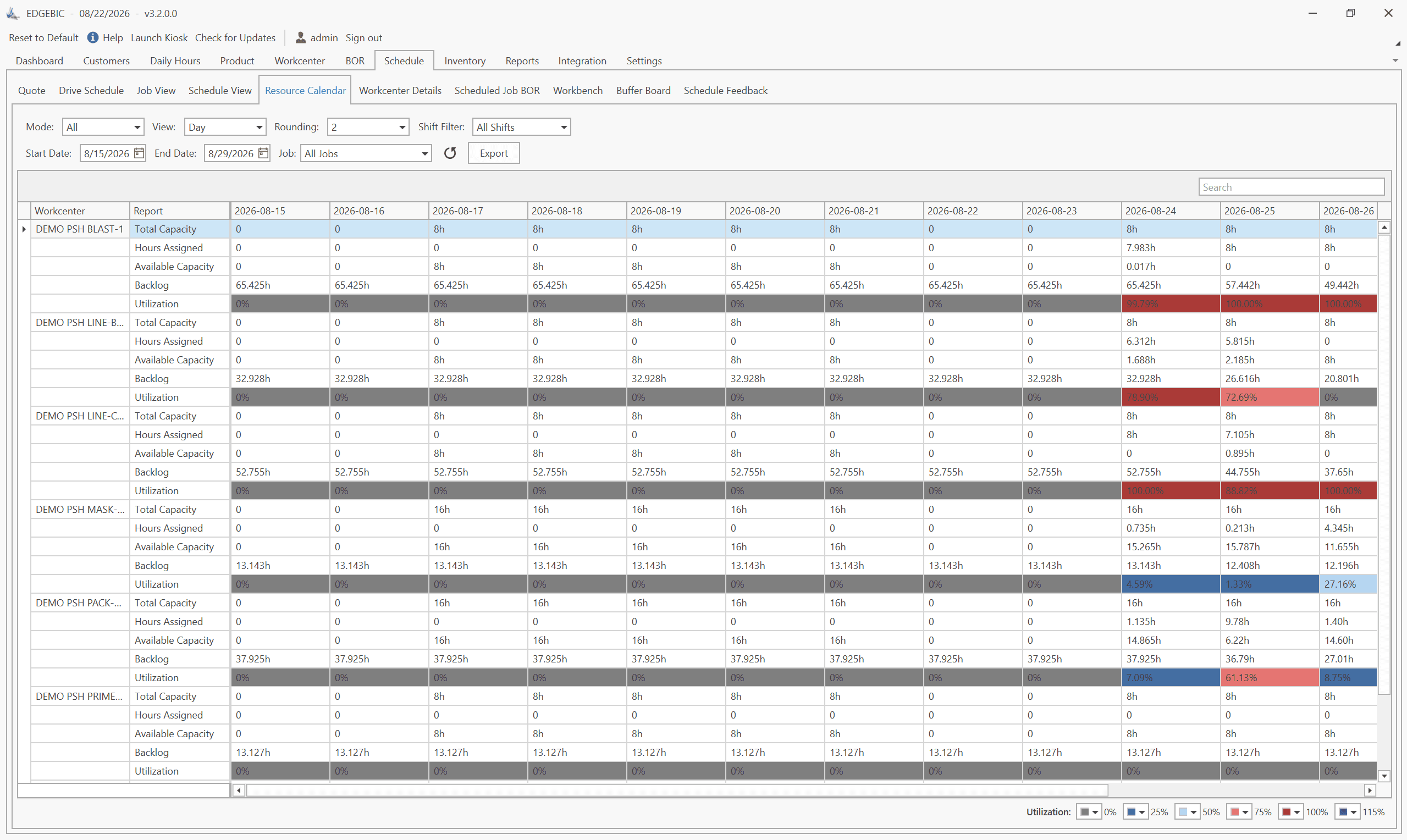
How to Create a Production Schedule in 7 Steps (Free Template)
How to create a production schedule step by step: horizon, real capacity, work orders, load check, sequence, dates, then publish. Worked example included.
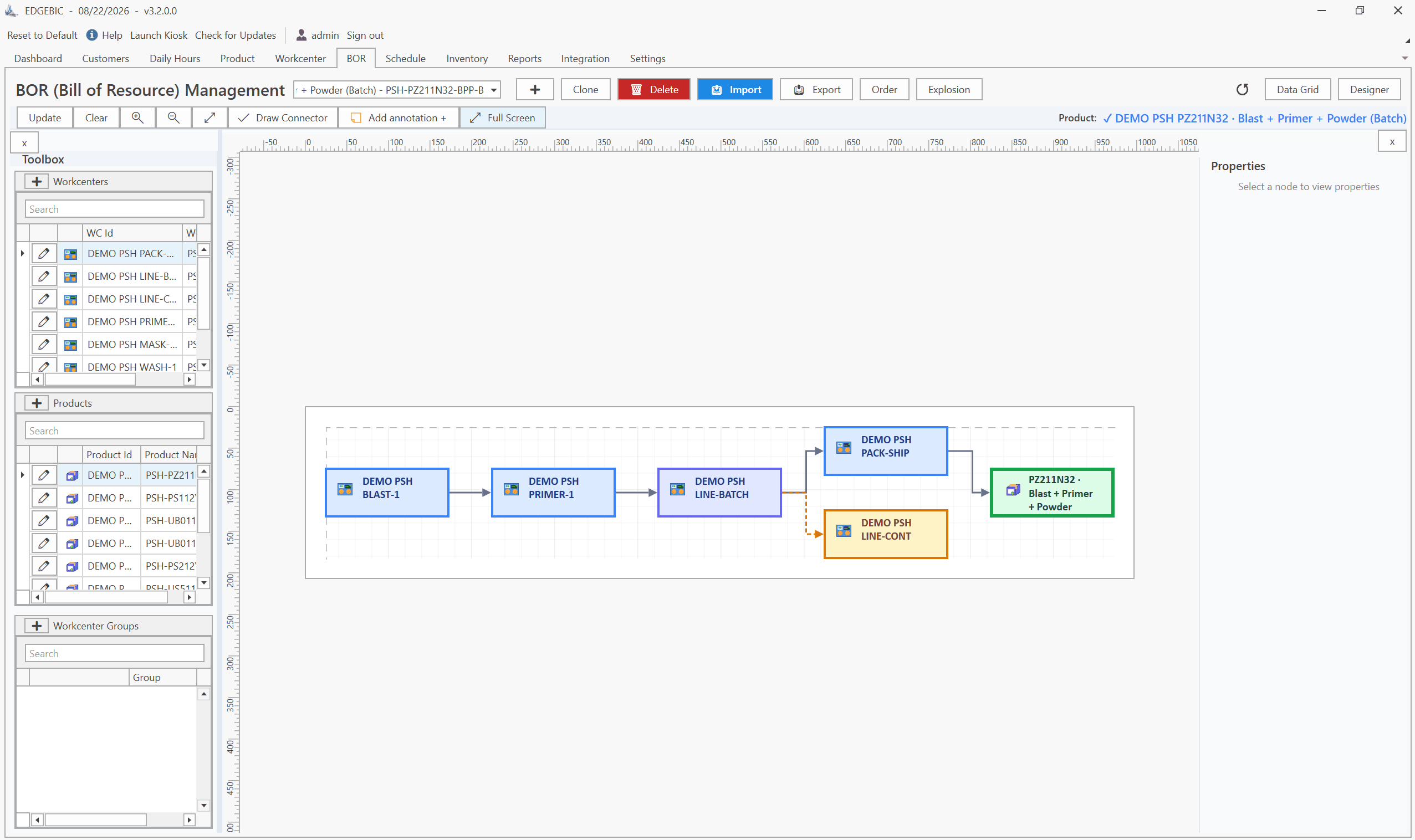
Production Planning and Control (PPC): Functions and Examples
Production planning and control explained: routing, loading, scheduling, sequencing, dispatching and expediting, the types of scheduling, and worked examples.

Sequence-Dependent Setup Times: The Scheduling Problem That Costs You Capacity
When changeover time depends on what ran before, standard scheduling fails. Learn how setup matrices, sequence optimization, and APS software recover 10-25% of hidden capacity in paint lines, food, and coating operations.