
5-Day Scheduling Software Implementation: Our Proven Process
 User Solutions Team
Scheduling software implementation does not need to take months. The horror stories about 12-month ERP rollouts, blown budgets, and abandoned projects have made manufacturers understandably cautious about any new software. But implementing a focused production scheduling solution is a fundamentally different undertaking. At User Solutions, we have refined a 5-day implementation process for our RMDB scheduling software that gets manufacturers creating real, finite-capacity schedules within a single business week.
This guide walks through our proven day-by-day process, the data preparation you need, and how to set your team up for a successful go-live. Whether you are moving from spreadsheets or adding scheduling capability to an existing ERP, this process works.
Why 5 Days Is Enough
Manufacturers who have survived ERP implementations are rightfully skeptical that anything meaningful can happen in 5 days. The difference comes down to scope.
An ERP implementation touches every department: finance, purchasing, inventory, sales, HR, quality, and production. It re-engineers business processes, migrates years of historical data, and requires dozens of integration points. That complexity is why ERP projects take 6-18 months and frequently run over.
A scheduling implementation is narrowly focused on one outcome: creating better production schedules. The data requirements are specific and bounded. The configuration decisions are manufacturing-centric. The user base is small - typically 1-3 schedulers and a handful of supervisors. And the value is immediate because every manufacturer has orders that need scheduling right now.
User Solutions has implemented RMDB at hundreds of manufacturers over 35+ years. That experience means we have encountered and solved every implementation challenge. We know which data matters on day one and which can wait. We know the configuration decisions that deliver 80% of the value. And we know the training approach that turns production planners into confident schedulers in days, not weeks.
Pre-Implementation: Setting the Foundation
Before the 5-day clock starts, we complete a brief preparation phase - typically 1-2 weeks before the on-site implementation. This is not busywork; it is the foundation that makes the 5-day process possible.
Data Gathering Checklist
Your implementation team needs to assemble four core data sets:
1. Resource Master Data
- List of all machines and work centers to be scheduled
- Available hours per shift for each resource
- Shift patterns (single shift, two shifts, overtime rules)
- Resource groupings (which machines can perform the same operations)
2. Routing Data
- Operation sequences for your products or product families
- Work center assignments for each operation
- Standard run times and setup times
- Any operation dependencies or overlap rules
3. Open Order Data
- All current open production orders and sales orders
- Quantities, due dates, and priorities
- Current status (not started, in progress, operation completed)
- Material availability status for each order
4. Material and BOM Data
- Bill of materials for scheduled products
- Current material inventory positions
- Open purchase orders with expected delivery dates
- Critical material lead times
Most of this data already exists in your ERP system. We provide data templates and work with your IT team to extract and format it before we arrive. If your data lives in spreadsheets or a legacy system, we can work with that too - our import tools handle CSV, Excel, and direct database connections.
For manufacturers who also need to set up MRP-driven purchasing, material data becomes especially important during this phase.
Day 1: Data Loading and Validation
Day 1 transforms your raw data into a working scheduling model.
Morning: Import and Map Data
We import your resource, routing, and order data into RMDB and map it to the scheduling engine's data model. This is where our experience pays off - we have built importers for every major ERP system (SAP, Oracle, Epicor, JobBOSS, Global Shop, and dozens of others) and know exactly how each system structures its data.
Within the first two hours, your real orders are loaded on real resources with real routings. This is not a demo with sample data - it is your production environment.
Afternoon: Data Quality Audit
With data loaded, we run RMDB's validation checks to identify issues:
- Routing gaps: Operations with missing work center assignments or zero run times
- Capacity conflicts: Resources with more hours scheduled than physically available
- Orphan orders: Orders referencing routings or resources that do not exist in the master data
- Time anomalies: Standard times that are clearly wrong (a CNC operation listed as 30 seconds or 300 hours)
We fix critical issues on the spot and flag non-critical items for later cleanup. The goal is a clean enough data foundation to generate a meaningful first schedule by end of day.
Day 1 Deliverable: All production data loaded and validated in RMDB, with a preliminary schedule generated showing current capacity conflicts and bottlenecks.
Day 2: Configuration and Scheduling Rules
Day 2 is where the scheduling engine learns how your shop actually runs.
Morning: Scheduling Parameters
We configure the scheduling rules that reflect your manufacturing reality:
- Scheduling direction: Forward scheduling, backward scheduling, or bidirectional based on your order mix
- Priority rules: How to rank competing jobs - due date, customer priority, job value, or custom rules
- Setup optimization: Setup time matrices that reduce changeover when similar jobs are grouped
- Constraint definitions: Which resources are true bottlenecks that should drive the schedule
- Buffer policies: Time buffers before bottlenecks and before shipping to absorb variability
These are not abstract IT decisions. We make them collaboratively with your production scheduler and shop floor supervisor - the people who know how the factory actually operates.
Afternoon: First Real Schedule Review
With rules configured, we generate the first capacity-realistic schedule and review it with the production team. This is consistently the most eye-opening moment of the implementation.
Manufacturers see, often for the first time, where their real capacity constraints are. They see which orders are genuinely at risk of being late - not because of bad execution, but because the math does not work with available capacity. They see how current job sequencing creates unnecessary bottlenecks.
We iterate on the schedule, adjusting rules and parameters until the output matches what experienced schedulers know to be realistic. This calibration step is critical - the scheduling engine must produce schedules that shop floor veterans find credible, or adoption will fail.
Day 2 Deliverable: Fully configured scheduling engine producing realistic, finite-capacity schedules with your real orders and resources.
Day 3: Advanced Features and Integration
Day 3 builds on the working schedule with advanced capabilities and system connections.
Morning: What-If Scenarios and Optimization
We train your team on the advanced features that deliver ongoing value:
- What-if analysis: Simulate the impact of adding a rush order, losing a machine, or changing shift patterns before committing
- Schedule optimization: Run the optimizer to find better job sequences that reduce makespan while respecting all due dates
- Bottleneck analysis: Identify which resources limit overall throughput and explore capacity alternatives
- Drag-and-drop rescheduling: Manually adjust the schedule with immediate visual feedback on downstream impacts
Afternoon: ERP Integration Setup
If you are connecting RMDB to your ERP (recommended but not required for go-live), we configure the integration layer:
- Automated order import from ERP to RMDB
- Schedule export back to ERP for shop floor dispatch
- Completion feedback to keep both systems synchronized
- Material availability feeds from inventory management
For manufacturers using RMDB as an ERP scheduling add-on, this integration is the critical link that makes the two systems work as one.
Day 3 Deliverable: Advanced scheduling features configured and ERP integration tested.
Day 4: User Training
Day 4 is dedicated entirely to training the people who will use the system daily.
Scheduler Training (Full Day)
Your primary scheduler (and backup) receives hands-on training covering the complete daily workflow:
- Morning review: Pull in overnight changes, review schedule adherence from yesterday, update job statuses
- New order processing: Import new orders, check capacity impact, confirm or negotiate delivery dates
- Schedule adjustment: Handle the inevitable changes - rush orders, machine breakdowns, material delays
- End-of-day publishing: Finalize tomorrow's dispatch list and communicate the schedule to the shop floor
- Weekly optimization: Run the optimizer, review bottleneck utilization, plan for the coming week
Training uses your real data and real orders, not canned exercises. By the end of day 4, your scheduler has worked through multiple realistic scenarios and built muscle memory for the daily workflow.
Supervisor Briefing (1 Hour)
Shop floor supervisors get a focused briefing on how to read the published schedule, report completions, and communicate deviations back to the scheduler. Their buy-in is essential - a perfect schedule is worthless if the shop floor ignores it.
Day 4 Deliverable: Trained scheduler capable of running the daily scheduling workflow independently.
Day 5: Go-Live and Parallel Run
Day 5 is go-live day. Your scheduler runs the full daily workflow with support standing by.
Morning: First Independent Schedule
Your scheduler generates the day's schedule independently while our implementation lead observes and coaches. Any questions or edge cases that arise are addressed in real time. The goal is confidence - your scheduler should feel comfortable managing the system alone by lunchtime.
Afternoon: 30-Day Success Plan
We establish the metrics and milestones for the first 30 days:
- Week 1: Daily check-in calls to address questions and refine the schedule
- Week 2: Review schedule adherence trends and adjust scheduling rules as needed
- Week 3: Address any data quality issues surfaced by actual use
- Week 4: First formal metrics review - schedule adherence, capacity utilization, and early on-time delivery indicators
We also document any customizations or enhancements identified during the week for the post-implementation roadmap.
Day 5 Deliverable: System in live production use with a 30-day support and optimization plan.
What Makes This Process Work
Three factors make the 5-day implementation reliable and repeatable.
Focused Scope
We implement scheduling - nothing else. We do not re-engineer your purchasing process, redesign your shop floor layout, or overhaul your quality system. Those improvements may come later, often enabled by the visibility that scheduling provides, but they are not prerequisites for better schedules.
Experienced Implementation Team
Our implementation leads have manufacturing backgrounds, not just software backgrounds. They speak the language of routings, work centers, setup times, and bottlenecks. They have seen hundreds of shop floors and can quickly identify the scheduling patterns and challenges specific to your operation. Learn more about our track record in our scheduling success stories.
Proven Technology
RMDB has been refined over 35 years of real-world manufacturing use. The configuration options exist because manufacturers needed them. The import tools work because we have connected to every major ERP system. The scheduling algorithms produce credible results because they have been validated against millions of real production schedules.
After Go-Live: The First 90 Days
Implementation does not end on Day 5. The first 90 days are when the real value emerges.
Days 1-30: Your scheduler builds proficiency and the scheduling model is refined based on actual use. Data quality issues surface and get corrected. Scheduling rules are adjusted as edge cases emerge.
Days 31-60: The focus shifts from "can we schedule?" to "how do we schedule better?" Advanced optimization, what-if analysis, and production schedule optimization techniques become part of the daily workflow.
Days 61-90: Measurable results appear. Schedule adherence improves. On-time delivery climbs. WIP inventory begins to drop. The data now supports an ROI calculation that justifies the investment.
By day 90, RMDB is no longer "the new scheduling system." It is simply how you schedule production.
FAQ
With User Solutions' proven process, RMDB scheduling software can be implemented in 5 business days. This includes data loading, system configuration, user training, and go-live. Complex multi-plant environments may require 2-3 weeks. This is dramatically faster than ERP implementations that take 6-18 months.
You need four core data sets: a list of resources (machines, work centers) with available hours per shift; routings for your products showing operation sequence, work center, and standard times; current open orders with quantities and due dates; and your bill of materials or material availability status. Most manufacturers already have this data in their ERP system.
No. RMDB works alongside your existing ERP system, not as a replacement. The scheduler imports order and routing data from your ERP, creates the optimized schedule, and can feed completion data back. Think of it as a scheduling brain that sits on top of your ERP.
The biggest risk is inaccurate routing data - specifically, standard times that do not reflect reality. If your routing says an operation takes 2 hours but it actually takes 4 hours, the schedule will be wrong from day one. We validate critical routing data during Day 2 of our implementation process to catch these issues early.
Most production schedulers become proficient with RMDB within 2-3 days of hands-on use. The interface is designed for manufacturing people, not IT specialists. Day 4 of our implementation is dedicated to training, and we provide ongoing support during the first 30 days to ensure confidence and competence.
Ready to Schedule Smarter in 5 Days?
Stop wrestling with spreadsheets and ERP workarounds. Contact User Solutions to learn how our 5-day implementation process can transform your production scheduling - and start improving delivery performance this month.
Expert Q&A: Deep Dive
Q: Why can you implement in 5 days when ERP implementations take months?
A: Scope is the difference. An ERP implementation touches every department - finance, purchasing, inventory, HR, quality, production. Our scheduling implementation is laser-focused on one thing: creating better production schedules. We do not re-engineer your business processes or replace your transactional systems. We import your data, configure the scheduling engine, train your team, and go live. The narrow scope and our 35+ years of manufacturing scheduling experience mean we have solved every implementation challenge before. We know exactly what data matters, what configuration decisions to make, and what shortcuts to avoid.
Q: What happens after the 5-day implementation?
A: The 5-day implementation gets you scheduling with real data on real orders. But optimization is ongoing. During weeks 2-4, we provide remote support as your scheduler refines the model - adjusting scheduling rules, fine-tuning setup matrices, and building what-if scenarios. By day 30, most customers are self-sufficient. We also conduct a 60-day review to measure the impact on key metrics like schedule adherence, on-time delivery, and WIP levels. Our goal is measurable improvement within 90 days.
Q: What if our data is messy - can we still implement in 5 days?
A: It depends on how messy. If your routings exist but have inaccurate times, we can still implement - we will flag the worst offenders during Day 2 validation and correct them on the fly. If you have no routings at all, we need a pre-implementation phase to build them, which adds 1-2 weeks. The good news is that most manufacturers with an ERP system have 80% of the data we need. The 5-day process includes data cleanup time built into Days 1 and 2.
Frequently Asked Questions
Ready to Transform Your Production Scheduling?
User Solutions has been helping manufacturers optimize their production schedules for over 35 years. One-time license, 5-day implementation.

User Solutions Team
Manufacturing Software Experts
User Solutions has been developing production planning and scheduling software for manufacturers since 1991. Our team combines 35+ years of manufacturing software expertise with deep industry knowledge to help factories optimize their operations.
Share this article
Related Articles
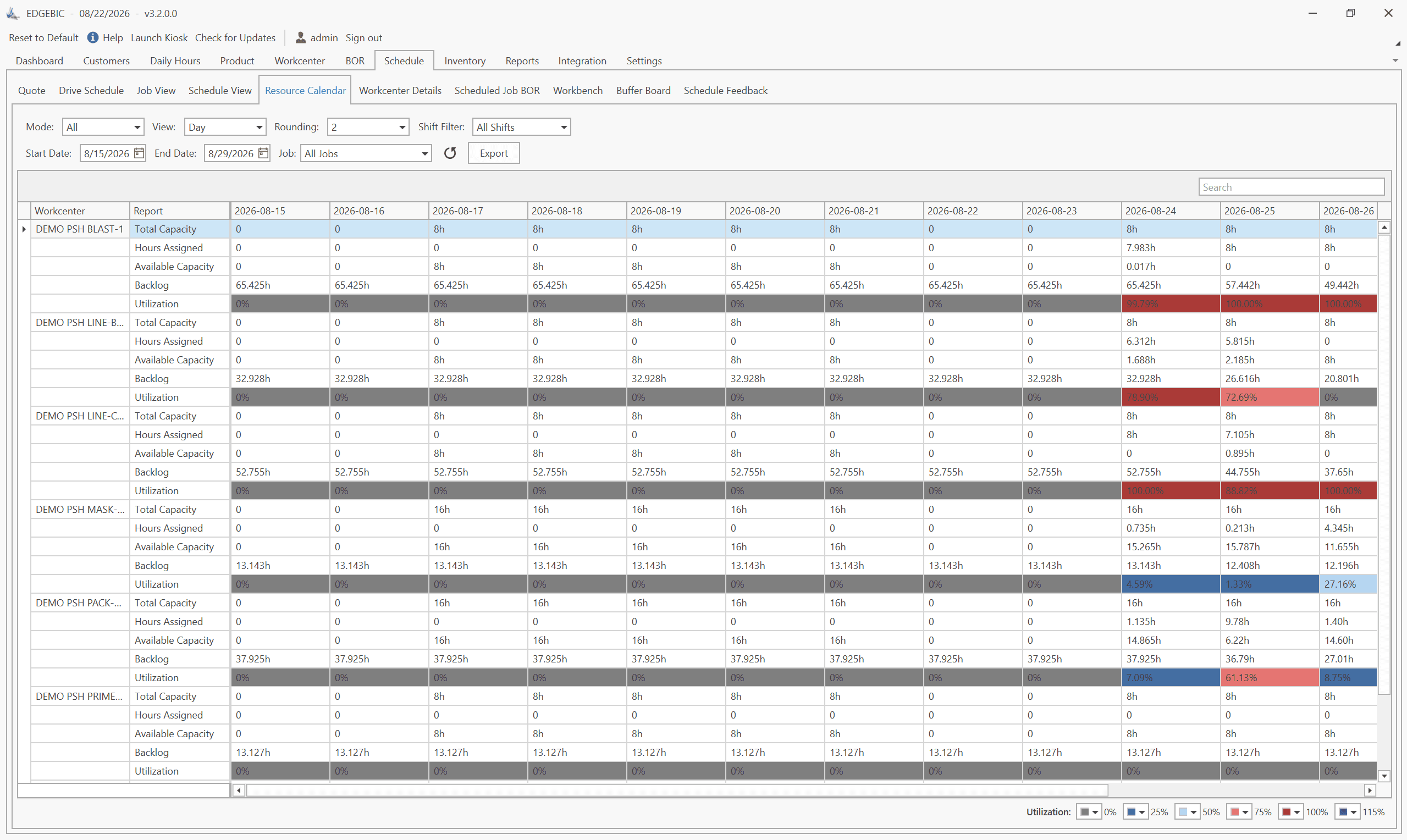
How to Create a Production Schedule in 7 Steps (Free Template)
How to create a production schedule step by step: horizon, real capacity, work orders, load check, sequence, dates, then publish. Worked example included.
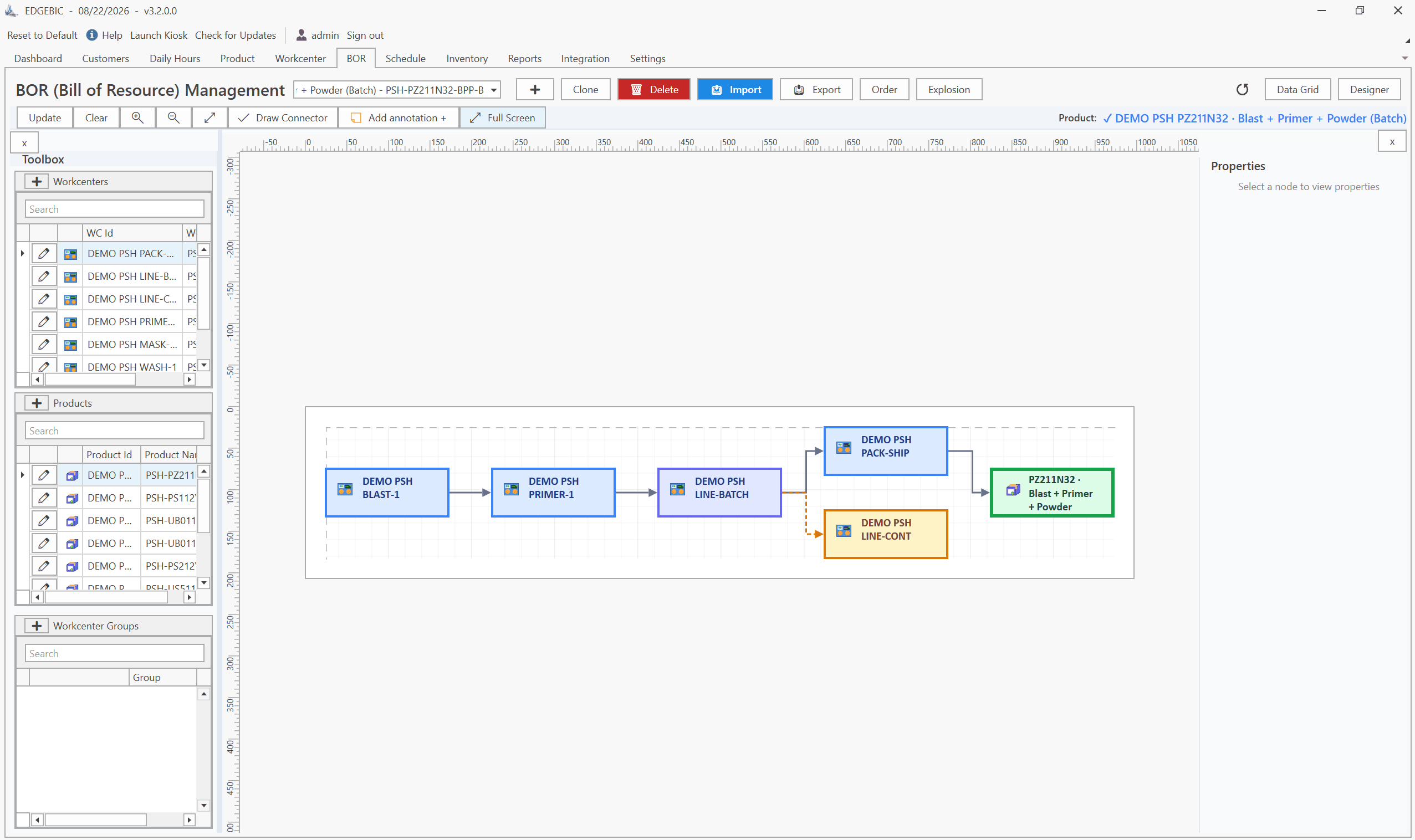
Production Planning and Control (PPC): Functions and Examples
Production planning and control explained: routing, loading, scheduling, sequencing, dispatching and expediting, the types of scheduling, and worked examples.

Sequence-Dependent Setup Times: The Scheduling Problem That Costs You Capacity
When changeover time depends on what ran before, standard scheduling fails. Learn how setup matrices, sequence optimization, and APS software recover 10-25% of hidden capacity in paint lines, food, and coating operations.