


MRP material requirements planning has been the backbone of manufacturing operations for over five decades, and for good reason. Whether you run a 20-person job shop or a multi-plant operation, getting the right materials to the right place at the right time determines whether you ship on time or scramble to explain delays. In this complete guide, we draw on 35+ years of helping manufacturers like GE, Cummins, BAE Systems, and the US Navy to break down everything you need to know about MRP in 2026, from foundational concepts to advanced implementation strategies.
This is not a theoretical overview. It is a practical resource built from our experience across 100+ implementations, designed to help you evaluate, implement, and optimize material requirements planning for your specific operation.
What Is MRP (Material Requirements Planning)?
Material Requirements Planning (MRP) is a production planning, scheduling, and inventory control system that manages the manufacturing process. At its core, MRP answers three fundamental questions every manufacturer faces daily:
- What materials and components do I need?
- How many of each do I need?
- When do I need them?
MRP calculates these answers by working backward from finished goods demand, exploding bills of materials to determine component requirements, netting out existing inventory and open purchase orders, and then time-phasing orders according to lead times.
The concept originated in the 1960s when Joseph Orlicky at IBM formalized the logic that distinguishes dependent demand (components derived from parent item demand) from independent demand (finished goods driven by customer orders or forecasts). This distinction is what makes MRP fundamentally different from simple reorder-point inventory systems.
Today, MRP logic lives inside nearly every manufacturing software system, from standalone planning tools to full-scale ERP platforms. Whether you are evaluating RMDB from User Solutions or considering a module within SAP or Oracle, the underlying MRP engine follows the same core principles.
Why MRP Still Matters in 2026
Despite advances in AI, IoT, and predictive analytics, MRP remains essential because manufacturing is fundamentally a dependent-demand problem. You cannot build a finished product without its components arriving in the correct sequence. No amount of machine learning changes that physics.
What has changed is the speed, accuracy, and sophistication of MRP calculations. Modern systems process thousands of SKUs in seconds, incorporate finite capacity constraints, and adjust dynamically as conditions change on the shop floor.
How MRP Works: Inputs, Processing, and Outputs
Understanding MRP requires breaking it down into three phases: what goes in, what happens inside, and what comes out.
MRP Inputs
Every MRP system requires three primary inputs:
-
Master Production Schedule (MPS): The MPS defines what finished goods need to be produced, in what quantities, and by what dates. It translates customer orders and demand forecasts into a concrete production plan. The MPS is the demand signal that drives everything downstream.
-
Bill of Materials (BOM): The BOM is a structured list of every component, subassembly, and raw material required to build one unit of a finished product. It defines parent-child relationships and quantities per assembly. We cover BOMs in depth in a dedicated section below.
-
Inventory Status Records: These records show current on-hand quantities, allocated stock, open purchase orders, open work orders, safety stock levels, lead times, and lot sizing rules for every item in the system.
MRP Processing Logic
The MRP engine processes these inputs through a series of calculations known as the MRP explosion:
- Gross Requirements Calculation: Starting from the MPS, the system explodes the BOM level by level to calculate total gross requirements for every component.
- Netting: The system subtracts on-hand inventory and scheduled receipts (open POs and work orders) from gross requirements to determine net requirements.
- Lot Sizing: Net requirements are grouped into order quantities based on lot sizing rules (lot-for-lot, economic order quantity, fixed period, etc.).
- Time Phasing (Offsetting): Order release dates are calculated by offsetting order due dates by the item's lead time. This ensures orders are placed early enough to arrive when needed.
MRP Outputs
MRP generates several actionable outputs:
- Planned Purchase Orders: Recommendations for raw material and component purchases, with suggested quantities and order dates.
- Planned Work Orders: Recommendations for in-house production of subassemblies and components.
- Action Messages (Exception Reports): Alerts when planners need to expedite, delay, cancel, or change the quantity of existing orders.
- Performance Reports: Analysis of inventory turns, delivery performance, and planning accuracy.
These outputs form the basis for daily procurement and production decisions. The key is that MRP transforms a complex web of dependent demand into a clear, time-phased action plan.
MRP vs. MRP II vs. ERP: Understanding the Evolution
The alphabet soup of manufacturing acronyms confuses many people. Here is a clear breakdown of how these systems relate to each other and have evolved over time.
| Feature | MRP | MRP II | ERP |
|---|---|---|---|
| Era | 1960s-1970s | 1980s | 1990s-Present |
| Scope | Material planning only | Material + capacity + finance | Entire enterprise |
| Key Function | What, how much, when to order | Closed-loop planning with feedback | Integrated business operations |
| Capacity Planning | No | Yes (CRP, rough-cut) | Yes (advanced) |
| Financial Integration | No | Yes (cost roll-ups, budgets) | Full GL, AP, AR |
| Shop Floor Control | No | Yes | Yes |
| Other Modules | None | Sales, purchasing | HR, CRM, WMS, SCM, BI |
MRP (1960s-1970s)
Original MRP focused exclusively on material planning. It answered the "what, how much, when" questions but did not consider whether the shop floor had enough capacity to execute the plan. This was its biggest limitation: MRP could produce a material plan that was perfectly correct from a BOM perspective but completely infeasible given actual machine and labor constraints.
MRP II (1980s)
MRP II (Manufacturing Resource Planning) added closed-loop feedback. It incorporated Capacity Requirements Planning (CRP), shop floor control, purchasing execution, and financial integration. For the first time, manufacturers could validate that their material plan was achievable within actual capacity constraints.
ERP (1990s-Present)
ERP expanded the scope beyond manufacturing to encompass the entire business. It added finance, human resources, customer relationship management, supply chain management, and business intelligence. MRP became one module among many within the ERP framework.
Where Scheduling Add-Ons Fit
Even modern ERP systems often lack sophisticated finite capacity scheduling. This is where tools like RMDB and EDGEBIC, its current generation, fill the gap. They work alongside your ERP to provide detailed shop floor scheduling that respects actual capacity constraints, something that basic MRP logic alone cannot do. Learn more about this approach in our ERP scheduling add-on guide.
Key Components of an MRP System
A well-functioning MRP system consists of several interconnected components that work together to produce accurate plans.
Demand Management
Demand management combines firm customer orders with demand forecasts to create the input signal for the MPS. Best-in-class systems use a consume-the-forecast approach where actual orders replace forecast quantities as they arrive, preventing double-counting.
Master Production Scheduling
The MPS translates demand into a production plan for finished goods. It operates within defined planning horizons:
- Frozen zone (1-2 weeks): No changes allowed without senior management approval
- Slushy zone (3-8 weeks): Changes allowed with planner approval
- Free zone (8+ weeks): Changes made freely based on updated demand
Inventory Management
Accurate inventory is the lifeblood of MRP. This includes:
- On-hand balances updated in real time
- Safety stock calculations based on demand variability and lead time variability
- Lot sizing rules that balance ordering costs against carrying costs
- ABC classification to prioritize management attention
Purchasing Integration
MRP planned orders convert into actual purchase orders through the procurement module. Key capabilities include supplier lead time tracking, multiple supplier support per item, and automated purchase order generation.
Shop Floor Control
Shop floor control tracks work order progress against the plan, providing the feedback loop that closes the planning cycle. This is where tools like RMDB excel, offering drag-and-drop Gantt chart scheduling, now continued in EDGEBIC with Resource Load views and shop-floor kiosk actuals.
Bill of Materials (BOM): The Foundation of MRP
The BOM is arguably the most critical data element in any MRP system. If your BOMs are wrong, everything downstream will be wrong. Period.
BOM Structure
A BOM is a hierarchical structure that defines:
- Parent item: The item being manufactured
- Child items: Components required to make the parent
- Quantity per: How many of each child are needed per parent
- Level: The position in the hierarchy (Level 0 = finished good, Level 1 = first-level subassembly, etc.)
- Scrap factor: Anticipated loss percentage during manufacturing
BOM Types
Manufacturers use different BOM types depending on their environment:
- Engineering BOM (EBOM): Reflects the design structure from engineering
- Manufacturing BOM (MBOM): Reflects how the product is actually built on the shop floor (may differ from EBOM)
- Planning BOM: A percentage-based BOM used for forecasting product families
- Phantom BOM: Represents subassemblies that are built and immediately consumed without being stocked
- Configurable BOM: Used in configure-to-order environments where options create different component combinations
BOM Accuracy Best Practices
Based on our experience implementing planning systems for 35+ years, here are the practices that ensure BOM accuracy:
- Audit BOMs against actual production builds at least quarterly
- Engineering Change Order (ECO) process that automatically updates BOMs when designs change
- Single source of truth: One system owns the BOM, all other systems reference it
- Effectivity dates on BOM changes so you can plan transitions between old and new components
- Assign ownership: Every BOM should have a named individual responsible for its accuracy
MRP Calculation: A Step-by-Step Example
Let us walk through a simplified MRP calculation to make the logic concrete.
Scenario: You manufacture Product A, which requires 2 units of Component B and 1 unit of Component C. Component B has a 2-week lead time, Component C has a 3-week lead time.
Given Data:
- Customer order: 100 units of Product A, due Week 8
- Product A lead time: 1 week
- Component B: 50 units on hand, 2-week lead time
- Component C: 30 units on hand, 3-week lead time
- Safety stock: 0 (simplified)
Step 1 - Explode the BOM:
- Product A needs to start production in Week 7 (due Week 8 minus 1 week lead time)
- Gross requirement for B: 100 x 2 = 200 units, needed by Week 7
- Gross requirement for C: 100 x 1 = 100 units, needed by Week 7
Step 2 - Net Requirements:
- Component B: 200 gross - 50 on hand = 150 net requirement
- Component C: 100 gross - 30 on hand = 70 net requirement
Step 3 - Time Phase (Offset by Lead Time):
- Component B: Need by Week 7, lead time 2 weeks, so order release = Week 5
- Component C: Need by Week 7, lead time 3 weeks, so order release = Week 4
MRP Output:
| Item | Action | Quantity | Release Date | Due Date |
|---|---|---|---|---|
| Product A | Work Order | 100 | Week 7 | Week 8 |
| Component B | Purchase Order | 150 | Week 5 | Week 7 |
| Component C | Purchase Order | 70 | Week 4 | Week 7 |
This simple example illustrates the core logic. In practice, MRP systems handle thousands of items across dozens of BOM levels simultaneously, accounting for lot sizing, safety stock, scrap, and multiple demand sources.
Benefits of MRP for Manufacturers
Manufacturers who implement MRP correctly see measurable improvements across multiple dimensions. Based on data from our customer implementations and industry benchmarks from APICS (now ASCM), here are the primary benefits:
Inventory Reduction
MRP replaces guesswork with calculation. Instead of maintaining large safety stocks "just in case," manufacturers order based on actual demand-driven requirements. In our experience, manufacturers typically see a 15-25% reduction in raw material inventory within the first six months of MRP implementation.
Improved On-Time Delivery
When materials arrive when they are supposed to, production starts on time, and customer deliveries improve. Our customers regularly report on-time delivery improvements from the 70-80% range to 92-98% after implementing MRP-driven planning alongside RMDB scheduling.
Reduced Expediting Costs
Fewer material shortages mean fewer emergency purchases, reduced air freight charges, and less overtime. Expediting costs typically drop by 30-50% because planners can identify potential shortages weeks in advance rather than days.
Better Capacity Utilization
When material availability aligns with production schedules, machines and labor stay productive. Idle time caused by waiting for materials drops significantly, improving overall equipment effectiveness (OEE).
Data-Driven Decision Making
MRP provides visibility into future material needs across the entire planning horizon. Buyers can negotiate better prices with longer lead time visibility. Production managers can level-load work centers. Finance can project cash requirements for material purchases weeks or months in advance.
Scalability
A well-implemented MRP system scales with your business. Adding new products, suppliers, or production lines becomes a data configuration exercise rather than a planning crisis.
Common MRP Challenges and How to Overcome Them
MRP is powerful, but it is not plug-and-play. Here are the most common challenges we see across implementations, along with proven solutions.
Challenge 1: Data Accuracy
The Problem: Garbage in, garbage out. If BOMs are inaccurate, inventory counts are off, or lead times are outdated, MRP recommendations will be wrong.
The Solution: Implement cycle counting (count a portion of inventory daily rather than annual physical counts), audit BOMs quarterly, and track supplier lead time actuals versus estimates. Aim for 95%+ accuracy across all three data sets before going live.
Challenge 2: Nervousness (Excessive Rescheduling)
The Problem: MRP regenerates plans frequently, and small changes in demand or timing create cascading reschedule messages. Planners become overwhelmed and start ignoring the system.
The Solution: Use planning time fences to dampen changes within the frozen zone. Implement action message filtering to suppress trivial changes (e.g., reschedule by 1 day). Set lot sizing rules that reduce sensitivity to small demand fluctuations.
Challenge 3: Infinite Capacity Assumption
The Problem: Basic MRP assumes infinite production capacity. It will plan materials to arrive for production that the shop floor cannot physically execute.
The Solution: Pair MRP with finite capacity scheduling. This is where RMDB becomes essential. It validates material plans against actual shop floor capacity, identifying bottlenecks and suggesting realistic production sequences. Learn more about how finite capacity scheduling works.
Challenge 4: Lead Time Inaccuracy
The Problem: MRP uses fixed lead times, but actual lead times vary based on supplier performance, order quantity, and current shop floor load.
The Solution: Track actual lead times and update planning parameters regularly. Some advanced systems now use dynamic lead times that adjust based on current conditions. At minimum, review and update lead times quarterly.
Challenge 5: User Adoption
The Problem: Planners revert to spreadsheets and tribal knowledge, bypassing the MRP system.
The Solution: Invest in training, demonstrate quick wins, and choose systems with intuitive interfaces. Tools with visual scheduling capabilities like the drag-and-drop Gantt charts in EDGEBIC, the successor to EDGEBI, significantly improve user adoption because planners can see and interact with the plan rather than working from lists of numbers.
MRP Software: What to Look For in 2026
The MRP software landscape has evolved dramatically. Here is what to evaluate when selecting a system in 2026.
Must-Have Features
- BOM management with multi-level explosion and version control
- Demand management combining orders and forecasts
- Net requirements calculation with lot sizing options
- Planned order generation with automatic time phasing
- Action message management with filtering and prioritization
- Integration APIs for connecting to ERP, shop floor, and procurement systems
- Finite capacity awareness or integration with scheduling tools
Evaluation Criteria
| Criterion | Questions to Ask |
|---|---|
| Deployment | Cloud, on-premise, or hybrid? What are your IT constraints? |
| Integration | Does it connect with your existing ERP (SAP, Oracle, Epicor, Sage, Dynamics)? |
| Scalability | Can it handle your item count and BOM complexity as you grow? |
| Usability | Will your planners actually use it daily? |
| Cost Model | Subscription vs. one-time license? What is the 5-year total cost? |
| Implementation Time | Months or days? Can you afford extended downtime? |
| Support | Vendor responsiveness and manufacturing domain expertise |
The User Solutions Approach
At User Solutions, we take a different approach to MRP and production planning software. Instead of replacing your entire system, RMDB works as a powerful scheduling and planning layer that integrates with your existing ERP. Key differentiators include:
- One-time license: No recurring subscription fees that escalate over time
- 5-day implementation: Not months of consulting and configuration
- Proven with demanding customers: GE, Cummins, BAE Systems, US Navy
- 35+ years of manufacturing expertise: We understand the shop floor, not just the software
- Finite capacity scheduling: What basic MRP cannot do alone
Explore our pricing or request a demo to see the difference.
Expert Q&A: Deep Dive
Drawing from 35+ years of manufacturing software experience and 100+ implementations, our team answers the questions that matter most to manufacturing planners and operations leaders.
Q: With 35+ years in manufacturing software, what is the most common MRP mistake you see?
The most common mistake we see across 100+ implementations is treating MRP as a set-it-and-forget-it system. Manufacturers invest heavily in the initial setup, get accurate BOMs loaded, run their first MRP calculations, and then never revisit their planning parameters. Lead times change. Supplier reliability shifts. Scrap rates fluctuate.
At a minimum, we recommend quarterly reviews of safety stock levels, lead times, and lot sizing rules. The manufacturers who get the best results from MRP are the ones who treat it as a living system.
Q: How do you see AI changing MRP systems over the next few years?
AI is already enhancing MRP in three key areas:
- Demand sensing is replacing traditional forecasting by analyzing real-time signals like POS data, weather, and economic indicators.
- Dynamic lead time estimation is replacing static lead times with machine learning models that account for supplier performance variability.
- Autonomous exception management is filtering the noise from MRP action messages so planners focus only on decisions that truly need human judgment.
At User Solutions, EDGEBIC Complete, the current generation of RMDB, keeps the foundation practical: MRP, BOM explosion, inventory, purchasing and material pegging run beside finite capacity scheduling, without requiring a data science team.
Q: For a small job shop just getting started, should they invest in MRP or a scheduling tool first?
For most small job shops, we actually recommend starting with finite capacity scheduling rather than full MRP. Here is why: job shops typically have a manageable number of purchased materials but a very complex resource allocation problem.
A scheduling tool like RMDB gives you immediate visibility into shop floor capacity, accurate delivery date promises, and bottleneck identification. Once you have scheduling under control, layering MRP on top for material planning becomes straightforward because your schedule drives the material timing. Starting with MRP alone often leads to plans that look good on paper but are infeasible on the shop floor.
Q: What data accuracy level is needed before going live with MRP?
We tell our customers to aim for 95% accuracy across three critical data sets: bill of materials, inventory records, and routing times.
- BOM accuracy is the most important because one missing component can cascade into stockouts.
- Inventory accuracy below 95% means MRP will either over-order (tying up cash) or under-order (causing stockouts).
- Routing accuracy affects capacity planning and lead time calculations.
Before going live, we recommend a full cycle count, BOM audit against actual production builds, and time studies on your top 20 work centers. That focused effort typically takes 2-4 weeks and is the single best investment in MRP success.
Q: How does MRP handle engineer-to-order environments where the BOM changes constantly?
Engineer-to-order is where traditional MRP struggles the most because the BOM does not exist until engineering completes the design. What we recommend is a two-tier approach: use parametric or phantom BOMs based on similar past orders to get preliminary material requirements flowing early, then refine as engineering locks down the actual design.
RMDB supports this with configurable BOM structures that allow planners to start procurement on long-lead items using estimated BOMs while flagging items that will change once final engineering is released. This approach typically recovers 2-3 weeks of lead time on engineer-to-order projects.
Frequently Asked Questions
Take the Next Step with MRP
Whether you are implementing MRP for the first time or looking to enhance your existing planning capabilities, the right approach and the right tools make all the difference. At User Solutions, we have spent 35+ years helping manufacturers move from reactive firefighting to proactive planning.
Ready to improve your material planning and production scheduling?
- Schedule a consultation to discuss your specific manufacturing challenges
- See EDGEBIC, the current generation of RMDB, and finite capacity scheduling in action
- View our pricing and discover the advantage of a one-time license model
Your competitors are planning better every day. The question is whether your MRP and scheduling systems are keeping pace. Contact us to find out how we can help.
Continue exploring this cluster
Dive deeper into specific aspects of material requirements planning with these related guides from our content library:
- 18 Common MRP Mistakes (And How to Fix Them)
- Best MRP Software for Small Manufacturers in 2026
- Bill of Materials (BOM) Guide: Types, Structure & Best Practices
- Closed-Loop MRP: How Feedback Transforms Material Planning
- DDMRP (Demand-Driven MRP): How It Works & When to Use It
- Dependent vs Independent Demand: The Key to Manufacturing Planning
- Economic Order Quantity (EOQ): Formula, Examples & Calculator
- MRP for Custom Manufacturing: Planning When Every Order Is Different
- MRP Implementation Checklist: 7 Phases to Go-Live Success
- MRP Inputs and Outputs: The Complete Breakdown for Manufacturers
- MRP Lot Sizing Methods: LFL, EOQ, POQ & More Compared
- MRP Nervousness: Causes, Effects & How to Stabilize Your Plans
- MRP Net Requirements Calculation: Step-by-Step with Examples
- MRP vs JIT: Which Material Planning Strategy Fits Your Factory?
- MRP vs MRP II vs ERP: Key Differences Manufacturers Must Know
- MRP vs Spreadsheets: When to Upgrade from Excel to MRP Software
- MRP-Driven Purchasing: Automating Procurement
- Multi-Level BOM in MRP: Structure, Explosion & Low-Level Codes
- Safety Stock in MRP: Formulas, Calculations & Best Practices
- What Is MRP? Material Requirements Planning Explained for Manufacturers
Expert Q&A: Deep Dive
Q: With 35+ years in manufacturing software, what is the most common MRP mistake you see?
A: The most common mistake we see across 100+ implementations is treating MRP as a set-it-and-forget-it system. Manufacturers invest heavily in the initial setup, get accurate BOMs loaded, run their first MRP calculations, and then never revisit their planning parameters. Lead times change. Supplier reliability shifts. Scrap rates fluctuate. At a minimum, we recommend quarterly reviews of safety stock levels, lead times, and lot sizing rules. The manufacturers who get the best results from MRP are the ones who treat it as a living system.
Q: How do you see AI changing MRP systems over the next few years?
A: AI is already enhancing MRP in three key areas. First, demand sensing is replacing traditional forecasting by analyzing real-time signals like POS data, weather, and economic indicators. Second, dynamic lead time estimation is replacing static lead times with machine learning models that account for supplier performance variability. Third, autonomous exception management is filtering the noise from MRP action messages so planners focus only on decisions that truly need human judgment. At User Solutions, EDGEBIC Complete, the current generation of RMDB, keeps the foundation practical: MRP, BOM explosion, inventory, purchasing and material pegging run beside finite capacity scheduling, without requiring a data science team.
Q: For a small job shop just getting started, should they invest in MRP or a scheduling tool first?
A: For most small job shops, we actually recommend starting with finite capacity scheduling rather than full MRP. Here is why: job shops typically have a manageable number of purchased materials but a very complex resource allocation problem. A scheduling tool like RMDB gives you immediate visibility into shop floor capacity, accurate delivery date promises, and bottleneck identification. Once you have scheduling under control, layering MRP on top for material planning becomes straightforward because your schedule drives the material timing. Starting with MRP alone often leads to plans that look good on paper but are infeasible on the shop floor.
Q: What data accuracy level is needed before going live with MRP?
A: We tell our customers to aim for 95% accuracy across three critical data sets: bill of materials, inventory records, and routing times. BOM accuracy is the most important because one missing component can cascade into stockouts. Inventory accuracy below 95% means MRP will either over-order, tying up cash, or under-order, causing stockouts. Routing accuracy affects capacity planning and lead time calculations. Before going live, we recommend a full cycle count, BOM audit against actual production builds, and time studies on your top 20 work centers. That focused effort typically takes 2-4 weeks and is the single best investment in MRP success.
Q: How does MRP handle engineer-to-order environments where the BOM changes constantly?
A: Engineer-to-order is where traditional MRP struggles the most because the BOM does not exist until engineering completes the design. What we recommend is a two-tier approach. Use parametric or phantom BOMs based on similar past orders to get preliminary material requirements flowing early, then refine as engineering locks down the actual design. RMDB supports this with configurable BOM structures that allow planners to start procurement on long-lead items using estimated BOMs while flagging items that will change once final engineering is released. This approach typically recovers 2-3 weeks of lead time on engineer-to-order projects.
Frequently Asked Questions
Ready to Transform Your Production Scheduling?
User Solutions has been helping manufacturers optimize their production schedules for over 35 years. One-time license, 5-day implementation.

User Solutions Team
Manufacturing Software Experts
User Solutions has been developing production planning and scheduling software for manufacturers since 1991. Our team combines 35+ years of manufacturing software expertise with deep industry knowledge to help factories optimize their operations.
Share this article
Related Articles
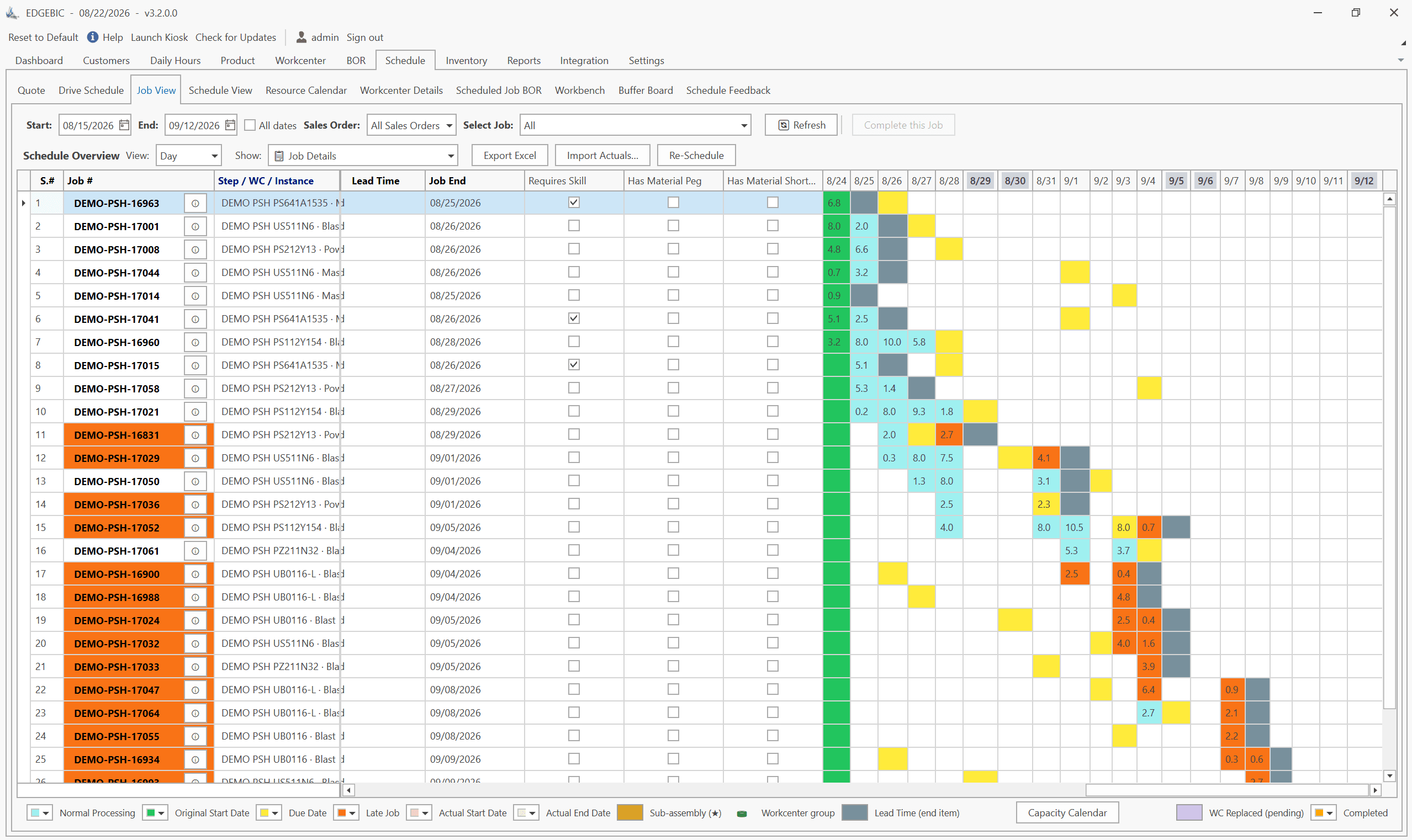
MRP vs APS: What MRP Assumes and What Finite Scheduling Fixes
MRP vs APS: MRP plans materials assuming infinite capacity and fixed lead times; APS schedules operations against real capacity. One job planned both ways.

Lean-MRP Hybrid: How to Combine Pull Scheduling with MRP for Long-Lead Materials
Lean and MRP appear to conflict - but most lean shops still need MRP for long-lead purchased materials. Here's how to combine pull scheduling and MRP at the right decoupling points.

MRP Data Accuracy: The #1 Reason MRP Implementations Fail (And How to Fix It)
Poor data quality kills MRP before it starts. Learn the three data pillars, how to hit the 98% inventory accuracy target, and a practical implementation checklist.