
MRP vs ERP (and MRP II): Key Differences, Comparison Table and Worked Example
 User Solutions Team
MRP (material requirements planning) calculates what materials to buy or make, how many, and when, from the master schedule and bill of materials. ERP (enterprise resource planning) runs the whole business: MRP plus accounting, sales, purchasing, HR and reporting. MRP II sits between them, adding capacity and cost to MRP.
That is the short answer to MRP vs ERP. The rest of this page puts MRP, MRP II, ERP and APS side by side in one table, runs one small order through all four so you can see what each adds, and ends with how to choose. If you only need the MRP mechanics, start with what MRP is and how the calculation works. For the full reference, see our complete MRP guide.
Written by User Solutions, Inc., makers of EDGEBIC (RMDB 2.0) by User Solutions, planning and scheduling software for manufacturers since 1991. Reviewed by the User Solutions planning team. Updated September 2026.
MRP vs MRP II vs ERP vs APS: comparison table
| MRP (MRP I) | MRP II | ERP | APS | |
|---|---|---|---|---|
| What it is | A material calculation | Manufacturing planning system | Whole-business system | Finite capacity scheduling layer |
| Era it appeared | 1960s | 1980s | 1990s | 1990s onward |
| Main question answered | What to buy or make, how many, when | Can the plant build the plan, and what does it cost | How does the whole company run on one set of data | Which job runs on which machine, in what order, finishing when |
| Inputs | MPS, bill of materials, inventory | MRP inputs plus routings, work centers, costs | Everything in MRP II plus finance, sales, HR data | Orders, routings, machines, labor, shifts, material |
| Material planning | Yes | Yes | Yes | Some tools (EDGEBIC Complete adds MRP and pegging) |
| Capacity | Ignored (infinite) | Rough-cut and CRP checks (usually infinite loading) | Usually infinite in the standard MRP run | Finite, per machine, operator and shift |
| Shop floor sequence | No | Basic dispatch lists | Basic dispatch lists | Yes, operation by operation |
| Accounting, HR, CRM | No | Cost links only | Yes | No (stays in the ERP) |
| Typical owner | Material planner | Planning and operations | Whole company | Scheduler and planner |
| Replaces the others? | No | Absorbed into ERP | Includes MRP and MRP II | No, runs beside ERP or MRP |
The two rows that matter most are material planning and capacity. MRP and a standard ERP run both assume the plant can absorb whatever the plan asks for. APS is the only column that checks real hours. That is why many plants run an ERP for the business and add a scheduling layer for the shop. For that split in more depth, see APS vs ERP scheduling and MRP vs APS.
MRP vs ERP: the key differences
MRP and ERP are not competitors. ERP contains MRP. The practical question is whether you need the rest of what ERP brings.
| Question | MRP | ERP |
|---|---|---|
| Scope | Materials for production | Every department |
| Output | Planned purchase and work orders, action messages | Orders, invoices, ledgers, payroll, reports, plus MRP output |
| Who uses it | Planners and buyers | Planners, buyers, sales, finance, HR, management |
| Data | Items, BOMs, inventory, MPS | One shared database for the whole company |
| Cost and effort | Lower, faster to start | Higher, longer to implement |
| Blind spot | Capacity and cost | Detailed capacity (the MRP run is still infinite) |
If your problem is "we run out of parts" or "we order too much," MRP is the tool. If your problem is "sales, the shop and accounting all keep their own spreadsheets," that is an ERP problem. If your problem is "the plan looks fine but jobs are late," neither solves it on its own: that is a capacity problem, and it needs finite capacity scheduling.
MRP I: Where It All Started
Material Requirements Planning, or MRP I, originated in the 1960s when Joseph Orlicky at IBM formalized the logic for calculating material requirements based on dependent demand. Before MRP, manufacturers relied on reorder point systems that treated every part independently, leading to chronic stockouts of some items and overstocking of others.
What MRP I Does
MRP I is fundamentally a material calculator. It takes three inputs and produces time-phased material plans:
| Input | Purpose |
|---|---|
| Master Production Schedule (MPS) | Defines what to produce and when |
| Bill of Materials (BOM) | Defines product structure and components |
| Inventory Status Records | Shows what is on hand and on order |
From these inputs, MRP I calculates net requirements, determines order quantities using lot sizing methods, and time-phases orders by offsetting lead times. The step-by-step arithmetic is in what is MRP.
What MRP I Does NOT Do
- No capacity planning. MRP I assumes infinite production capacity. It will happily schedule 1,000 hours of work in a week on a machine that only has 40 available hours.
- No shop floor control. It generates planned orders but does not help sequence or track work on the factory floor.
- No financial integration. Material plans are disconnected from cost accounting and budgeting.
- No demand management. It takes the MPS as given and does not help create or validate it.
This is why manufacturers who rely solely on MRP I often find their material plans are technically correct but practically impossible to execute. The materials arrive on time, but the shop floor cannot process them because capacity was never considered.
ERP: Enterprise Resource Planning
In the 1990s, software vendors like SAP, Oracle, and Baan recognized that manufacturers needed to connect production planning with every other business function. Enterprise Resource Planning, or ERP, was born by extending MRP II's manufacturing focus to encompass the entire enterprise.
What ERP Adds Beyond MRP and MRP II
ERP includes everything in MRP II plus:
- Financial accounting and reporting (general ledger, accounts payable/receivable, asset management)
- Human resources (payroll, benefits, workforce management)
- Customer relationship management (sales pipeline, customer history, quoting)
- Supply chain management (procurement, logistics, warehouse management)
- Business intelligence (dashboards, analytics, executive reporting)
- Multi-site and multi-currency support for global operations
The ERP Trade-Off
ERP's breadth comes at a cost. Compared with a focused planning and scheduling tool:
| Factor | Focused MRP/Scheduling Tool | Full ERP System |
|---|---|---|
| Implementation time | Days to a few weeks | 6-18 months |
| Cost | EDGEBIC: $25,000 (APS) or $35,000 (Complete, with MRP), one-time | Often six figures or more, plus services |
| Complexity | Low to moderate | High |
| Customization needed | Minimal | Extensive |
| Project risk | Low | High; overruns are common |
| Manufacturing planning depth | Deep (purpose-built) | Moderate (general purpose) |
This trade-off is why many manufacturers choose a hybrid approach: keep their existing accounting and business systems, and add a specialized MRP and scheduling tool for production planning. RMDB from User Solutions, now EDGEBIC (RMDB 2.0), is designed exactly for this approach, integrating with SAP, Oracle, Epicor, Sage, and other systems as an ERP scheduling add-on.
MRP II: Manufacturing Resource Planning
In the 1980s, Oliver Wight and others recognized that material planning alone was insufficient. They expanded the MRP concept into Manufacturing Resource Planning, or MRP II, which added capacity and financial dimensions to the planning process. MRP II is the bridge between MRP and ERP: ERP is essentially MRP II with the rest of the business attached.
What MRP II Adds Beyond MRP I
MRP II includes everything in MRP I plus:
Capacity Requirements Planning (CRP). MRP II checks whether your material plan is feasible given your available machine hours, labor hours, and other resources. When MRP says you need to produce 500 units in Week 4, CRP verifies whether you actually have the capacity to do so.
Shop Floor Control. MRP II tracks work-in-progress, monitors job status against the plan, and provides feedback on actual versus planned performance. This creates a closed-loop MRP system where shop floor reality feeds back into planning.
Demand Management. MRP II includes tools for forecasting, order entry, and creating the master production schedule. Rather than taking the MPS as given, MRP II helps build it.
Financial Planning. MRP II connects production plans to financial projections. When you plan to produce 1,000 units next month, MRP II can calculate the associated material costs, labor costs, and expected revenue.
Simulation and What-If. MRP II allows planners to test scenarios before committing to a plan. What happens to capacity if we accept a rush order? What if a supplier lead time doubles?
MRP I vs MRP II Comparison
| Capability | MRP I | MRP II |
|---|---|---|
| Material requirements calculation | Yes | Yes |
| BOM explosion | Yes | Yes |
| Inventory management | Yes | Yes |
| Capacity planning | No | Yes |
| Shop floor control | No | Yes |
| Financial integration | No | Yes |
| Demand management | No | Yes |
| Closed-loop feedback | No | Yes |
| What-if simulation | No | Yes |
Note that CRP in most MRP II and ERP systems reports overloads rather than fixing them. It tells you a work center is at 125% and leaves the planner to decide what moves. That gap is what APS closes.
Worked example: one order through MRP, MRP II, ERP and APS
A shop must ship 100 tables in week 6. Each table uses 4 legs and 1 top. Final assembly takes 0.5 hours per table, and the assembly bench has 40 hours a week (one 8-hour shift, 5 days).
| Item | Gross need | On hand | On order | Lead time |
|---|---|---|---|---|
| Legs | 100 x 4 = 400 | 120 | 0 | 2 weeks |
| Tops | 100 x 1 = 100 | 30 | 20 (due week 3) | 3 weeks |
MRP nets and offsets. Legs: 400 - 120 = 280 to order, released in week 4 (6 - 2). Tops: 100 - 30 - 20 = 50 to order, released in week 3 (6 - 3). Material is covered, and MRP says nothing else.
MRP II adds the capacity check. Assembly needs 100 x 0.5 = 50 hours in week 6 against 40 available, a load of 50 / 40 = 125%. CRP flags the 10-hour overload but does not move anything.
ERP carries the same MRP and CRP results and adds the business side: the two purchase orders go to purchasing and accounts payable, the sales order is visible to customer service, and inventory is valued in the ledger. The overload is still there.
APS fixes the overload. The bench fits 40 / 0.5 = 80 tables in week 6, so the scheduler starts the other 20 tables (10 hours) in week 5. Materials still work: week 5 needs 80 legs and 20 tops, covered from the 120 legs and 30 tops on hand. Week 6 then needs 320 legs and 80 tops; after week 5 there are 40 legs and 10 tops left, plus the 20 tops due in week 3, so the orders stay at 320 - 40 = 280 legs and 80 - 30 = 50 tops. Nothing is late.
The point of the example: MRP got the parts right, MRP II and ERP noticed the problem, and only finite scheduling produced a plan the shop could run. When the parts are tight, an APS with MRP built in (EDGEBIC Complete pegs material to each order) checks both at once.
How to Choose: MRP vs ERP (and MRP II)
The right choice depends on your operation's complexity, existing systems, and primary pain points.
Choose MRP-Level If:
- Your primary challenge is material shortages and ordering timing
- You produce relatively simple products with predictable demand
- You have fewer than 50 employees
- You already have accounting software that works well
- Budget is a primary concern
A focused option is described on our MRP software for small manufacturers page.
Choose MRP II-Level If:
- You need both material planning and capacity planning
- Shop floor visibility and scheduling are critical
- You need finite capacity planning to sequence work realistically
- You produce complex products in a make-to-order or custom manufacturing environment
- You want closed-loop feedback between planning and execution
Choose Full ERP If:
- You have disconnected systems causing data silos across the business
- You need integrated financial, HR, and CRM capabilities
- You operate multiple facilities or in multiple countries
- Your current systems cannot scale with your growth
- You have the budget and timeline for a major implementation
The Best of Both Worlds
Many manufacturers find the sweet spot by combining a focused scheduling and MRP tool with their existing business systems. This gives you the deep manufacturing planning capability of MRP II-level software without the cost, risk, and timeline of full ERP.
User Solutions has been serving this exact need for over 35 years. RMDB, continued today as EDGEBIC (RMDB 2.0) by User Solutions, provides finite capacity scheduling, material planning, and visual Gantt-based shop floor management that integrates with your existing ERP or accounting system. EDGEBIC Complete ($35,000 one-time) adds MRP, inventory, purchasing and material pegging; see the MRP system page. The one-time license model means no recurring subscription costs.
The Modern Landscape: Beyond the Traditional Labels
In 2026, the MRP vs ERP distinction is increasingly blurry. Modern manufacturing software falls along a spectrum rather than into neat categories:
Cloud MRP tools (like MRPeasy, Katana, and others) offer MRP with light MRP II features like basic capacity planning and shop floor tracking. They are affordable but may lack depth for complex manufacturing.
Advanced Planning and Scheduling (APS) tools like RMDB combine finite capacity scheduling with MRP logic. They go deeper than basic MRP on the planning side while integrating with existing systems for business functions.
Modern ERP platforms (NetSuite, SAP Business One, Epicor Kinetic) bundle everything together but require significant investment and customization to match your processes.
Best-of-breed integration is the growing trend, where manufacturers pick the best tool for each function and connect them through APIs. This approach gives you manufacturing planning depth without ERP bloat.
The best MRP software for small manufacturers often lives in the APS or focused MRP category rather than full ERP, because these tools solve the specific problems small manufacturers face without the overhead of enterprise systems.
Key Takeaways
| Decision Factor | MRP I | MRP II / APS | Full ERP |
|---|---|---|---|
| Best for | Simple material planning | Production planning + scheduling | Enterprise-wide integration |
| Typical company size | Under 25 employees | 25-500 employees | 100+ employees |
| Implementation time | Days | 1-4 weeks | 6-18 months |
| Cost range | Low | Moderate | High |
| Manufacturing planning depth | Basic | Deep | Moderate |
| Biggest advantage | Simplicity | Planning power | Integration breadth |
| Biggest risk | Ignores capacity | May need separate business systems | Cost and complexity overruns |
If your primary pain is production planning, scheduling, and material management, a focused MRP II-level tool will deliver faster ROI than a full ERP implementation. If your business systems are truly broken across the board, ERP may be warranted, but go in with realistic expectations on timeline and cost.
Frequently Asked Questions
MRP (material requirements planning) is a calculation: it explodes the master production schedule through the bill of materials and tells you what to buy or make, how many, and when. ERP (enterprise resource planning) is a business system that includes MRP and adds accounting, sales orders, purchasing, inventory valuation, HR and reporting in one database. MRP answers a planning question; ERP runs the company.
MRP I focuses solely on material planning, calculating what to order, how much, and when. MRP II extends this to include capacity planning, shop floor scheduling, financial integration, and demand management, making it a complete manufacturing resource planning system rather than just a material calculator.
Not necessarily. ERP adds non-manufacturing functions like HR, CRM, and enterprise accounting. If your primary challenge is production planning and material management, a focused MRP or MRP II solution may be sufficient and far less expensive. Many manufacturers pair standalone MRP tools with their existing accounting software.
Yes. Many manufacturers use specialized MRP and scheduling tools as add-ons to their existing ERP. For example, RMDB from User Solutions integrates with SAP, Oracle, Epicor, Sage, and other ERPs to provide advanced scheduling and material planning without replacing the core ERP system.
Small manufacturers typically get the best ROI from MRP-level solutions or focused scheduling tools rather than full ERP. Systems like RMDB offer MRP and finite capacity scheduling at a fraction of the cost, with implementation in days rather than months.
The term MRP II is rarely used today because its capabilities have been absorbed into modern ERP and manufacturing execution systems. However, the MRP II concepts of integrated capacity planning, shop floor control, and closed-loop feedback are standard features in current manufacturing software.
APS (advanced planning and scheduling) fills the gap both MRP and most ERP systems leave: they plan against infinite capacity. APS schedules every operation against the real hours of each machine, operator and shift, so due dates are ones the shop can actually hit. It usually runs beside the ERP, taking orders and routings in and sending schedules and dates back out.
Find the Right Planning System for Your Operation
Whether you need MRP, MRP II, or something in between, User Solutions has been helping manufacturers make the right choice for over 35 years. RMDB, now EDGEBIC (RMDB 2.0) by User Solutions, combines finite capacity scheduling with material planning in a tool built for real-world manufacturing, with a one-time license: $25,000 for EDGEBIC APS or $35,000 for EDGEBIC Complete.
Schedule a free demo to see which level of planning capability fits your operation.
Expert Q&A: Deep Dive
Q: When manufacturers come to you already running an ERP, what gaps do they typically need filled?
A: The most common gap is finite capacity scheduling. Most ERP systems have basic MRP for material planning but treat capacity as infinite. That means the ERP will generate a material plan and production orders that look perfect on paper but are physically impossible to execute in the time available. Manufacturers come to us because their ERP says they should start 50 jobs on Monday, but they only have 10 machines. RMDB fills that gap by taking the ERP data, applying finite capacity constraints, and producing a realistic schedule. The second gap is visual scheduling. Planners want to see their shop floor on a Gantt chart, drag and drop jobs, and immediately see the impact on delivery dates. Most ERPs lack this capability.
Q: For a manufacturer choosing between investing in full ERP versus a focused MRP and scheduling tool, what factors should drive the decision?
A: It comes down to where your pain is. If your biggest problems are material shortages, late deliveries, and shop floor chaos, a focused tool like RMDB will solve those problems faster and cheaper than a full ERP implementation. If your biggest problems are disconnected business systems, manual accounting, lack of financial visibility, or HR management, then ERP makes more sense. What we see most often is manufacturers who already have basic accounting and sales order management but struggle with production. In that scenario, adding a scheduling and MRP tool to your existing systems is the high-ROI move. Full ERP implementations typically cost 5 to 10 times more and take 6 to 18 months. RMDB integrates with what you have and goes live in 5 days.
Q: How do you see the line between MRP and ERP continuing to evolve?
A: The line is blurring in both directions. Cloud-based MRP tools are adding light ERP features like quoting and invoicing. Meanwhile, ERP vendors are adding better scheduling and planning modules. But the reality is that best-of-breed still wins for manufacturing planning. General purpose ERP vendors cannot match the depth of a tool built specifically for shop floor scheduling and material planning. We expect the future to be more about integration and interoperability. Manufacturers will use the best tool for each function and connect them through APIs. That is exactly how RMDB works today, and it is why the add-on approach often delivers better results than trying to do everything in one monolithic system.
Frequently Asked Questions
Ready to Transform Your Production Scheduling?
User Solutions has been helping manufacturers optimize their production schedules for over 35 years. One-time license, 5-day implementation.

User Solutions Team
Manufacturing Software Experts
User Solutions has been developing production planning and scheduling software for manufacturers since 1991. Our team combines 35+ years of manufacturing software expertise with deep industry knowledge to help factories optimize their operations.
Share this article
Related Articles
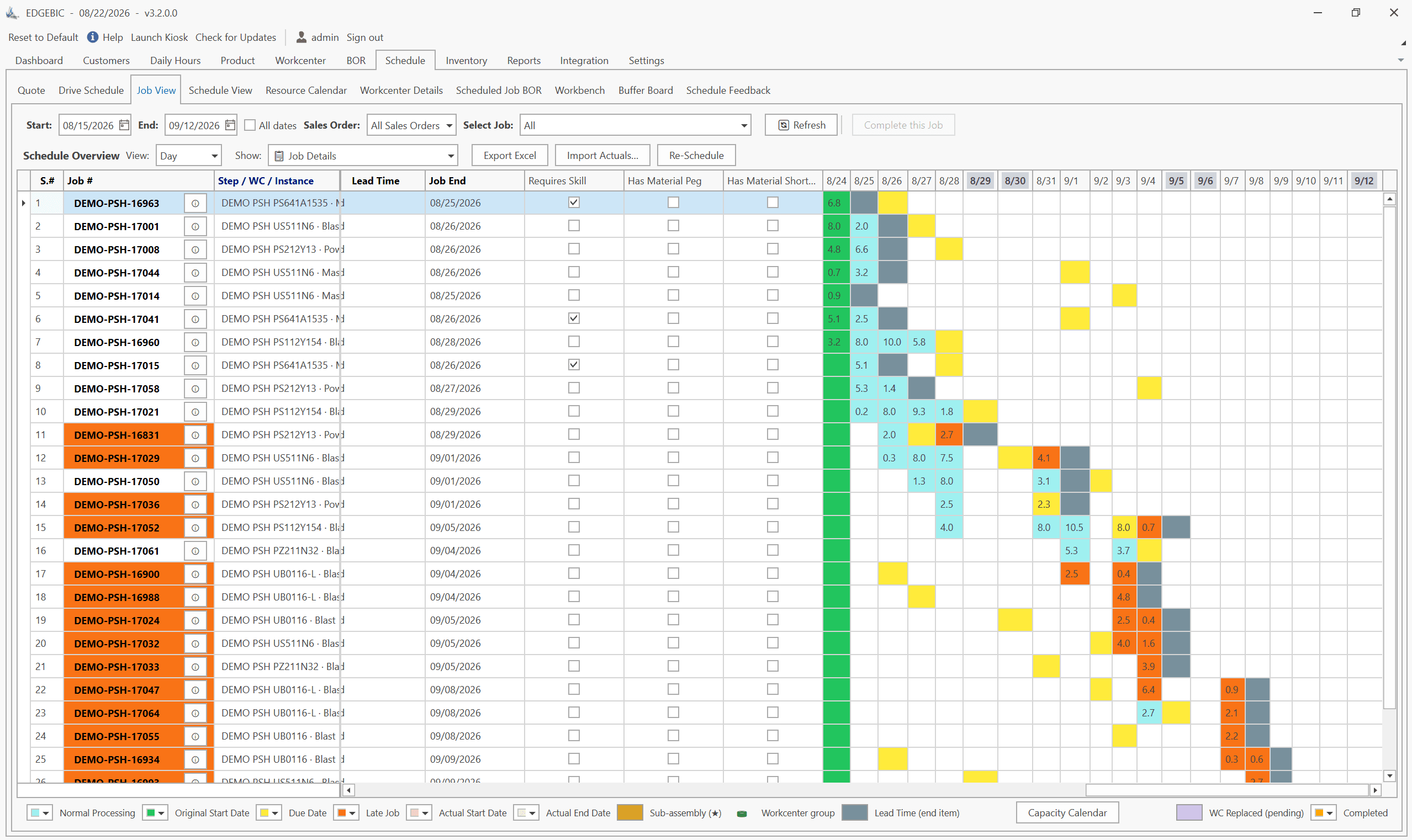
MRP vs APS: What MRP Assumes and What Finite Scheduling Fixes
MRP vs APS: MRP plans materials assuming infinite capacity and fixed lead times; APS schedules operations against real capacity. One job planned both ways.
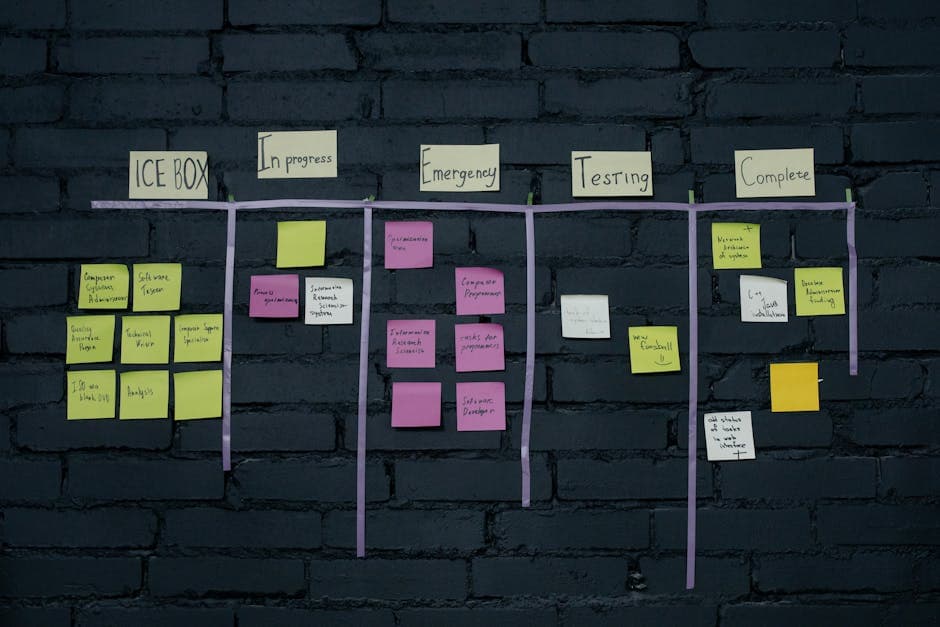
Lean-MRP Hybrid: How to Combine Pull Scheduling with MRP for Long-Lead Materials
Lean and MRP appear to conflict - but most lean shops still need MRP for long-lead purchased materials. Here's how to combine pull scheduling and MRP at the right decoupling points.

MRP Data Accuracy: The #1 Reason MRP Implementations Fail (And How to Fix It)
Poor data quality kills MRP before it starts. Learn the three data pillars, how to hit the 98% inventory accuracy target, and a practical implementation checklist.