


MRP purchasing integration transforms procurement from a reactive, manual process into a systematic, data-driven workflow. When material requirements planning is properly connected to your purchasing function, every buy decision is backed by calculated demand, lead time logic, and inventory math rather than gut feeling and safety stock guesswork. The result is fewer stockouts, less excess inventory, and purchasing teams that spend their time on strategic supplier management instead of firefighting shortages.
This guide explains how MRP drives purchasing decisions, the workflow from planned order to purchase order, and how to configure the integration for maximum impact. If you are building or improving your MRP system, getting purchasing right is where the financial payoff lives.
How MRP Generates Purchase Recommendations
The MRP engine follows a precise calculation sequence to determine what needs to be purchased, how much, and when. Understanding this sequence is essential for configuring the purchasing integration correctly.
The Net Requirements Calculation
For every component in every bill of materials, MRP performs a net requirements calculation:
Net Requirement = Gross Requirement - On-Hand Inventory - Scheduled Receipts + Safety Stock
- Gross Requirement: Total quantity needed across all production orders in the planning horizon
- On-Hand Inventory: Current physical inventory (accuracy is critical - see our guide on MRP inputs and outputs)
- Scheduled Receipts: Open purchase orders and production orders that will replenish inventory before the need date
- Safety Stock: Minimum inventory level you want to maintain as a buffer
If the net requirement is positive, material must be ordered. If it is zero or negative, existing inventory and open orders cover the demand.
From Net Requirement to Planned Order
When MRP identifies a net requirement, it creates a planned order that specifies:
- What: The specific material, part number, and description
- How much: Quantity based on the lot sizing method configured for that item (lot-for-lot, EOQ, fixed quantity, or period order quantity)
- When to order: The order release date, calculated by subtracting supplier lead time from the need date
- When needed: The receipt date when the material must arrive to support production
For example, if 500 units of Component A are needed on April 20 and the supplier lead time is 15 days, MRP creates a planned order with a release date of April 5 and a receipt date of April 20. If the economic order quantity for Component A is 750 units, MRP adjusts the order quantity to 750 to optimize ordering costs.
Multi-Level BOM Explosion
MRP does not just calculate requirements for purchased components. It explodes through every level of the multi-level bill of materials, creating planned production orders for manufactured subassemblies and planned purchase orders for raw materials and purchased components. The timing cascades through the BOM levels, ensuring materials arrive before production needs them at each level.
The Purchase Order Workflow
The workflow from MRP calculation to supplier delivery follows a controlled process.
Step 1: MRP Run Generates Planned Orders
The daily or weekly MRP run calculates net requirements across all items and generates planned purchase orders for everything that needs to be bought. A typical MRP run for a mid-size manufacturer might generate 50-200 planned purchase orders.
Step 2: Buyer Review and Approval
The purchasing team reviews MRP's recommendations. This human checkpoint is essential because MRP does not know everything:
- Has a supplier had a recent quality problem? The buyer might switch to an alternate source.
- Is the recommended quantity below the supplier's minimum order? The buyer adjusts the quantity.
- Are multiple small orders going to the same supplier? The buyer consolidates them to save on freight.
- Is the demand driving this order actually firm, or is it a speculative forecast? The buyer checks before committing.
Experienced buyers add value by applying judgment that the MRP algorithm cannot. The goal is not to rubber-stamp MRP's recommendations but to validate and improve them.
Step 3: Purchase Order Release
Approved planned orders are converted to firm purchase orders and transmitted to suppliers - via EDI, email, or supplier portal. The purchase order includes the confirmed quantity, required delivery date, pricing, and any special instructions.
Step 4: Receipt and Inventory Update
When materials arrive, receiving records the receipt against the purchase order. MRP's inventory records update automatically, and the scheduled receipt is converted to on-hand inventory. This closes the loop and feeds accurate data into the next MRP run.
Configuring MRP for Better Purchasing
The quality of MRP's purchasing recommendations depends on how well the system is configured. These parameters have the biggest impact.
Lead Time Accuracy
Supplier lead times are the foundation of purchase order timing. If MRP thinks a supplier delivers in 2 weeks but the actual lead time is 4 weeks, every order will arrive late. Maintain lead times based on actual supplier performance, not the supplier's quoted lead time (which is often optimistic). Review and update lead times quarterly.
Lot Sizing Method Selection
The lot sizing method determines order quantities and has a direct impact on purchasing costs and inventory levels:
- Lot-for-lot: Order exactly what is needed. Minimizes inventory but maximizes order frequency and may not meet supplier minimums.
- Economic Order Quantity (EOQ): Balances ordering cost and carrying cost mathematically. Good for stable-demand items. See our detailed EOQ guide.
- Fixed order quantity: Always order a set amount (e.g., supplier minimum or standard pack size). Simple but can create excess inventory.
- Period order quantity: Combine requirements over a fixed time period (e.g., 4 weeks) into one order. Reduces order frequency while maintaining visibility.
Match the lot sizing method to the item's demand pattern, supplier constraints, and storage limitations.
Safety Stock Calibration
Safety stock protects against variability - demand fluctuations, supplier delays, and quality rejections. But excess safety stock ties up cash and hides problems. Set safety stock based on:
- Supplier reliability: More safety stock for unreliable suppliers, less for reliable ones
- Demand variability: More safety stock for items with volatile demand
- Criticality: More safety stock for items that shut down production if unavailable
- Cost: Less safety stock for expensive items where carrying cost is high
Review safety stock levels quarterly and resist the temptation to increase them every time a stockout occurs. Instead, investigate and fix the root cause. For more on safety stock strategy, see our guide on safety stock in MRP.
Supplier Lead Time Buffers
MRP can add safety lead time to the standard supplier lead time. If a supplier's quoted lead time is 3 weeks but they consistently deliver in 3.5 weeks, add 3-4 days of safety lead time rather than inflating the base lead time. This keeps the planning signal accurate while providing a buffer for reality.
MRP Exception Messages: The Buyer's Action List
MRP does not just create planned orders. It generates exception messages that alert buyers to situations requiring attention:
- Reschedule in: An existing purchase order will arrive too late - contact the supplier to expedite
- Reschedule out: An existing purchase order will arrive too early - delay the shipment to reduce inventory
- Cancel: An existing purchase order is no longer needed - demand has been cancelled or reduced
- Past due release: A planned order should have been released already - take immediate action
- Quantity change: The required quantity has changed since the purchase order was placed
These exception messages are the daily working queue for purchasing. A disciplined procurement team processes every exception message, contacting suppliers to reschedule, cancel, or adjust orders as MRP recommends. Ignoring exception messages defeats the purpose of MRP-driven purchasing. Understanding MRP nervousness helps buyers distinguish between meaningful changes and system noise.
Connecting Scheduling to Purchasing
The most common failure in MRP purchasing is ordering materials for a production schedule that is not feasible. Standard MRP calculates material needs from the master production schedule, but the MPS may not respect actual production capacity. The result: materials arrive on time for a job that cannot start because the required machine is already booked for three weeks.
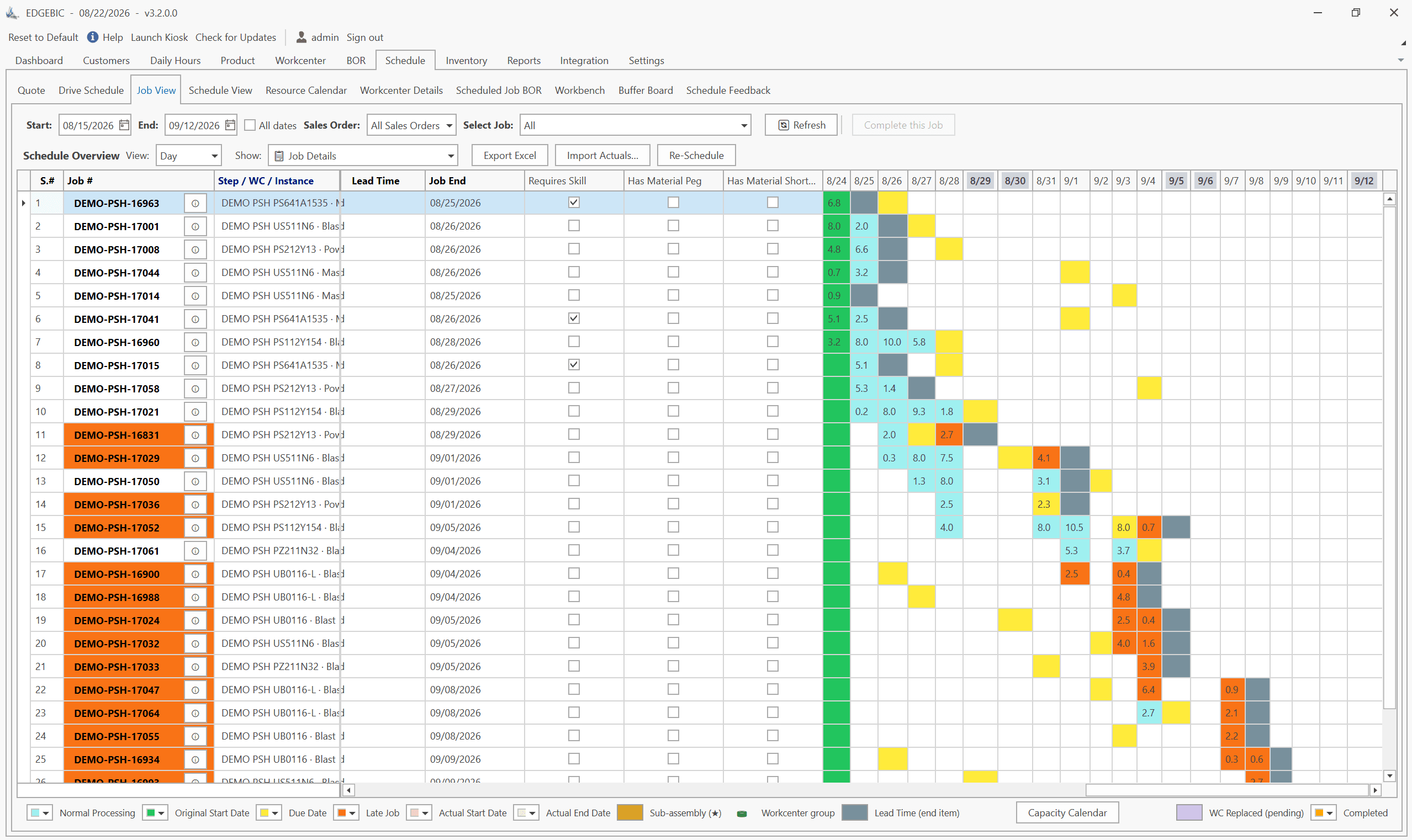
Finite capacity scheduling solves this by validating the production schedule before MRP runs. When RMDB creates a capacity-realistic schedule, MRP receives production orders with achievable start dates. Material purchases are then timed to actual production needs - not wishful thinking.
This integration is where the real power lies. Scheduling tells you when production will actually happen. MRP tells purchasing when materials must arrive. The two systems working together eliminate both the stockouts caused by late material orders and the excess inventory caused by materials arriving weeks before production can use them.
Measuring Purchasing Performance
Track these KPIs to measure the effectiveness of your MRP-driven purchasing:
| KPI | Target | What It Measures |
|---|---|---|
| Purchase Order Accuracy | 95%+ | Orders placed matching MRP recommendations |
| Supplier On-Time Delivery | 95%+ | Suppliers delivering by the PO due date |
| Stockout Rate | <2% | Production delays caused by material shortages |
| Inventory Turns | Industry-specific | How efficiently you convert inventory to production |
| Exception Message Response Time | <24 hours | How quickly buyers act on MRP alerts |
These metrics connect purchasing performance to the broader manufacturing KPIs that drive operational excellence.
FAQ
MRP calculates net material requirements by comparing demand (from the master production schedule and BOMs) against current inventory and open purchase orders. When a shortage is identified, MRP generates planned order releases with specific quantities and order dates, which are converted into purchase requisitions or purchase orders automatically.
A planned order is MRP's recommendation - it identifies what to buy, how much, and when to order. A purchase order is the actual commitment to a supplier. Most systems require a buyer to review and approve the conversion from planned order to purchase order, providing a human checkpoint before committing money.
Yes. Modern MRP systems support approved supplier lists with preferred sourcing rules. You can configure primary and secondary suppliers, split orders across suppliers by percentage or quantity, and automatically route purchase orders based on price breaks, lead times, or supplier performance ratings.
MRP calculates the order release date by backward-scheduling from the need date using the supplier lead time. If a component is needed on March 15 and the supplier lead time is 3 weeks, MRP recommends placing the order by February 22. Safety lead time can be added as a buffer for unreliable suppliers.
Automate Your Procurement with Confidence
Stop chasing materials and start managing suppliers strategically. Contact User Solutions to see how RMDB and integrated MRP purchasing can eliminate stockouts while reducing excess inventory.
Expert Q&A: Deep Dive
Q: What is the biggest mistake manufacturers make when connecting MRP to purchasing?
A: Auto-releasing purchase orders without human review. Some manufacturers configure MRP to automatically convert planned orders into purchase orders sent directly to suppliers. This is dangerous because MRP does not understand context - it will order materials for jobs that might be cancelled, order from a supplier who just had a quality failure, or place an order for a quantity that does not match the supplier's minimum order requirement. We recommend a workflow where MRP generates the recommendations but a buyer reviews and approves before releasing. The buyer adds judgment that MRP cannot provide.
Q: How should manufacturers handle long-lead-time materials in MRP?
A: Long-lead-time materials - anything over 8-12 weeks - require special treatment because they must be ordered before firm customer orders exist. The approach is to maintain a forecast-driven MRP run for long-lead materials while using order-driven MRP for short-lead items. RMDB helps by providing a realistic finite capacity schedule that validates whether the demand driving those long-lead purchases is actually achievable, preventing you from buying materials for a production schedule that cannot be executed.
Frequently Asked Questions
Ready to Transform Your Production Scheduling?
User Solutions has been helping manufacturers optimize their production schedules for over 35 years. One-time license, 5-day implementation.

User Solutions Team
Manufacturing Software Experts
User Solutions has been developing production planning and scheduling software for manufacturers since 1991. Our team combines 35+ years of manufacturing software expertise with deep industry knowledge to help factories optimize their operations.
Share this article
Related Articles
MRP vs APS: What MRP Assumes and What Finite Scheduling Fixes
MRP vs APS: MRP plans materials assuming infinite capacity and fixed lead times; APS schedules operations against real capacity. One job planned both ways.

Lean-MRP Hybrid: How to Combine Pull Scheduling with MRP for Long-Lead Materials
Lean and MRP appear to conflict - but most lean shops still need MRP for long-lead purchased materials. Here's how to combine pull scheduling and MRP at the right decoupling points.

MRP Data Accuracy: The #1 Reason MRP Implementations Fail (And How to Fix It)
Poor data quality kills MRP before it starts. Learn the three data pillars, how to hit the 98% inventory accuracy target, and a practical implementation checklist.