


The MRP formula, in manufacturing, is the gross-to-net calculation: net requirement = gross requirement - projected on hand - scheduled receipts + safety stock. A positive result is a shortage, and MRP turns it into a planned order released one lead time earlier. (This is material requirements planning, not the "marginal revenue product" formula from economics.)
| The MRP formula in four lines | |
|---|---|
| Gross requirement | Parent plan x quantity per parent in the BOM |
| Net requirement | Gross - projected on hand - scheduled receipts + safety stock (if positive) |
| Planned order receipt | Net requirement rounded up by the lot sizing rule |
| Planned order release | Planned order receipt moved earlier by the lead time |
The gross-to-net calculation is the core engine of material requirements planning: the arithmetic that turns demand into purchase and production orders. Below we walk through it step by step with a complete six-week grid, then show how lot sizing and safety stock change the answer.
For the broader context, see what is MRP, our complete MRP guide and MRP inputs and outputs. To run the formula on your own items, download the free MRP Excel template.
The Net Requirements Formula
At its core, the MRP net requirement for any period is:
Net Requirement = Gross Requirement - Scheduled Receipts - Projected On-Hand + Safety Stock
If the result is positive, there is a shortage that requires a planned order. If zero or negative, existing inventory and incoming supply cover the need.
Let us define each term:
| Term | Definition |
|---|---|
| Gross Requirement | Total demand for the item in a given period (from MPS or parent BOM explosion) |
| Scheduled Receipts | Open orders (PO or production order) expected to arrive in that period |
| Projected On-Hand | Inventory expected to be available at the start of the period |
| Safety Stock | Minimum inventory buffer that should not be consumed |
Step-by-Step MRP Calculation Example
Let us walk through a complete MRP calculation for Component X, used in Product A.
Given data:
- Product A requires 3 units of Component X per assembly (BOM)
- Beginning on-hand inventory: 500 units
- Safety stock: 100 units
- Lead time: 2 weeks
- Lot sizing: Lot-for-lot
- An open PO for 300 units arriving in Week 2
Master Production Schedule for Product A:
| Week | 1 | 2 | 3 | 4 | 5 | 6 |
|---|---|---|---|---|---|---|
| Product A MPS | 50 | 80 | 60 | 100 | 70 | 90 |
Step 1: Calculate Gross Requirements
Multiply the MPS by the BOM quantity (3 units of Component X per Product A):
| Week | 1 | 2 | 3 | 4 | 5 | 6 |
|---|---|---|---|---|---|---|
| MPS (Product A) | 50 | 80 | 60 | 100 | 70 | 90 |
| Gross Requirement (Comp X) | 150 | 240 | 180 | 300 | 210 | 270 |
Step 2: Build the MRP Planning Grid
Now we build the time-phased planning grid, calculating period by period:
Week 1:
- Projected On-Hand (start): 500
- Gross Requirement: 150
- Scheduled Receipts: 0
- Projected On-Hand (end): 500 - 150 = 350
- 350 > 100 (safety stock), so no planned order needed
Week 2:
- Projected On-Hand (start): 350
- Gross Requirement: 240
- Scheduled Receipts: 300 (open PO)
- Projected On-Hand (end): 350 - 240 + 300 = 410
- 410 > 100, no planned order needed
Week 3:
- Projected On-Hand (start): 410
- Gross Requirement: 180
- Scheduled Receipts: 0
- Projected On-Hand (end): 410 - 180 = 230
- 230 > 100, no planned order needed
Week 4:
- Projected On-Hand (start): 230
- Gross Requirement: 300
- Scheduled Receipts: 0
- Projected On-Hand (end): 230 - 300 = -70
- Below zero! Net requirement exists.
- Net Requirement: 300 - 230 + 100 (safety stock) = 170 units
- Planned Order Receipt: 170 in Week 4
- Planned Order Release: 170 in Week 2 (Week 4 - 2 weeks lead time)
Week 5:
- Projected On-Hand (start): 100 (safety stock level after planned order)
- Gross Requirement: 210
- Net Requirement: 210 - 100 + 100 = 210 units
- Planned Order Receipt: 210 in Week 5
- Planned Order Release: 210 in Week 3
Week 6:
- Projected On-Hand (start): 100
- Gross Requirement: 270
- Net Requirement: 270 - 100 + 100 = 270 units
- Planned Order Receipt: 270 in Week 6
- Planned Order Release: 270 in Week 4
Complete MRP Grid
| Row | Week 1 | Week 2 | Week 3 | Week 4 | Week 5 | Week 6 |
|---|---|---|---|---|---|---|
| Gross Requirements | 150 | 240 | 180 | 300 | 210 | 270 |
| Scheduled Receipts | 0 | 300 | 0 | 0 | 0 | 0 |
| Projected On-Hand | 350 | 410 | 230 | 100 | 100 | 100 |
| Net Requirements | 0 | 0 | 0 | 170 | 210 | 270 |
| Planned Order Receipt | 0 | 0 | 0 | 170 | 210 | 270 |
| Planned Order Release | 0 | 170 | 210 | 270 | 0 | 0 |
Reading the Results
MRP tells the planner:
- Week 2: Place an order for 170 units (to arrive Week 4)
- Week 3: Place an order for 210 units (to arrive Week 5)
- Week 4: Place an order for 270 units (to arrive Week 6)
The projected on-hand never drops below the 100-unit safety stock level because MRP planned orders to maintain that buffer.
Multi-Level BOM Explosion
The example above shows a single-level calculation. In practice, Component X might itself be made from sub-components, creating a multi-level BOM. MRP processes levels from top to bottom using low-level codes:
- Calculate net requirements for Level 0 (finished goods)
- Generate planned production orders for Level 0
- Those planned orders become gross requirements for Level 1 components
- Calculate net requirements for Level 1
- Continue down through every BOM level
Low-level coding ensures that if an item appears at multiple BOM levels (common parts used in different sub-assemblies), MRP waits until all parent demand is calculated before netting. This prevents under-ordering.
Impact of Lot Sizing on the Calculation
The example above used lot-for-lot (order exactly the net requirement). Different lot sizing methods change the planned order quantities:
| Week 4 Net Req: 170 | Lot-for-Lot | EOQ (500) | FOQ (250) |
|---|---|---|---|
| Planned Order Qty | 170 | 500 | 250 |
| Excess Inventory Created | 0 | 330 | 80 |
| Impact on Week 5 | Still needs 210 | Covered (no order needed) | Reduced to 130 |
With EOQ of 500, the Week 4 order covers Week 5 demand entirely and partially covers Week 6, reducing the number of orders but increasing inventory.
Impact of Safety Stock
Safety stock changes the trigger point for planned orders. Without safety stock, MRP only generates orders when projected on-hand goes negative. With safety stock, MRP triggers orders earlier to maintain the buffer.
Compare the same scenario with 0 vs 100 safety stock:
| Week | Proj. On-Hand (SS=0) | Planned Order (SS=0) | Proj. On-Hand (SS=100) | Planned Order (SS=100) |
|---|---|---|---|---|
| 4 | -70 | 70 | 100 | 170 |
| 5 | -210 | 210 | 100 | 210 |
| 6 | -270 | 270 | 100 | 270 |
Safety stock increases order quantities and triggers orders in the same or earlier periods. For more on sizing safety stock appropriately, see our safety stock in MRP guide.
Regenerative vs Net Change MRP
There are two approaches to running the MRP calculation:
Regenerative MRP recalculates net requirements for every item in the system, regardless of whether anything changed. It provides a complete refresh but is computationally intensive.
Net Change MRP only recalculates items affected by changes since the last run (new orders, inventory adjustments, BOM changes). It is faster and can be run more frequently.
| Approach | Speed | Completeness | Typical Frequency |
|---|---|---|---|
| Regenerative | Slower | Full recalculation | Weekly |
| Net Change | Faster | Only changed items | Daily or multiple times daily |
Most modern MRP systems, including RMDB, support net change processing for rapid recalculation as conditions change.
Common Calculation Errors and How to Avoid Them
| Error | Cause | Prevention |
|---|---|---|
| Ignoring scheduled receipts | Open POs not in the system | Ensure all POs are entered with correct due dates |
| Wrong BOM quantities | Outdated or inaccurate BOM | Regular BOM audits |
| Stale inventory records | Physical inventory does not match system | Cycle counting program |
| Incorrect lead times | Lead times not updated | Quarterly lead time validation with suppliers |
| Missing safety stock | Safety stock not configured | Define safety stock per item based on criticality |
| Not using low-level codes | Demand not fully accumulated | Ensure MRP system assigns low-level codes correctly |
Avoiding these common MRP mistakes ensures your net requirements calculations produce actionable, reliable results.
Frequently Asked Questions
The MRP net requirements formula is: Net Requirements = Gross Requirements - Scheduled Receipts - Projected On-Hand + Safety Stock. If the result is positive, MRP generates a planned order. If zero or negative, no order is needed for that period.
Gross requirements are the total quantity needed for a component before considering available inventory. Net requirements are what remains after subtracting scheduled receipts and projected on-hand inventory. Net requirements represent the actual shortage that must be filled by new orders.
Scheduled receipts are open purchase orders or production orders that are already confirmed and expected to arrive in a specific period. MRP considers these as incoming supply when calculating net requirements, so it does not duplicate orders for materials already on the way.
MRP treats safety stock as inventory that should not be consumed under normal planning. When projected on-hand drops below the safety stock level, MRP generates a planned order to restore inventory above the safety stock threshold. The formula effectively adds safety stock to the net requirement.
A planned order receipt is when the order needs to arrive (when the material is needed). A planned order release is when the order must be placed, calculated by subtracting the lead time from the receipt date. If material is needed in Week 8 with a 2-week lead time, the planned order release is Week 6.
Let MRP Do the Math
Stop calculating net requirements in spreadsheets. RMDB from User Solutions automates MRP calculations across your entire BOM structure, with real-time recalculation as demand and supply change. Its continuation, EDGEBIC (RMDB 2.0) by User Solutions, runs the same gross-to-net logic in EDGEBIC Complete and hands the planned orders to a finite capacity schedule; see MRP vs APS for why that second step matters.
Schedule a free demo to see automated net requirements planning for your operation.
Expert Q&A: Deep Dive
Q: What is the most common calculation error you see when manufacturers try to do MRP manually?
A: The most common error is not carrying forward the projected on-hand balance correctly from period to period. In a manual MRP grid, the ending on-hand from one period becomes the beginning on-hand for the next. If you start Week 1 with 500 units, consume 200 (gross requirement), and receive 100 (scheduled receipt), you end with 400. That 400 carries into Week 2 as the starting on-hand. When manufacturers do this in spreadsheets, they frequently break the chain by overwriting a cell or forgetting to link the formula. The error then cascades through every subsequent period, making all downstream planned orders wrong. This is exactly why dedicated MRP software like RMDB exists. The calculation engine handles the period-to-period logic automatically, and when you change one number, it recalculates everything downstream instantly.
Q: How precise should the net requirements calculation be given that real-world data is never perfect?
A: This is a great question because it gets at a common misconception. The MRP calculation itself should be mathematically precise, down to the unit. But you should build tolerance for real-world imprecision through safety stock and realistic lead times rather than fudging the calculation. We see manufacturers who pad BOMs by 10% as a fudge factor or who add a week to every lead time just in case. Those workarounds compound through the multi-level BOM and result in massive over-ordering. The right approach is precise calculations with appropriate safety stock levels that are statistically sized based on actual variability. In RMDB, we calculate exact net requirements and use configurable safety stock to handle uncertainty. The math is clean, and the buffers are intentional. That combination gives you both accuracy and protection.
Frequently Asked Questions
Ready to Transform Your Production Scheduling?
User Solutions has been helping manufacturers optimize their production schedules for over 35 years. One-time license, 5-day implementation.

User Solutions Team
Manufacturing Software Experts
User Solutions has been developing production planning and scheduling software for manufacturers since 1991. Our team combines 35+ years of manufacturing software expertise with deep industry knowledge to help factories optimize their operations.
Share this article
Related Articles
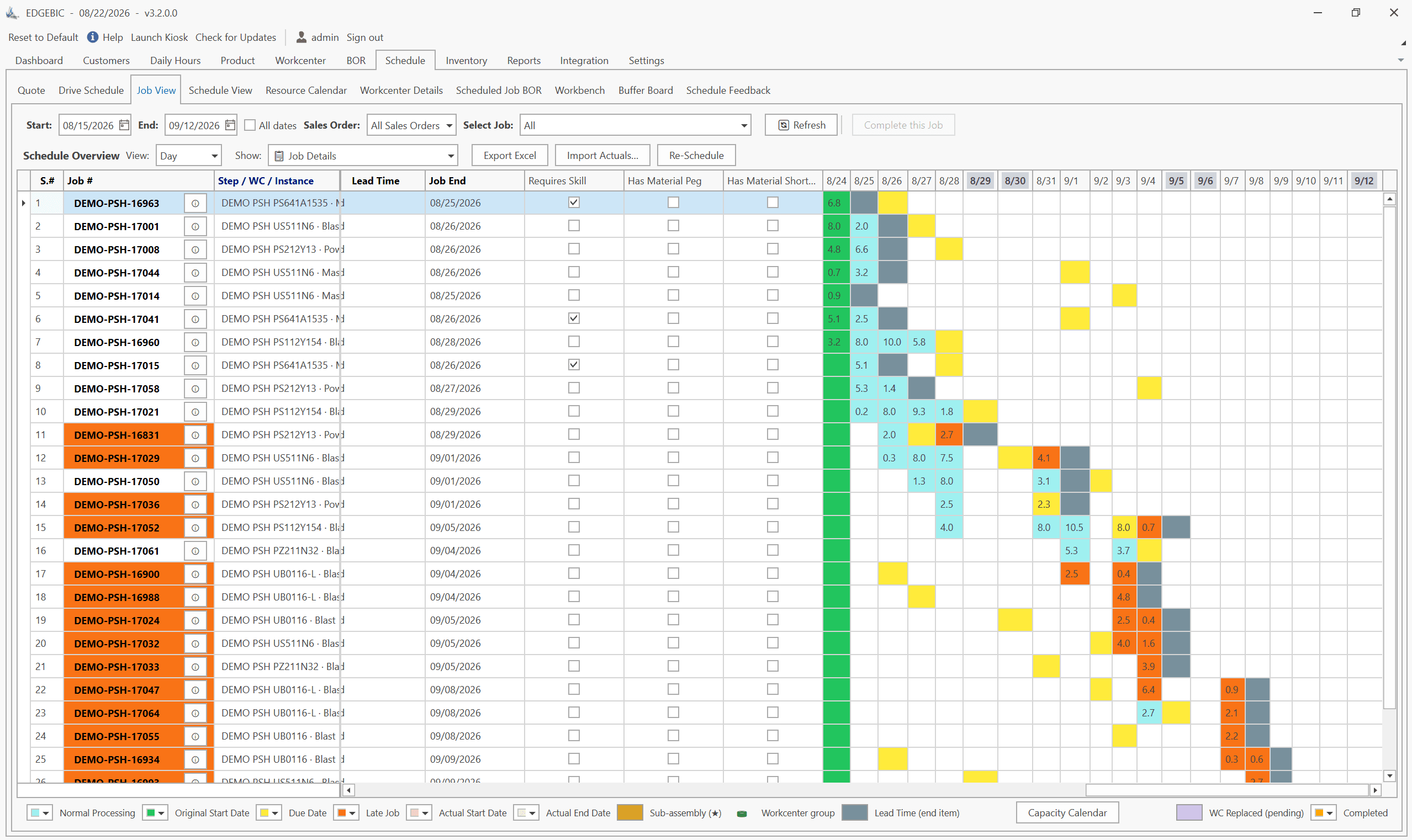
MRP vs APS: What MRP Assumes and What Finite Scheduling Fixes
MRP vs APS: MRP plans materials assuming infinite capacity and fixed lead times; APS schedules operations against real capacity. One job planned both ways.

Lean-MRP Hybrid: How to Combine Pull Scheduling with MRP for Long-Lead Materials
Lean and MRP appear to conflict - but most lean shops still need MRP for long-lead purchased materials. Here's how to combine pull scheduling and MRP at the right decoupling points.

MRP Data Accuracy: The #1 Reason MRP Implementations Fail (And How to Fix It)
Poor data quality kills MRP before it starts. Learn the three data pillars, how to hit the 98% inventory accuracy target, and a practical implementation checklist.