


MRP (material requirements planning) is the calculation that turns a master production schedule into dated purchase and work orders. It explodes each finished product through its bill of materials, subtracts stock on hand and on order, offsets by lead time, and tells planners what to buy or make, how many, and when.
That is the whole idea. The rest of this page shows how it works, with a worked table you can check by hand, and where MRP stops and scheduling has to take over. For the full reference, see the MRP complete guide. To run the same arithmetic on your own items, download the free MRP Excel template.
Written by User Solutions, Inc., makers of EDGEBIC (RMDB 2.0) by User Solutions, planning and scheduling software for manufacturers since 1991. Reviewed by the User Solutions planning team. Updated September 2026.
The three questions MRP answers
- What materials and components do I need?
- How many of each?
- When must each order be released so it arrives in time?
MRP answers them by working backward from the build plan. The key idea is dependent demand. When the plan says 100 bicycles next week, you do not forecast wheels; you know you need exactly 200. MRP applies that logic across every level of every bill of materials. A grocery store forecasts cans of soup because demand is independent; a factory calculates components because their demand depends on the plan.
MRP inputs and outputs
          INPUTS                                  OUTPUTS
+------------------------------+        +---------------------------------+
| Master production schedule   |        | Planned orders                  |
|  what end items, how many,   |        |  buy or make, quantity,         |
|  which week                  |        |  release date, due date         |
+------------------------------+        +---------------------------------+
| Bill of materials            |        | Action messages on open orders  |
|  components and quantity     | -----> |  expedite, delay, cancel        |
|  per parent, every level     |  MRP   +---------------------------------+
+------------------------------+        | Exceptions                      |
| Inventory records            |        |  past-due releases, shortages   |
|  on hand, on order,          |        +---------------------------------+
|  allocated                   |        | Time-phased view per item       |
+------------------------------+        |  gross, net, projected on hand  |
| Item parameters              |        +---------------------------------+
|  lead time, lot size,        |
|  safety stock                |        NOT an output: a machine-level,
+------------------------------+ capacity-checked schedule| MRP input | What it provides | If it is wrong |
|---|---|---|
| Master production schedule | What finished items to build and when | Every order below it is wrong in quantity or timing |
| Bill of materials | Components and quantity per parent | Shortages of missing parts, surplus of extra ones |
| Inventory records | On hand, on order, allocated | Orders for stock you already have, or no order for stock you do not |
| Item parameters | Lead time, lot size, safety stock | Orders released too late, or lots that do not match how you buy |
For each input and output in more depth, read MRP inputs and outputs.
How MRP calculates: gross to net in five steps
- Gross requirements. Multiply the parent's plan by the quantity per parent in the BOM.
- Net requirements. Subtract projected stock and scheduled receipts, and add back safety stock.
- Lot sizing. Round the net requirement to how you actually order, using a lot sizing method such as lot-for-lot or a fixed quantity.
- Lead-time offset. Move the order release earlier by the item's lead time.
- Explode to the next level. Planned orders for this item become gross requirements for its own components, and the process repeats down the BOM.
Net requirement = gross requirement - projected on hand - scheduled receipts + safety stock (only when the result is positive)
The formula page, with safety stock and lot sizing variations, is MRP formula: gross-to-net requirements.
Worked example: casters for an office chair
An office chair, the C-20, uses 5 casters per chair. The caster data:
- On hand at the start of week 1: 300
- Open purchase order (scheduled receipt): 200 arriving in week 2
- Safety stock: 0 (to keep the example simple)
- Lot sizing: lot-for-lot (order exactly what is short)
- Purchase lead time: 1 week
The master production schedule for the chair, and the caster gross requirement (chairs x 5):
| Week | 1 | 2 | 3 | 4 | 5 | 6 |
|---|---|---|---|---|---|---|
| Chair MPS | 40 | 50 | 60 | 40 | 70 | 50 |
| Caster gross requirement | 200 | 250 | 300 | 200 | 350 | 250 |
Now net it, one week at a time. The ending balance of each week is the starting balance of the next.
| Caster | Week 1 | Week 2 | Week 3 | Week 4 | Week 5 | Week 6 |
|---|---|---|---|---|---|---|
| Gross requirement | 200 | 250 | 300 | 200 | 350 | 250 |
| Scheduled receipt | 0 | 200 | 0 | 0 | 0 | 0 |
| Projected on hand (before orders) | 100 | 50 | -250 | -200 | -350 | -250 |
| Net requirement | 0 | 0 | 250 | 200 | 350 | 250 |
| Planned order receipt | 0 | 0 | 250 | 200 | 350 | 250 |
| Projected on hand (after orders) | 100 | 50 | 0 | 0 | 0 | 0 |
| Planned order release | 0 | 250 | 200 | 350 | 250 | 0 |
How the first weeks work out:
- Week 1: 300 on hand - 200 needed = 100 left. No order.
- Week 2: 100 + 200 arriving - 250 needed = 50 left. No order.
- Week 3: 50 - 300 needed = -250. Net requirement 250. With a 1-week lead time, the order must be released in week 2.
- Weeks 4 to 6: nothing is left over, so each week's full gross requirement becomes a planned order, released one week earlier.
Check the arithmetic. Supply is 300 on hand + 200 on order + planned receipts of 250 + 200 + 350 + 250 (1,050) = 1,550. Demand is 200 + 250 + 300 + 200 + 350 + 250 = 1,550. The ending balance is 0, which matches the table.
What the buyer reads from it: place a caster order for 250 this week (week 2), then 200, 350 and 250 in the following weeks. If the casters were made in-house instead of bought, those planned releases would become gross requirements for the caster's own parts, and MRP would repeat the same five steps one level down.
What MRP assumes, and where it stops
MRP's arithmetic is exact, but it rests on two assumptions that are rarely true on a busy shop floor:
- Infinite capacity. MRP puts an order on a date without checking whether the machine or the people are free that week. Ten orders due the same week at the same work center all look fine to MRP.
- Fixed lead times. A made item's lead time is a number in the item master, whether the shop is empty or overloaded. In reality, queue time rises with load.
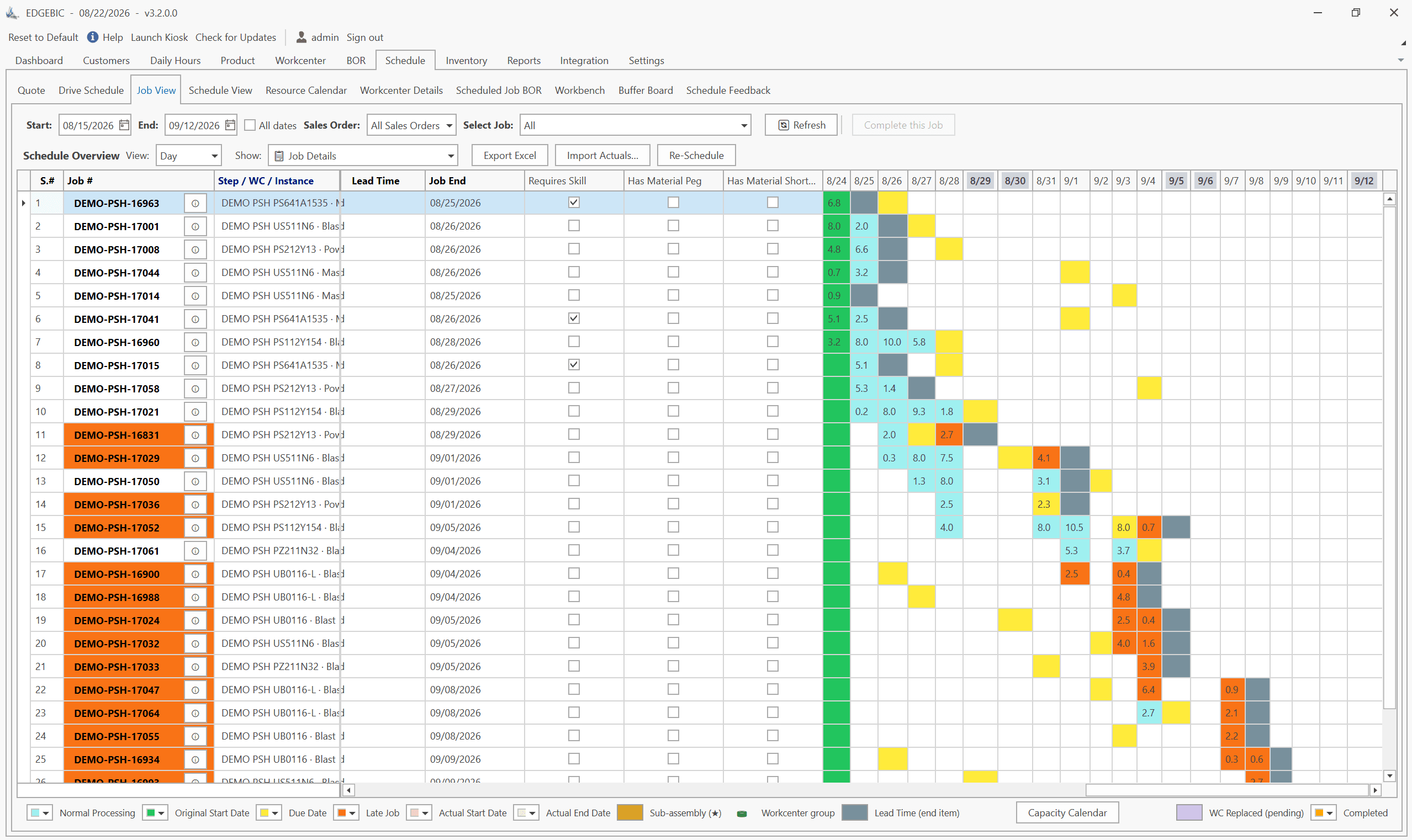
So MRP is the right tool for materials, and the wrong tool for deciding what runs on which machine. Plants that rely on MRP dates alone see the familiar pattern: parts arrive on time for jobs that cannot start because the work center is booked. The fix is not to abandon MRP; it is to hand MRP's orders to a finite capacity scheduler. We show one job planned both ways in MRP vs APS, and the capacity side in finite vs infinite capacity planning.
Why MRP still matters in 2026
- Supply chains are longer. Global sourcing means longer and more variable lead times, and MRP's time-phasing is how you buy early enough.
- Customers expect shorter lead times. Without MRP, meeting them consistently is close to impossible for a shop with more than a handful of products.
- Cash is tight. Excess stock ties up working capital and a stockout stops the line. MRP buys what the plan needs, when it needs it.
- MRP is better connected. Modern MRP adds safety stock sizing, demand-driven MRP (DDMRP) buffers, and a link to finite capacity scheduling. Tools like RMDB from User Solutions pair MRP logic with real capacity constraints so the material plan is achievable.
MRP vs spreadsheets
Many small manufacturers start material planning in Excel, and for a few products that is fine. It breaks as complexity grows:
- No automatic BOM explosion. Component needs are recalculated by hand.
- No live netting. The sheet does not know what just arrived or what was consumed.
- Fragile formulas. One broken link in the period-to-period balance and every later week is wrong.
- No lead-time offset unless you build it yourself.
Start with the free MRP Excel template if you are not ready for software; it has the gross-to-net logic, the lead-time offset and lot sizing already built. For when to move on, read MRP vs spreadsheets.
MRP, MRP II and ERP
| Generation | Era | Scope | Key addition |
|---|---|---|---|
| MRP | 1960s to 1970s | Material planning | BOM explosion, time-phasing |
| MRP II | 1980s | Manufacturing planning | Capacity planning, shop floor control, costing |
| ERP | 1990s to today | Whole business | Finance, sales, HR, supply chain |
| MRP + APS | 2000s to today | Planning and scheduling | Finite capacity, optimization |
Many manufacturers do not need a full ERP to get the benefit of MRP. Focused tools like RMDB and its continuation, EDGEBIC (RMDB 2.0) by User Solutions, deliver MRP and finite capacity scheduling without the cost and long timeline of an enterprise ERP project. For how the generations compare, see MRP vs MRP II vs ERP.
Getting started with MRP
- Audit your data. Check BOM accuracy, run a physical count, and validate supplier lead times. Aim for 95%+ accuracy on all three.
- Start with your top products. The 20 percent of products that carry most of the revenue.
- Choose the right tool. Not every manufacturer needs SAP. See best MRP software for small manufacturers and the MRP implementation checklist.
- Pair MRP with scheduling. MRP plans materials but assumes infinite capacity. Finite capacity scheduling makes the plan feasible. This is where tools like RMDB excel.
- Review and refine. Lead times, suppliers and demand change. Review parameters quarterly and watch for MRP nervousness.
MRP and scheduling in one tool
If stockouts, excess stock or late deliveries are costing you, MRP is the structured fix, and finite scheduling is what makes its dates real. RMDB from User Solutions has combined planning and finite capacity scheduling for small and mid-size manufacturers for decades. Its continuation, EDGEBIC (RMDB 2.0) by User Solutions, comes in two editions: EDGEBIC APS ($25,000 one-time) for finite capacity scheduling, and EDGEBIC Complete ($35,000 one-time), which adds MRP, BOM explosion, inventory, purchasing and pegging so material availability constrains the schedule. See MRP system, MRP software for small manufacturers and pricing.
Schedule a free demo to see MRP-driven planning on your own data.
Expert Q&A: Deep Dive
Q: What is the single most important thing a manufacturer should understand before implementing MRP?
A: MRP is only as good as the data you feed it. We have seen manufacturers invest in excellent MRP software and get poor results because their bills of materials were incomplete, their inventory counts were wrong, or their lead times were out of date. Before you turn on MRP, get BOMs to 95%+ accuracy, run a complete physical count, and validate supplier lead times. At User Solutions, we start implementations with a data audit because clean data is the biggest predictor of MRP success.
Q: For a job shop with high product variety, does MRP still make sense?
A: Yes, with a caveat. High-variety job shops get the most from MRP when it is paired with finite capacity scheduling. MRP tells you what materials to order and when, but it assumes infinite capacity. In a job shop where every order is different, you need a scheduling tool like RMDB or EDGEBIC to sequence work across your resources realistically. We often recommend stabilizing the shop floor schedule first, then layering MRP on top, so material orders follow a feasible schedule, not a wish list.
Q: How has MRP evolved since it was first introduced?
A: The original MRP of the 1960s was a material calculator. MRP II in the 1980s added capacity planning and financial integration. In the 1990s and 2000s MRP logic moved inside ERP systems, and APS tools added finite capacity scheduling on top. Demand-Driven MRP (DDMRP) uses strategic buffers instead of relying only on forecasts. The core gross-to-net logic has not changed, because it is still the right arithmetic for dependent demand.
Frequently Asked Questions
Ready to Transform Your Production Scheduling?
User Solutions has been helping manufacturers optimize their production schedules for over 35 years. One-time license, 5-day implementation.

User Solutions Team
Manufacturing Software Experts
User Solutions has been developing production planning and scheduling software for manufacturers since 1991. Our team combines 35+ years of manufacturing software expertise with deep industry knowledge to help factories optimize their operations.
Share this article
Related Articles
MRP vs APS: What MRP Assumes and What Finite Scheduling Fixes
MRP vs APS: MRP plans materials assuming infinite capacity and fixed lead times; APS schedules operations against real capacity. One job planned both ways.

Lean-MRP Hybrid: How to Combine Pull Scheduling with MRP for Long-Lead Materials
Lean and MRP appear to conflict - but most lean shops still need MRP for long-lead purchased materials. Here's how to combine pull scheduling and MRP at the right decoupling points.

MRP Data Accuracy: The #1 Reason MRP Implementations Fail (And How to Fix It)
Poor data quality kills MRP before it starts. Learn the three data pillars, how to hit the 98% inventory accuracy target, and a practical implementation checklist.