
EDGEBI Download
60 day fully functional trial
System Requirements: Excel installed (used as report writer).
Download JSL SetupPlease fill the form to go to download link page.
Installation Instructions:
Then, download and install JSLsetup.exe this installs to C:\ProgramFiles In this part of installation, it checks to see your current .Net framework and stops until you upgrade to more current .Net framework (this is automatically installed with windows 10 so you are probably fine.
At the end of installing JSL the system will automatically run and add shortcut to desktop. There will be sample data in JSL preloaded but you will be able to edit, add, delete directly and/or use data import to configure JSL. That is what the ImportsBack.xlsx is for, showing you the format for creating and importing content quickly.
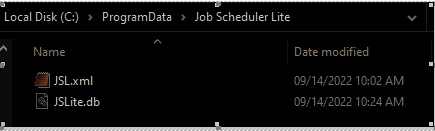
The database will default to C:\ProgramData\EDGEBI
The third file is an Excel file for quickly loading data. That can be saved anywhere you choose. Also, you can save the database (or you might have more than one anywhere you have read write access to).