Job Scheduler Lite (JSL)
An entry level production scheduling offering that allows users to quickly create routing steps and schedule according to capacity limitations, direction (Forward or Reverse), and Priorities.
Overview
Welcome to Job Scheduler Lite (JSL). Designed as an entry level production scheduling offering that allows users to quickly create a series of routing steps then schedule according to capacity limitations, direction (Forward or Reverse), and Priorities.
It also offers a quick method to load data either directly or importing from an Excel sheet. If you have more complex routings (non linear, or non batch, etc.) then consider Resource Manager-DB (RMDB) as it can model scheduling most any manufacturing flow.
Features
Simple, familiar interface
One step menus, on-screen buttons, or sheet tabs make navigation a snap.
Easy to configure and run
Quick, intuitive layout and prompts allows you to focus on your business, instead of learning another software product.
Finite capacity planning and forward scheduling
Global and/or detailed workcenter configuration can be made and applied instantly.
Modules
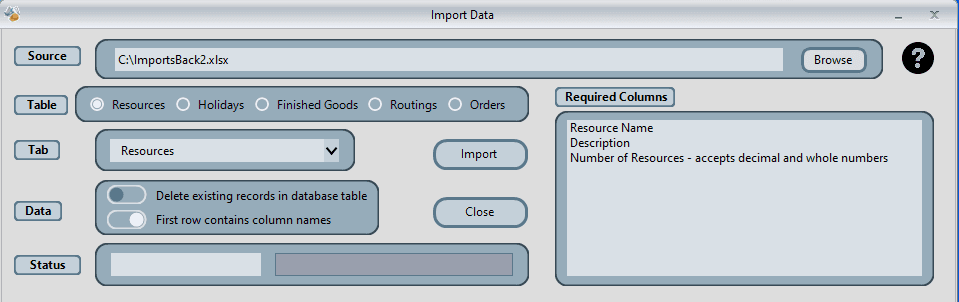
Import Data
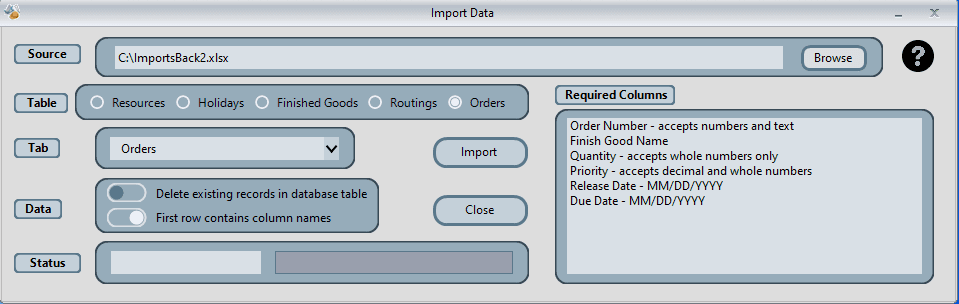
We recommend you review JSL with currently loaded demo data then consider using Import Data to load your application specific data. Just edit the importsback.xlsx to represent your data.
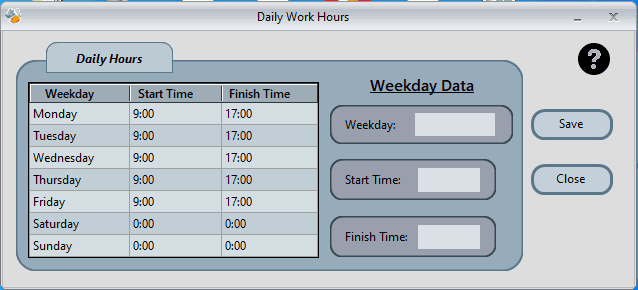
Daily Hours
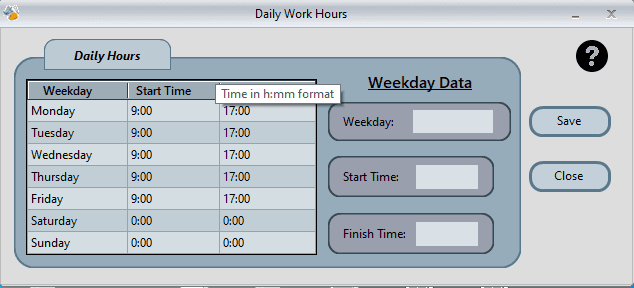
Daily Hours is normal operating hours for your business. You might consider entering net hours (subtract breaks, lunch, efficiencies). Simply click on a day and enter start and end times.
Holidays
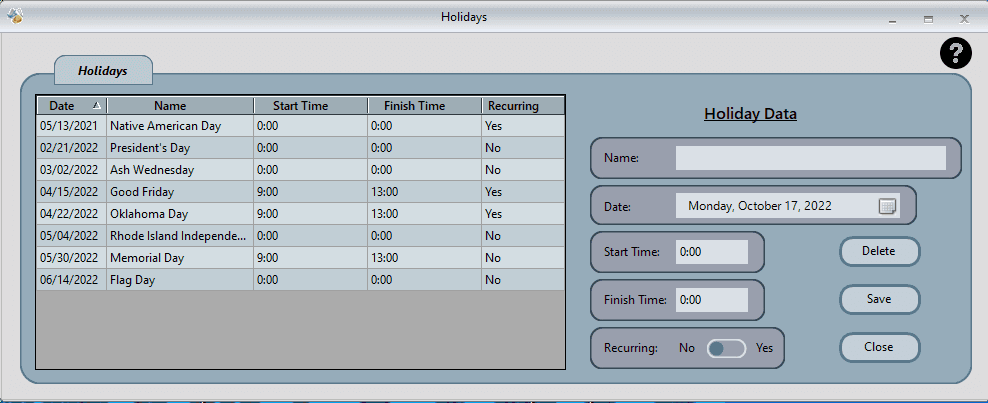
Holidays can be a partial shutdown event for company, repeating holiday (like Christmas), or varies each year according to calendar (for example Thanksgiving).
Resources
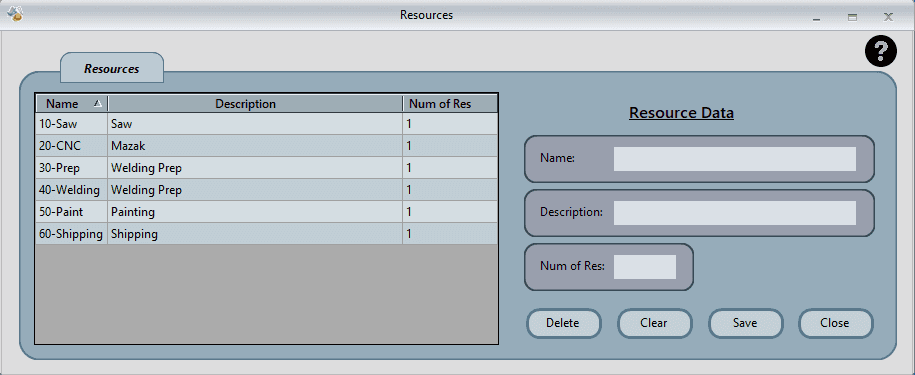
To add a new resource simply clear input table, enter in Name, description, and number of resources. Then Save. The Num of Res is how many of that workcenter/resource you have. It is multiplied by daily hours to calculate gross hours available.
Finish Goods
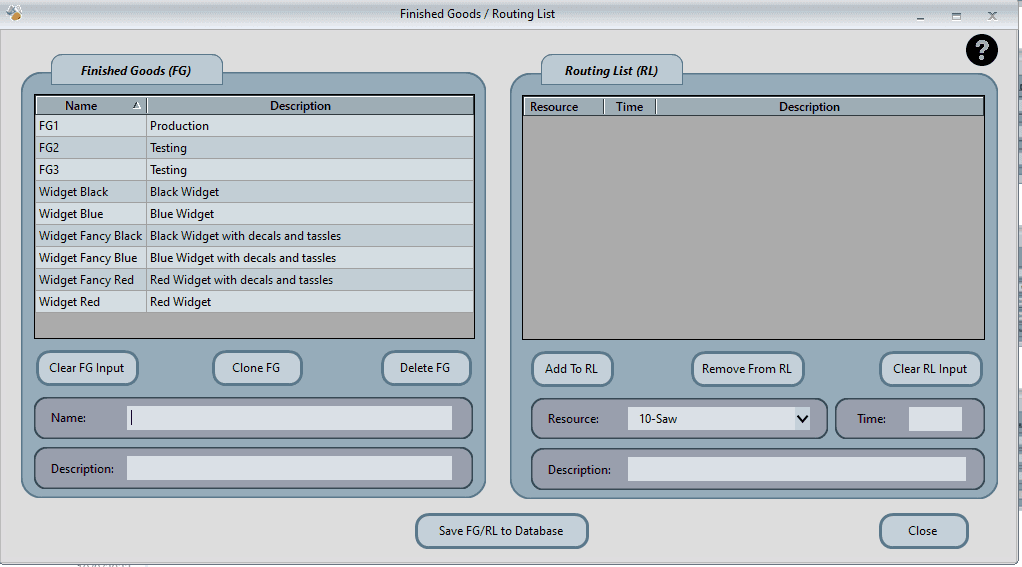
Finished Goods/Routing List (FG/RL) is what will be scheduled. You can enter a new name, then list the workcenters and timing in the order they are worked, then save. JSL schedules in a linear mode, meaning all parts are completed at one workcenter before moving on to next.
Orders
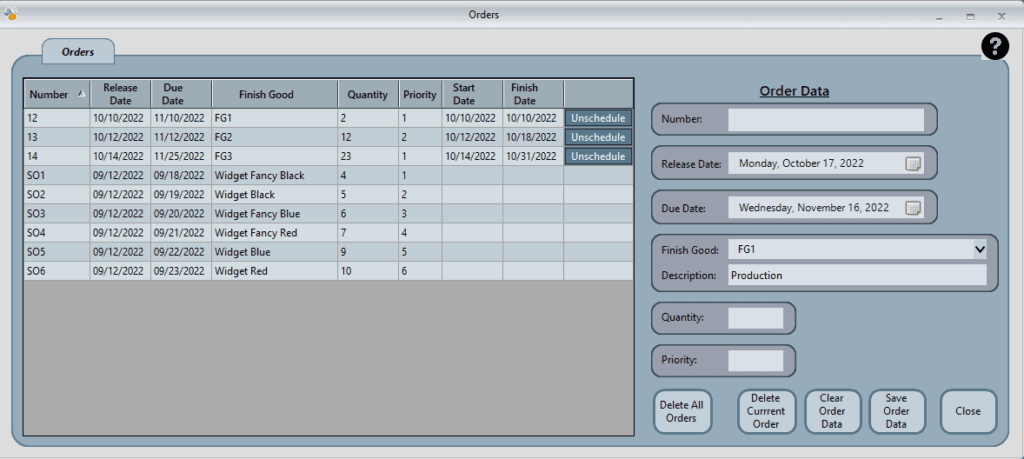
Orders is what will be scheduled. You can enter a new name, then list the workcenters and timing in the order they are worked, then save. If you have routings that don't fit this simple model, please call and we can discuss other options.
Schedule
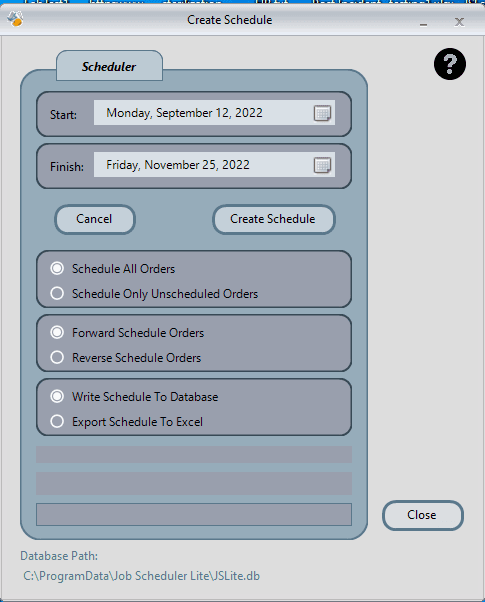
The Schedule module is the primary scheduling interface where you can run and manage your production schedules. Configure scheduling direction (Forward or Reverse), set priorities, and apply capacity constraints to generate optimal schedules.
- Forward and Reverse scheduling options
- Priority-based job sequencing
- Capacity constraint application
- Instant schedule generation
InSight
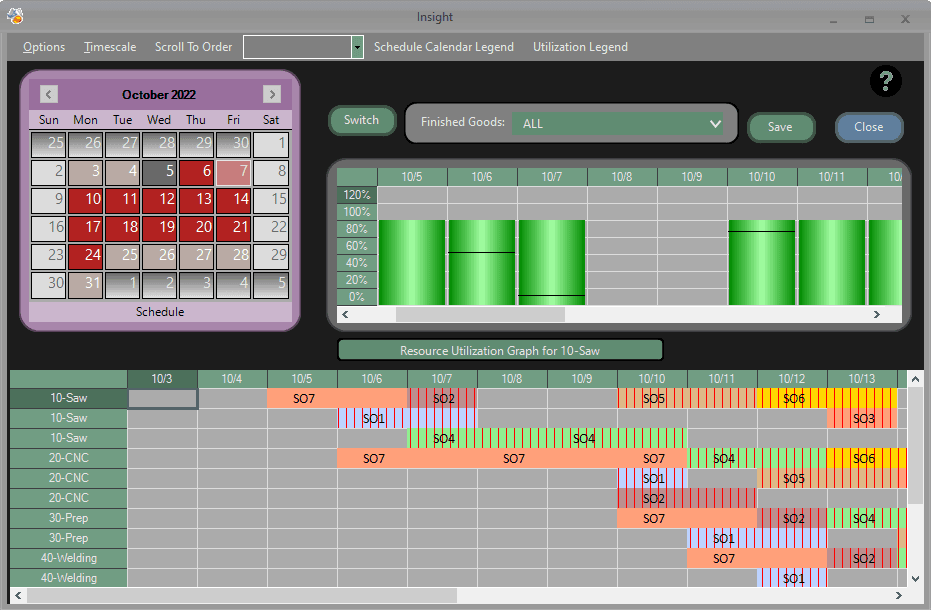
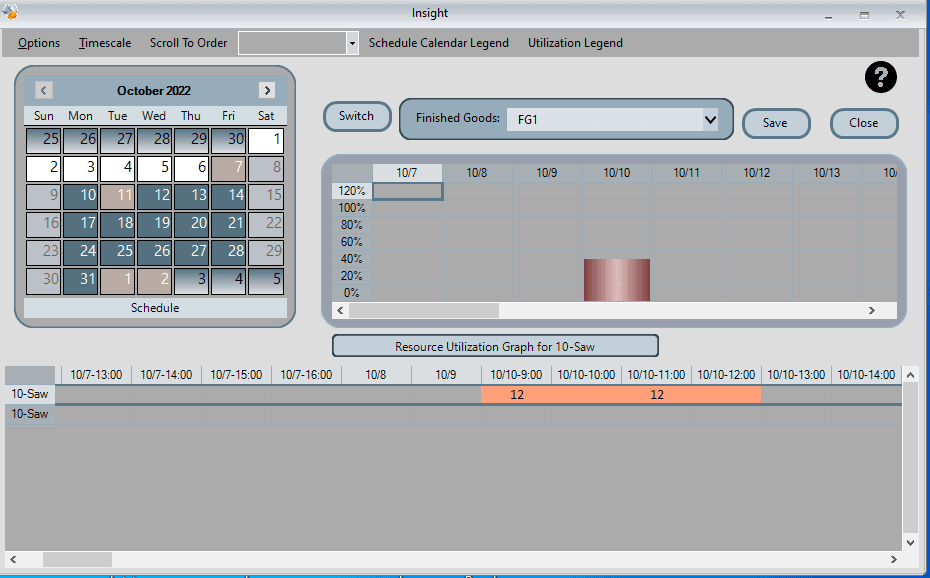
InSight is the most comprehensive and feature rich module in JSL. Check out the schedule calendar Legend to see at a glance how selected month is scheduled. The time scale can be 15 minutes to a week. Right click on Workcenter ID to display color coded efficiency.
Calendar Legend:
- Work days with no late jobs
- Days with at least one late job
- Days with no scheduled work
- Non-working days (weekends/holidays)
- Buffer days
Key Features:
- Cross-hatched bar segments in Gantt Chart indicate Late Jobs
- Click any job segment to reposition it on the display
- Adjustable time scale from 15 minutes to one week
- Color-coded efficiency visualization
Export Data
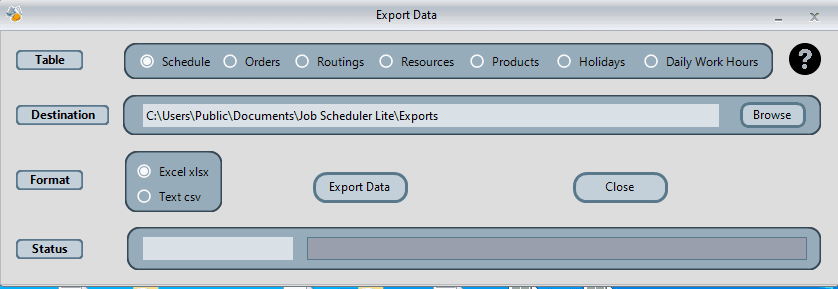
Export data however you wish. Sometimes its quicker to export out data to Excel, make big changes as needed, then just import in.
Configure
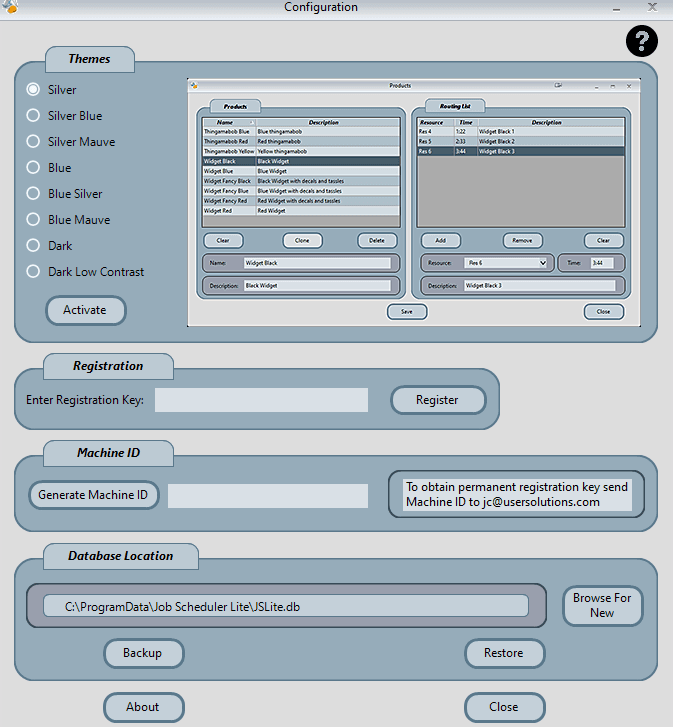
Configure allows you to try different themes, back up and restore database, and also register the JSL for customer use.
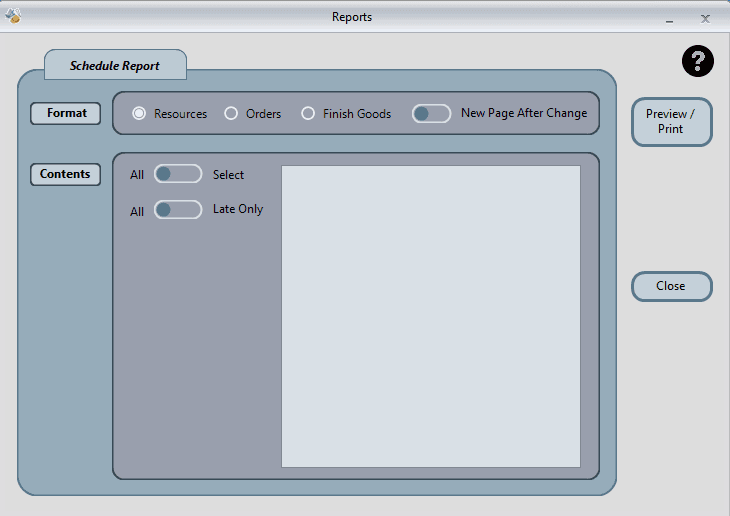
Reports
There are a variety of reports available to help you analyze your production schedule and make informed decisions.