
Rush Order Scheduling Software
A customer needs it Friday. How do we fit the rush order in without blowing up every other due date?
Handle a rush order by testing it against real capacity before you promise it. EDGEBIC by User Solutions drops the rush job into a copy of your live finite capacity schedule, reflows only the unstarted work, and lists exactly which orders slip and by how many days. You accept, reprice or decline with the facts in hand.
Last updated
Why Rush Orders Wreck the Schedule
A rush order is rarely the real problem. The problem is saying yes without seeing what it displaces. On a spreadsheet or whiteboard, the hot job goes to the front of the line and the jobs behind it slide quietly, so nobody knows which customer just became late until the ship date passes.
Every shop gets rush orders. The shops that handle them well see the ripple before they commit, then choose: overtime, an alternate machine, a later date for a customer who can wait, or a premium price that pays for the disruption.
- The hot job ships and two other orders go late without anyone deciding they should
- Expediting becomes the schedule: whoever shouts loudest gets the machine
- Sales promises a rush date before anyone checks the bottleneck
- Setups get broken to squeeze the job in, and the lost time is never counted
- Overtime is added by feel instead of where the capacity is actually short
- Rush work is not priced for what it costs the rest of the plan
How EDGEBIC Handles a Rush Order
EDGEBIC by User Solutions schedules every job to finite capacity across machines, labor, tooling and shifts. A rush order is just another job with a higher priority, which means you can test it before it becomes a promise.
Test the rush job as a what-if first
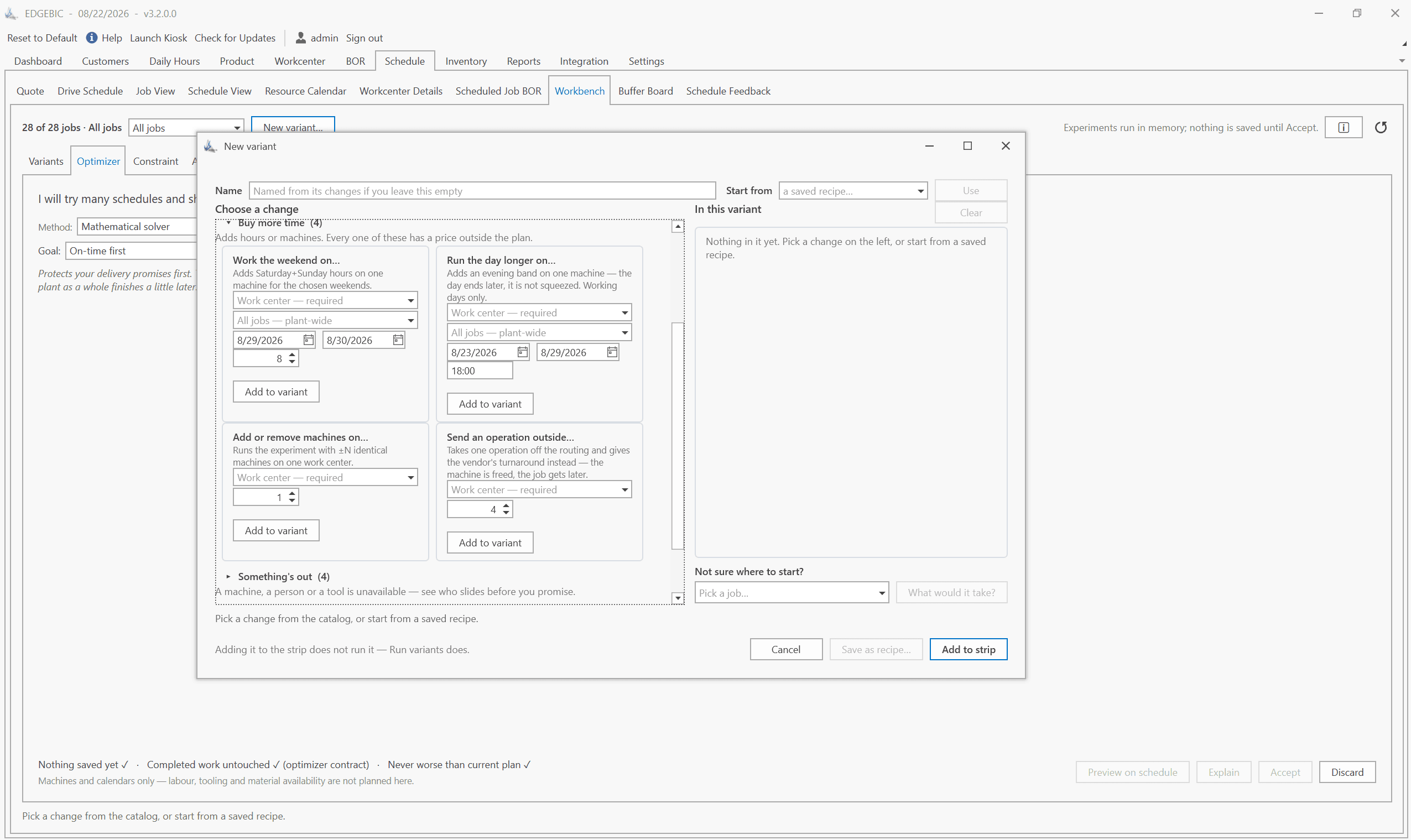
Add the order to a scenario copy of the live schedule. Nothing on the shop floor changes until you accept it, so sales can get an answer in minutes without disturbing the plan.
See exactly which orders slip
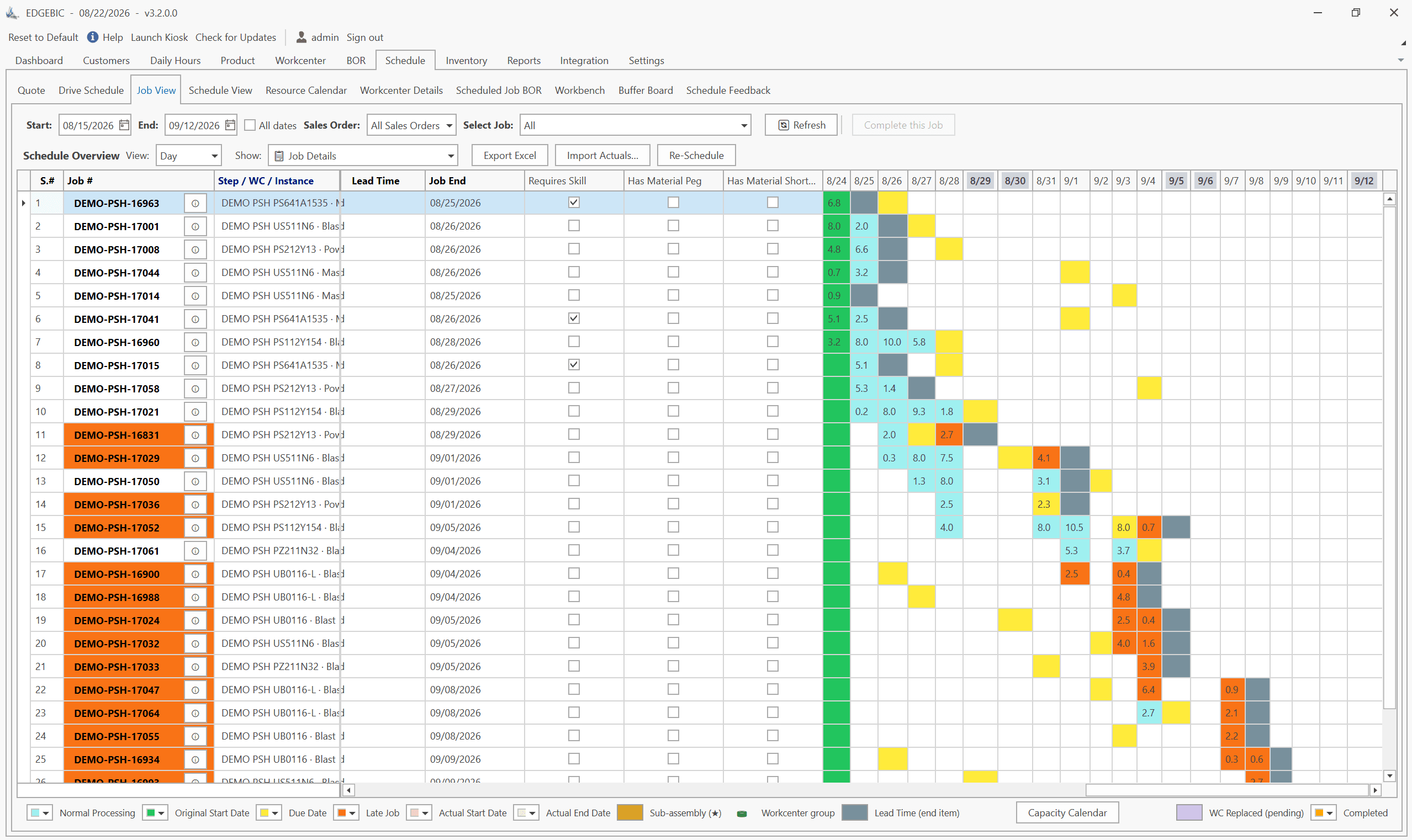
The rescheduled plan shows Days Late for every order. You see that the rush job makes Friday and that two other customers move out by a day, instead of discovering it at shipping.
Started work stays put
Operations already started or completed keep their recorded actuals. Only the unstarted future reflows, so a rush order never scrambles work that is already on a machine.
Try the fixes before you choose one
Compare scenarios side by side: a Saturday shift, an alternate work center, a split lot, or a later date. The optimizer can search for the sequence that absorbs the hot job with the least total lateness.
Quote the rush date and the price honestly
Quote simulation uses the same capacity model as the live schedule, so the expedite date you give is one the plant can hit, and the cost of the disruption is visible when you set the price.
Keep the ERP as the system of record
The rush order arrives from your ERP through Excel, CSV or database import like any other order, and the new dates go back the same way.
A what-if Gantt schedule answered the biggest order the company had seen
Turner Suspension Bicycles
Turner Suspension Bicycles had outgrown what it called a manual scheduling board and a fist-full of post-it notes. It could not get a handle on shop capacity, material lead times and customer due dates at the same time.
Using Resource Manager for Excel by User Solutions, the lineage that EDGEBIC continues, Turner entered its machines, labor, calendar and bills of resource in a few days. A few weeks later the owner came back from a trade show with the biggest order yet. The team entered the demand, scheduled it, and printed a Gantt chart showing exactly when it could deliver and what manufacturing would cost.
Who Makes EDGEBIC
EDGEBIC is made by User Solutions, Inc. of South Lyon, Michigan, which has built manufacturing scheduling software since 1991. EDGEBIC is RMDB 2.0: the current generation of RMDB (Resource Manager DB), the scheduling engine behind results at the US Navy, GE, Cummins and BAE Systems. RMDB customers remain supported. EDGEBIC is an installed Windows application (.NET 8, SQLite or SQL Server) that works alongside any ERP through Excel, CSV and database import and export. See the EDGEBIC product overview.
EDGEBIC Pricing: Published, One-Time
Two editions of EDGEBIC by User Solutions, both perpetual licenses with updates included and no per-seat annual fee. EDGEBIC is an installed Windows application, not a subscription service. See EDGEBIC pricing and editions or how this compares with the market.
| Edition | What it includes | One-time license |
|---|---|---|
| EDGEBIC APS | Finite capacity scheduling and optimization: graphical routing designer, forward and backward scheduling, Theory of Constraints anchoring, parallel work centers, sequence-dependent setup, lot streaming, operator skills, and a two-layer schedule optimizer. | $25,000 |
| EDGEBIC Complete | Everything in EDGEBIC APS plus MRP, inventory, purchasing and material pegging, so material availability constrains the schedule alongside machines and labor. | $35,000 |
Read More on This Problem
- How a scheduler absorbs a rush order without wrecking the plan
- The real cost of rush orders in job shops
- Adding a rush order to a full schedule: watching the ripple
- How to schedule a rush order in EDGEBIC
- How to quote a rush order in EDGEBIC
- How what-if simulation wins profitable rush orders
- How EDGEBIC reduces expediting
Rush Order Scheduling FAQs
Customer Stories
Manufacturers scheduling with EDGEBIC and RMDB, the User Solutions engine behind it.
Bring your next rush order to a demo
Send an export of your open orders and the rush job you are being asked for. We will schedule it in EDGEBIC and show you which orders move and by how much.
Or see EDGEBIC pricing or the EDGEBIC product overview.