Security Guide
Step-by-step guide to improve security for Windows, anti-virus programs and Excel macros
Overview
Due to heightened security from both Windows and Anti-Virus programs, you may have to do some\all of the following steps after downloading:
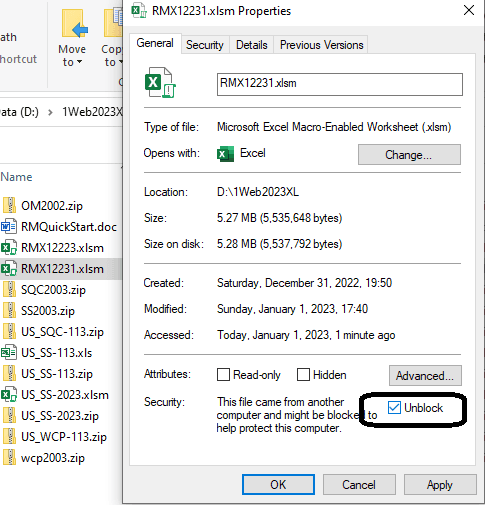
Step 1: Unblock Downloaded Files
Wherever you save file, using windows explorer, right click on said file and choose properties and unblock for security. Press APPLY and that option should disappear.
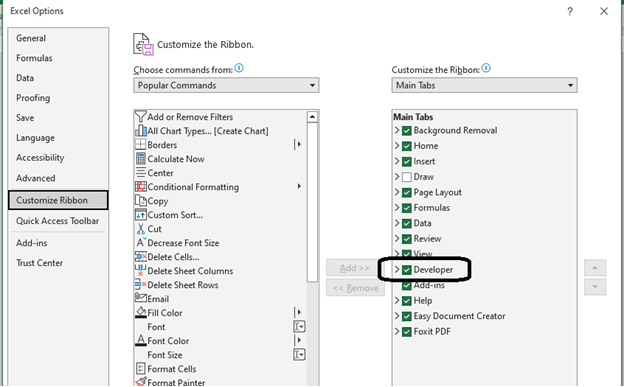
Step 2: Enable Developer Tab in Excel
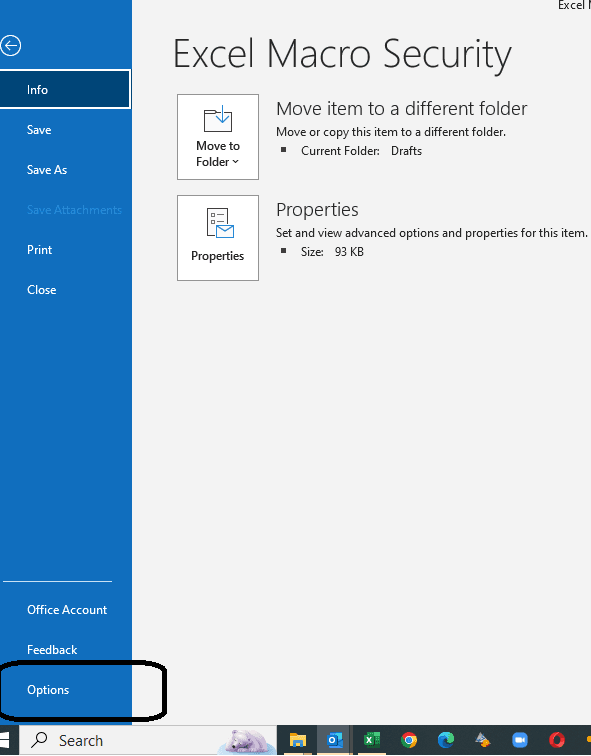
Next, if you open up file and still can't run macros, check to see if Developer is option on main menu for Excel. If not, then go to File, Options, and add Developer to ribbon.
Step 3: Enable VBA Macros
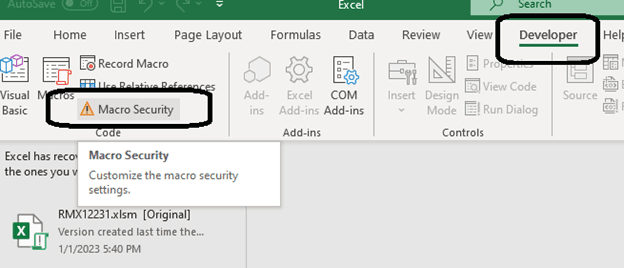
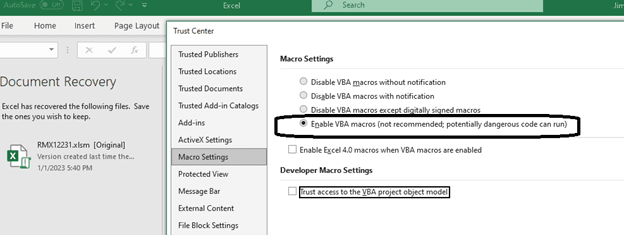
Finally, choose Developer, Macro Security, Enable VBA Macros, Save, and Reopen Excel file.