

Additive manufacturing has evolved from prototyping technology to a production manufacturing process used for aerospace components, medical implants, automotive parts, and consumer products. But as 3D printing moves from one-off prototypes to production volumes, the scheduling challenges multiply. Build times measured in hours or days, multi-part plate optimization, diverse post-processing requirements, and material management complexities create a scheduling environment unlike any traditional manufacturing process.
This guide covers the production scheduling strategies that additive manufacturing facilities need to maximize machine utilization, manage post-processing bottlenecks, and deliver parts on time. At User Solutions, we have spent 35+ years building scheduling software that handles complex, multi-resource manufacturing environments - including the unique characteristics of additive production.
Why Additive Manufacturing Needs Production Scheduling
Small AM operations with one or two machines can manage scheduling informally. But as facilities scale to 5, 10, or 50+ machines across multiple technologies, informal scheduling breaks down:
- Build plate decisions become complex - grouping the right parts on the right machine at the right time requires visibility across all pending orders
- Post-processing creates hidden bottlenecks - without scheduling post-processing alongside printing, parts queue for days after printing
- Machine diversity complicates planning - different AM technologies (SLS, DMLS, FDM, MJF, SLA) have different capabilities, cycle times, and material compatibility
- Customer priorities conflict - service bureaus and internal AM centers must balance multiple requestors with different urgency levels
Finite capacity scheduling provides the visibility and constraint management that production AM requires.
The Additive Manufacturing Workflow: Scheduling Considerations
Build Preparation
Before a print starts, several preparation steps must be completed:
- File preparation and slicing - converting 3D models to machine-ready files, with support structure generation
- Build plate nesting - arranging multiple parts on a single build plate to maximize utilization
- Material preparation - loading material, conditioning powder, or preparing resin
- Machine preparation - calibration, chamber preparation, and parameter verification
These preparation steps take 30 minutes to several hours and must be scheduled as operations that consume technician time and machine availability. Scheduling preparation as a separate operation prevents the common problem of assuming a machine can start printing immediately after the previous build completes.
Printing: Long-Duration Operations
Print times in production AM range from 2 hours for small polymer parts to 72+ hours for large metal builds. This creates scheduling characteristics unlike traditional manufacturing:
Machines are occupied for extended periods: A DMLS machine running a 48-hour build cannot be interrupted for a higher-priority part. Scheduling must plan build sequences days in advance.
Build plate utilization is a scheduling variable: Unlike traditional machines where one part runs at a time, AM builds multiple parts simultaneously. The scheduling system must decide which parts to batch on each plate based on material compatibility, build parameters (layer thickness, power settings), and due dates.
Machine failures are catastrophic for the build: A failed build may require reprinting all parts on the plate. The schedule must account for historical failure rates and include contingency capacity.
The scheduling system should model each printer as a finite resource with build volume constraints, material compatibility, and realistic cycle times that include warmup, printing, and cooldown phases.
Post-Processing: The Real Bottleneck
Post-processing is where most AM facilities lose control of their schedule. A part that took 20 hours to print may require:
| Post-Processing Step | Typical Duration | Equipment Required |
|---|---|---|
| Depowdering/part removal | 1-4 hours | Breakout station, compressed air |
| Stress relief (metal) | 4-12 hours | Heat treatment oven |
| Support removal | 1-8 hours | Hand tools, wire EDM, CNC |
| Surface finishing | 2-8 hours | Blasting, tumbling, chemical smoothing |
| CNC machining (critical features) | 2-16 hours | CNC mill or lathe |
| Inspection and testing | 1-4 hours | CMM, CT scanning, tensile testing |
| Coating or plating | 8-24 hours | Often outsourced |
Total post-processing time frequently exceeds print time by 2x to 5x. Scheduling software must model every post-processing step as a constrained resource, not just the printer itself.
RMDB handles this by scheduling the complete workflow from build preparation through shipping as a single linked routing. When print completes, downstream post-processing operations are automatically scheduled based on available equipment and labor capacity.
Build Plate Optimization as a Scheduling Decision
Build plate nesting - the arrangement of parts on a print platform - is typically treated as a geometry problem. But it is equally a scheduling problem. The scheduler must decide:
What to batch together: Parts must share the same material, layer thickness, and build parameters. Beyond these hard constraints, the scheduler should batch parts with similar due dates to avoid completing parts weeks before they are needed while delaying urgent parts.
When to run partial plates: A plate at 40% utilization wastes 60% of the machine's capacity for that build cycle. But waiting to fill the plate delays parts that are ready now. The scheduling system should evaluate whether running a partial plate or waiting for additional compatible orders optimizes overall throughput.
Which machine to assign: A facility with multiple machines of different build volumes should match build plate requirements to machine size. Small orders should run on smaller machines, preserving large-machine capacity for large builds.
Multi-Technology Facility Scheduling
Production AM facilities increasingly operate multiple technologies:
- Selective Laser Sintering (SLS) for nylon functional parts
- Direct Metal Laser Sintering (DMLS) for metal production components
- Fused Deposition Modeling (FDM) for tooling and fixtures
- Multi Jet Fusion (MJF) for high-volume polymer parts
- Stereolithography (SLA) for precision and casting patterns
Each technology has different build characteristics, material constraints, and post-processing requirements. The scheduling system must model each technology type with its unique parameters while providing a unified view of facility-wide capacity and order status.
This multi-resource scheduling challenge is well-suited to finite capacity scheduling software that can model diverse resource types with different capabilities and constraints.
Material Management and Scheduling
AM materials introduce scheduling constraints that traditional manufacturers do not encounter:
Powder reuse limits: Metal and polymer powders degrade with each reuse cycle. The scheduling system should track powder lot usage and ensure builds are scheduled with powder within its acceptable reuse window.
Material shelf life: Photopolymer resins, some filaments, and binder jetting materials have limited shelf life. Scheduling should prioritize consuming materials approaching expiration.
Material changeover time: Switching materials on an AM machine requires thorough cleaning to prevent cross-contamination. Material changeovers on metal AM machines can take 4 to 8 hours. Scheduling should batch same-material builds together to minimize changeover frequency.
Material qualification: For aerospace and medical applications, materials must be qualified per ASTM or customer specifications. The schedule must ensure that only qualified material lots are used for regulated builds.
Scheduling for AM Service Bureaus
AM service bureaus face scheduling challenges that differ from captive production facilities because they serve multiple external customers with competing priorities:
Multi-customer priority management: Rush orders from premium customers must be accommodated without destroying delivery commitments for other customers. The scheduling system needs clear priority rules and the ability to show the impact of inserting rush orders.
Quoting and capacity planning: Accurate quoting requires knowing true available capacity. When a customer requests a quote, the scheduler should be able to check capacity availability and provide a realistic delivery date - not a guess.
Technology routing decisions: Some parts can be produced on multiple technologies with different cost-time tradeoffs. The scheduling system should support alternative routings so the scheduler can choose the optimal technology based on current machine availability and customer priorities.
What-if scenario analysis is essential for service bureaus evaluating whether to accept a rush order, shift work between technologies, or add capacity.
KPIs for Additive Manufacturing Scheduling
- Printer utilization - percentage of time machines are actively printing (target varies by technology: 60-80%)
- Build plate utilization - percentage of build volume filled per build (target above 70% for production)
- Post-processing queue time - hours parts spend waiting for post-processing after printing
- On-time delivery - percentage of parts delivered by the committed date
- First-build success rate - percentage of builds that complete without failure
- Material utilization - ratio of material in finished parts to total material consumed
Track these alongside broader manufacturing KPIs to maintain full visibility into production performance.
Getting Started with AM Production Scheduling
For AM facilities transitioning from informal scheduling to structured production scheduling:
- Map the complete workflow - document every step from order receipt through shipping, not just printing
- Identify your true bottleneck - it is almost certainly in post-processing, not printing
- Define resources at the right granularity - each printer, heat treatment oven, CNC machine, and inspection station is a schedulable resource
- Model realistic cycle times - include preparation, warmup, cooldown, and cleanup in machine cycle times
- Implement scheduling software - tools like EDGEBIC, the current generation of RMDB with a drag-and-drop Gantt, provide the multi-resource finite capacity scheduling that AM production requires
Frequently Asked Questions
Ready to schedule your additive manufacturing production? User Solutions has 35+ years of experience scheduling complex multi-resource manufacturing environments. Request a demo to see how EDGEBIC, the current generation of RMDB, handles the unique scheduling demands of 3D printing production.
📚 Continue learning: This article is part of our Manufacturing Scheduling by Industry: How Requirements Differ pillar guide - the comprehensive resource for industry-specific manufacturing scheduling.
Expert Q&A: Deep Dive
Q: What is the most common scheduling mistake you see in additive manufacturing facilities?
A: The most common mistake is scheduling based on printer capacity alone. AM facilities track printer utilization obsessively but ignore the post-processing bottleneck. A metal DMLS machine can complete a build in 20 hours, but the subsequent stress relief, support removal, wire EDM, CNC finishing, and inspection may take 40 to 60 hours. When we implement RMDB for AM facilities, we model the entire workflow from build preparation through shipping, and facilities are often shocked to discover that their true bottleneck is not the printer but a heat treatment oven or a CNC machine used for finish machining.
Q: How should AM service bureaus handle scheduling for multiple customers with different priorities?
A: Service bureaus face a unique challenge because they must balance multiple customer priorities on shared machines. We configure RMDB to handle this through priority-based scheduling with build plate optimization. High-priority orders get dedicated builds even if the plate is not full, while standard-priority orders are batched to maximize plate utilization and minimize cost per part. The key is having finite capacity visibility that shows which machines are available, what orders are queued, and how inserting a rush order impacts all other commitments.
Q: How do you recommend handling build failures in the production schedule?
A: Build failures in AM are not rare events - they happen regularly enough to be planned for. We recommend scheduling with a buffer that accounts for your historical failure rate. If your DMLS machine has a 10 percent build failure rate, schedule at 90 percent of theoretical capacity. When a failure does occur, the scheduling system should allow rapid rescheduling of the failed build while showing the ripple effect on all downstream commitments. Having what-if capability lets the scheduler evaluate whether to reprint immediately or batch the failed parts with the next compatible build.
Frequently Asked Questions
Ready to Transform Your Production Scheduling?
User Solutions has been helping manufacturers optimize their production schedules for over 35 years. One-time license, 5-day implementation.

User Solutions Team
Manufacturing Software Experts
User Solutions has been developing production planning and scheduling software for manufacturers since 1991. Our team combines 35+ years of manufacturing software expertise with deep industry knowledge to help factories optimize their operations.
Share this article
Related Articles
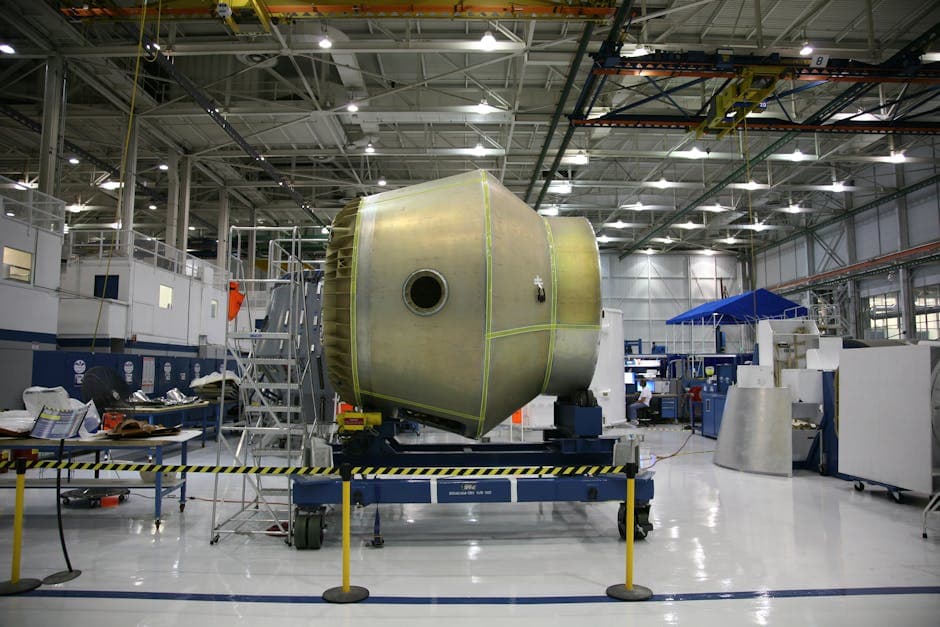
Composite Manufacturing Scheduling: Cure Time Constraints, Autoclave Capacity, and Layup Sequencing
Composite manufacturing scheduling software that handles autoclave cure cycles, prepreg shelf life, layup sequencing, and NDT inspection holds for aerospace and automotive suppliers.
Fastener and Hardware Manufacturing Scheduling: High-Throughput, Die-Constrained Production
Fastener manufacturing scheduling software that manages heading die life, heat treat batch loads, plating line capacity, and kanban replenishment for screws, bolts, and rivets.
PCB Fabrication Scheduling: Managing Phototool Sequences, Plating Tanks, and Layer Constraints
PCB fabrication scheduling software that handles phototool sequencing, plating bath chemistry, drill allocation, and AOI queues. Built for electronics manufacturers.