
Product Lifecycle Management in Manufacturing: From Design to End-of-Life
 User Solutions Team
Every physical product a manufacturer builds - whether a precision machined component, a consumer appliance, or a medical device - travels through a predictable arc from first concept to final retirement. Product lifecycle management (PLM) is the discipline, and often the software category, that governs that entire arc. For production schedulers, PLM matters because the information it produces - bill of materials, routing definitions, engineering change orders - directly controls what the shop floor can build and when. Getting the hand-off between PLM and scheduling right is one of the highest-leverage improvements a mid-size manufacturer can make.
What Product Lifecycle Management Actually Covers
PLM is not a single tool. It is a strategy for capturing, organizing, and governing all data that defines a product across its entire life. In practice that means:
- Product design data: CAD geometry, drawings, material specifications, tolerance callouts
- Bill of materials: The structured parts list that defines every component and sub-assembly
- Engineering change management: Formal processes for revising the design post-release without creating uncontrolled variation in production
- Configuration management: Tracking which version of a product was shipped to which customer on which date
- Compliance and traceability: Regulatory filings, material declarations, test records
Large manufacturers - automotive OEMs, aerospace primes, medical device companies - typically run dedicated PLM platforms such as Siemens Teamcenter, PTC Windchill, or Dassault ENOVIA. Smaller job shops and contract manufacturers often manage the same information with a combination of ERP item masters, spreadsheet-based ECO logs, and shared drive CAD folders. Either way, the underlying PLM problem is the same: how do you keep the product definition accurate and synchronized with what the shop floor is actually building?
The Four Stages of the Product Lifecycle
Understanding where a product sits in its lifecycle determines which planning priorities dominate the production schedule.
Stage 1: Introduction - Concept, Design, and New Product Introduction
The introduction stage begins with a market need or customer requirement and ends with a production-ready design released to manufacturing. Key activities include concept selection, detailed engineering, prototype builds, design validation testing, and the formal new product introduction (NPI) process.
From a scheduling standpoint, introduction-stage products create unique challenges. BOM structures change frequently as the design evolves. Prototype work orders mix with regular production on shared equipment. Lead times for new supplier-qualified materials are unknown. Capacity planning must hold tentative slots for NPI builds without cannibalizing committed customer orders.
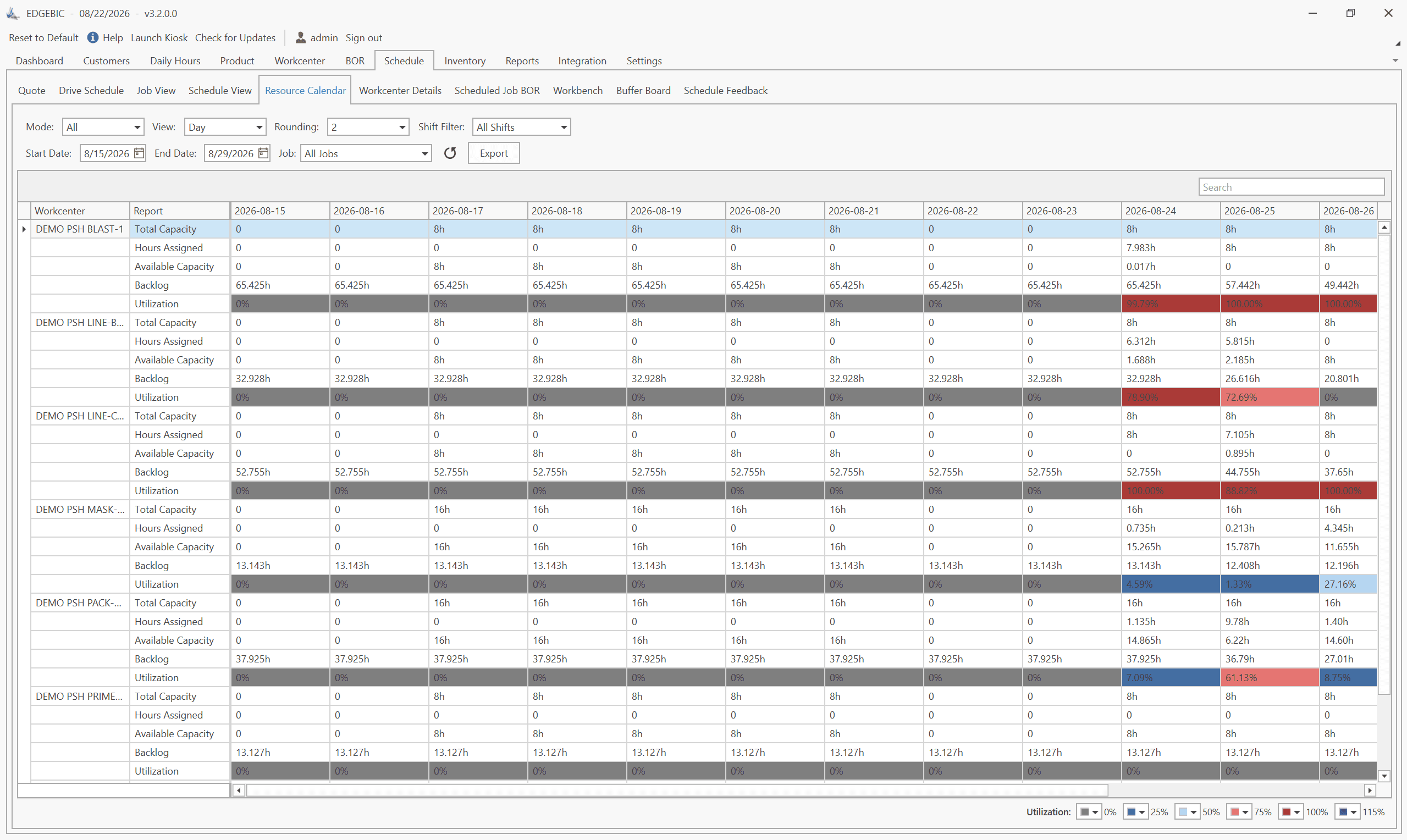
A production scheduling tool that supports work order prioritization by project code - rather than only by due date - is essential here. RMDB allows planners to tag NPI work orders separately and model their capacity impact alongside the standard book of business, preventing the common failure mode where prototype work invisibly crowds out revenue orders.
Stage 2: Growth - Production Ramp-Up
Once design is released, demand climbs quickly. The growth stage is characterized by increasing volume, frequent yield improvements, and BOM refinements as manufacturing engineers substitute materials, tighten tolerances, or simplify assembly. Engineering change orders are most frequent and most disruptive in this stage.
The critical scheduling issue during growth is managing effectivity dates for engineering changes. A change that takes effect at serial number 500 is straightforward when you are building 10 units per day - you know exactly which week it hits. At 200 units per day, the transition window is hours, and the scheduler must coordinate material staging, tooling changeovers, and operator training to coincide precisely. A scheduling system integrated with ECO effectivity data can automatically adjust work order BOMs at the right sequence boundary, eliminating the manual tracking that causes mixed-revision assemblies.
Stage 3: Maturity - Steady-State Manufacturing
In the maturity stage, volume stabilizes, the design is largely frozen, and the manufacturer's focus shifts to cost reduction, quality improvement, and on-time delivery. This is where most mid-size manufacturers spend the majority of their production capacity.
PLM work in maturity is less dramatic but equally important. Supplier substitutions require formal change documentation. Continuous improvement kaizen events that alter routing sequences need to be captured in the system of record before they drift into undocumented tribal knowledge. Compliance audits require the ability to reconstruct exactly what revision of a BOM was active during a given production run.
Production scheduling in maturity benefits from the relative stability. Historical cycle times are reliable, machine capacities are well-understood, and the constraint bottleneck is predictable. Tools like RMDB thrive in this environment because their finite capacity scheduling engine can produce tight, accurate schedules when input data quality is high.
Stage 4: Decline - End-of-Life Planning
Eventually, a product line winds down - superseded by a next-generation design, dropped by the market, or retired due to regulatory changes. The decline stage requires specific PLM activities that directly affect the production plan:
- Consuming remaining component inventory without over-buying
- Managing last-time-buy decisions for long-lead-time parts
- Coordinating final production runs with customer obligations
- Archiving the full product definition for warranty and liability purposes
Schedulers often underestimate the complexity of decline-stage planning. A product that represents only 5% of revenue may still account for 20% of unique components and routing complexity, creating a long tail of small, unpredictable work orders that consume disproportionate scheduling attention.
How PLM Connects to BOM Management
The BOM is the primary interface between PLM and the rest of manufacturing operations. In most organizations, there are actually several distinct BOM types:
- Engineering BOM (EBOM): The designer's view - organized around functional assemblies, may include items that are never physically stocked
- Manufacturing BOM (MBOM): The production view - reorganized around assembly sequence, with phantom sub-assemblies expanded, manufacturing operations added, and packaging included
- Service BOM: The spare parts and field replacement view, often a subset of the MBOM
The translation from EBOM to MBOM is where PLM and manufacturing operations intersect most directly. Manufacturing engineers must review every released engineering design and determine how it will actually be built - which operations occur in which sequence, which sub-assemblies are phantom vs. stocked, what the approved material substitutions are. This work is often underestimated and under-resourced, leading to schedulers being handed an EBOM that cannot be directly loaded into a scheduling system without manual rework.
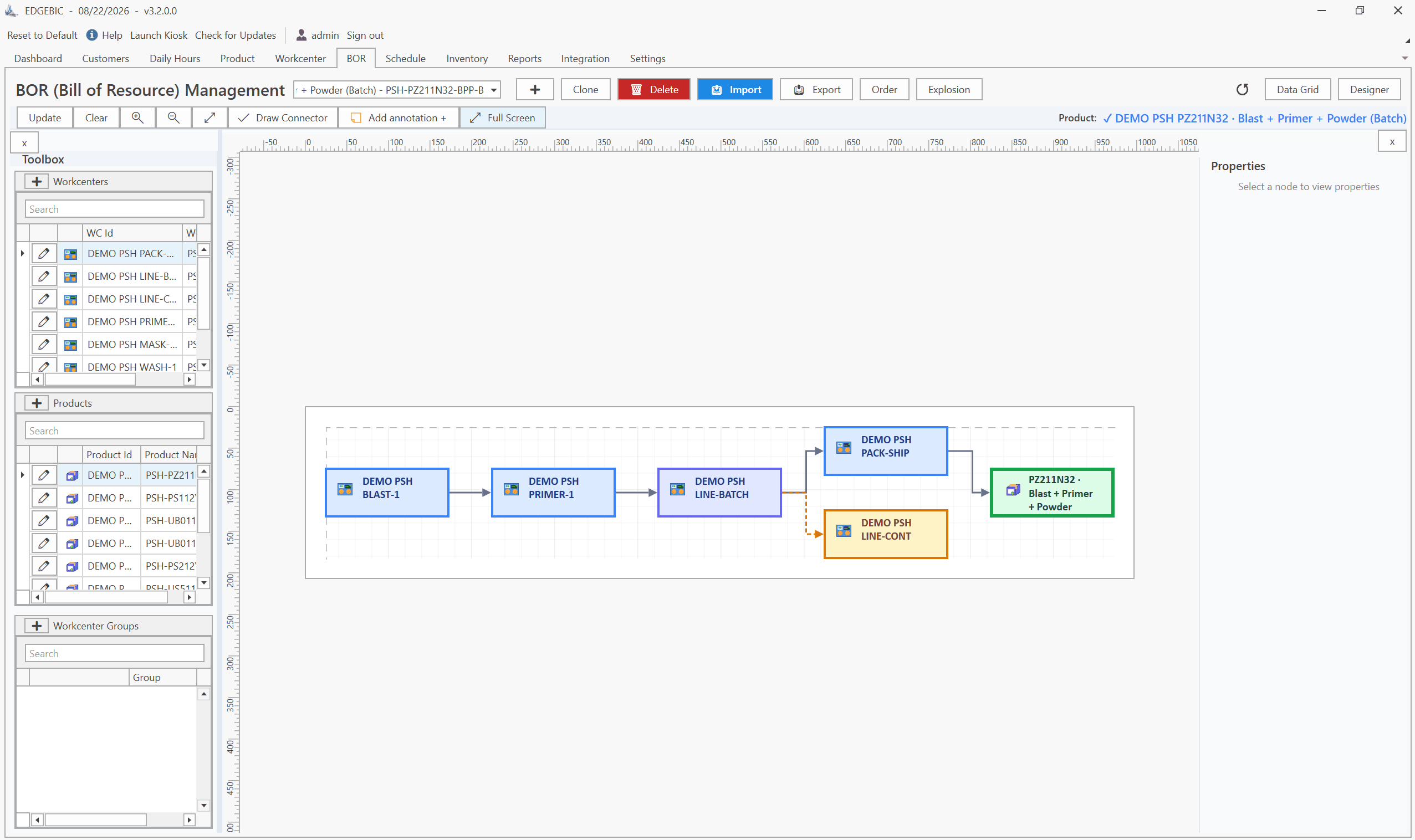
A mature PLM process delivers a clean, manufacturing-ready MBOM to the ERP or scheduling system within a defined lead time after design release - typically three to ten business days for a new product, one to two days for a change order. The MBOM includes operation codes, standard cycle times per work center, and lot sizing rules. With that information, a scheduling tool like RMDB can immediately compute a valid finite-capacity schedule without requiring the planner to manually reconstruct the routing.
Engineering Change Management and Its Impact on Scheduling
Engineering change orders (ECOs) are the most common source of unplanned schedule disruption in product-intensive manufacturers. A design change that looks minor from an engineering perspective - swapping a fastener grade, revising a weld specification, changing a paint code - can ripple through production in ways that are not obvious until material has been pulled and work has started.
Best-practice ECO management for scheduling purposes includes:
Effectivity date assignment: Every change should carry an effective date that is tied either to a calendar date, a lot/serial number, or a production order number. Vague effective dates ("when current stock is consumed") are incompatible with finite scheduling - the scheduler cannot build a deterministic plan against a fuzzy trigger.
Work-in-process disposition: ECOs must specify how in-process units are handled. Options include use-as-is (if the change is not retroactive), rework to the new revision (costly but sometimes mandatory), and scrap (rare, reserved for safety-critical changes).
Material impact analysis: Before releasing an ECO, the bill of materials change should be run against current and on-order inventory to quantify the financial exposure from obsolete material and the potential delay from new material procurement.
Schedule impact notification: The planner should be automatically notified of any ECO that affects open work orders. This notification should include which specific work order numbers are affected and what the expected schedule impact is.
When Manufacturers Need Dedicated PLM Software
Not every manufacturer needs a full PLM platform. The decision depends on product complexity, change frequency, and regulatory environment.
Strong indicators that dedicated PLM software is needed:
- More than 30 active product configurations in production simultaneously
- Engineering change orders issued more than 10-15 times per month
- Products subject to FDA, AS9100, ISO 13485, ITAR, or similar regulatory requirements where design traceability is audited
- Multi-site manufacturing where design data must be synchronized across locations
- Outsourced manufacturing where the OEM must control the design definition while a contract manufacturer builds the product
Indicators that a simpler approach may suffice:
- Product line is stable with fewer than five major variants
- Engineering changes are infrequent (fewer than one per month)
- The manufacturer is the sole builder and can maintain design control through ERP item masters and shared folder CAD management
- No regulatory mandate for formal design history files
For manufacturers in the middle ground - too complex for informal management, not yet ready for a full PLM platform - the most practical bridge is rigorous BOM governance within the ERP system combined with a disciplined ECO workflow and a scheduling tool that can consume BOM updates without manual intervention. This combination gets 80% of the PLM benefit at a fraction of the cost.
Integrating PLM with Production Scheduling
The integration architecture between PLM and scheduling is straightforward in concept but requires organizational discipline to execute:
- PLM releases a new or revised MBOM after engineering review and change control approval
- The MBOM is imported to ERP - either via direct API integration or a structured data export - updating the item master, routing, and BOM records
- The scheduling system reads the updated ERP data and rebuilds the capacity model with the new operation times, material constraints, and effectivity rules
- Planners review the impact - the scheduler flags any open work orders that now reference a superseded BOM revision and presents options for handling in-process inventory
Tools like RMDB integrate directly with the ERP item master, which means that as soon as a BOM change is released and imported to ERP, the scheduling engine has access to the updated routing. There is no separate data entry step for the planner, which eliminates the most common failure point in PLM-to-scheduling integration.
For a deeper look at how production scheduling governs capacity across the shop floor, see our guide to production scheduling software.
Frequently Asked Questions
The four PLM stages are Introduction (concept, design, and prototyping), Growth (ramp-up and full production), Maturity (steady-state manufacturing with incremental improvements), and Decline (end-of-life planning, phase-out, and disposal).
PLM manages the product definition - geometry, specifications, BOM structure, and engineering changes - while ERP manages business transactions such as purchase orders, inventory, and financials. They overlap at the BOM, where a released PLM BOM becomes the manufacturing BOM that ERP and scheduling software consume.
Small manufacturers benefit from dedicated PLM software when they manage more than 20-30 active product configurations, experience frequent engineering change orders that delay production, or operate in regulated industries such as medical devices or aerospace where design traceability is mandatory.
If your shop is dealing with frequent engineering changes that disrupt your production schedule, RMDB provides the finite capacity scheduling foundation that keeps your plan accurate as BOMs evolve. For questions about how RMDB fits your specific product mix and lifecycle complexity, contact our team for a direct conversation.
Expert Q&A: Deep Dive
Q: How do you handle engineering change orders without disrupting the production schedule?
A: The safest approach is to stage ECOs against a future effective date tied to a lot or serial number boundary. The scheduler consumes the current BOM until that boundary, then automatically switches to the revised BOM. This prevents mid-run material substitutions that cause rework and scrap. Tools like RMDB allow you to flag which work orders are affected by a pending change so planners can sequence around it.
Q: What is the right level of BOM detail to pass from PLM to a scheduling system?
A: Pass the manufactured BOM - not the engineering BOM. The MBOM should reflect actual shop routing sequences, intermediate sub-assemblies, phantom items expanded or collapsed per shop convention, and valid material substitutions with their effectivity dates. A scheduling engine needs that structure to compute accurate capacity loads at each work center.
Frequently Asked Questions
Ready to Transform Your Production Scheduling?
User Solutions has been helping manufacturers optimize their production schedules for over 35 years. One-time license, 5-day implementation.

User Solutions Team
Manufacturing Software Experts
User Solutions has been developing production planning and scheduling software for manufacturers since 1991. Our team combines 35+ years of manufacturing software expertise with deep industry knowledge to help factories optimize their operations.
Share this article
Related Articles
How to Create a Production Schedule in 7 Steps (Free Template)
How to create a production schedule step by step: horizon, real capacity, work orders, load check, sequence, dates, then publish. Worked example included.
Production Planning and Control (PPC): Functions and Examples
Production planning and control explained: routing, loading, scheduling, sequencing, dispatching and expediting, the types of scheduling, and worked examples.

Sequence-Dependent Setup Times: The Scheduling Problem That Costs You Capacity
When changeover time depends on what ran before, standard scheduling fails. Learn how setup matrices, sequence optimization, and APS software recover 10-25% of hidden capacity in paint lines, food, and coating operations.