
Manufacturing Software Reviews: Honest Evaluations for 2026
 User Solutions Team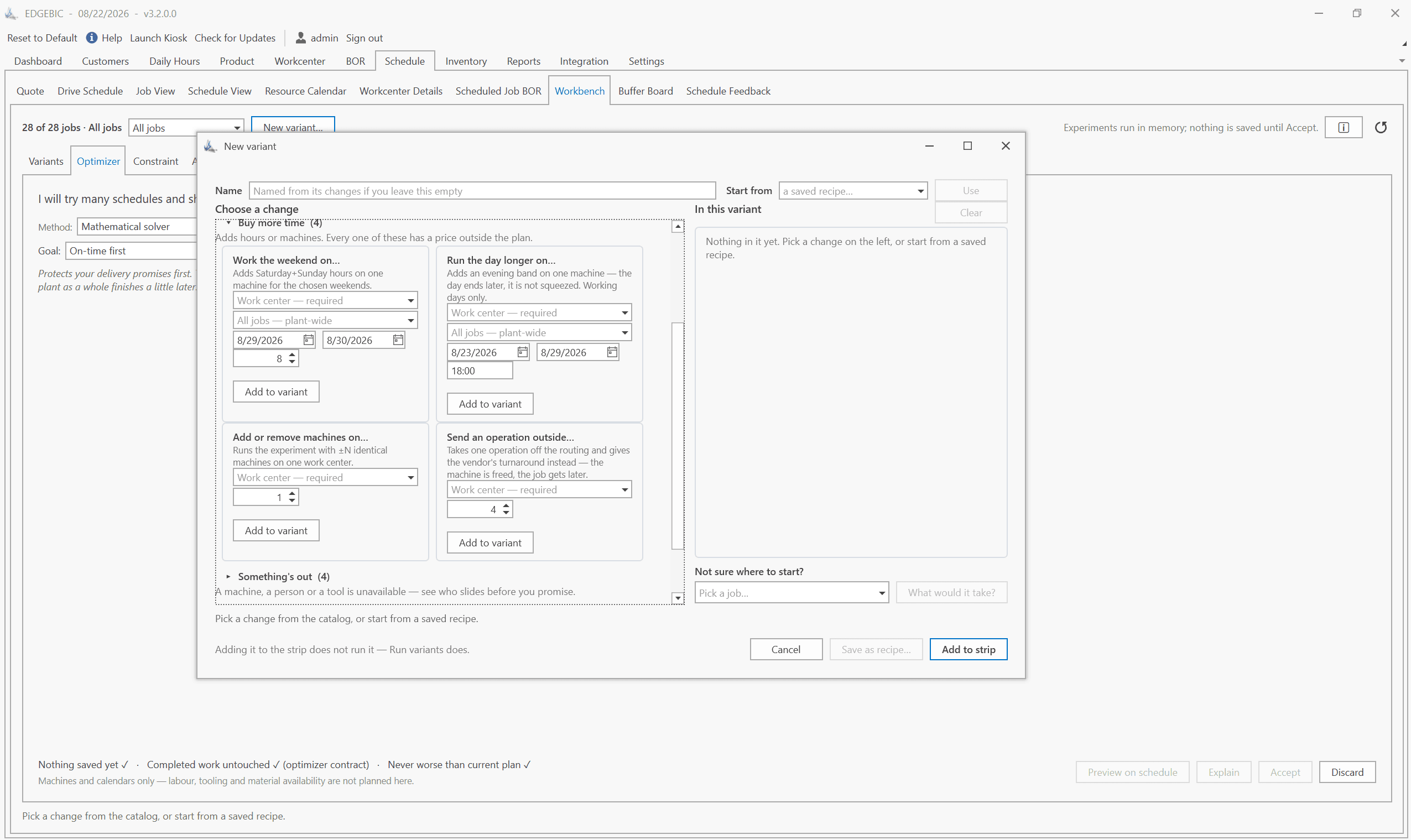
Reading manufacturing software reviews without a filter is a guaranteed way to make a bad decision. Most of the "top 10" lists and star-rated reviews you find are shaped by vendor advertising budgets, not actual manufacturing outcomes. Review sites earn revenue from vendors through pay-per-lead fees. Software companies run "review campaigns" that time customer solicitations to coincide with high satisfaction moments. The result is a review landscape that systematically overstates ease of use and understates implementation pain.
This guide takes a different approach. We cover 8 manufacturing software tools with honest assessments - real strengths, documented weaknesses, and specific recommendations for who each tool actually fits. We are a vendor ourselves (User Solutions makes EDGEBIC (RMDB 2.0), and before it RMDB, RMX and JSL), so we have stated bias on that front. We have compensated by applying the same scrutiny to our own product that we apply to competitors. For a broader overview of production scheduling approaches, see our production scheduling software guide.
How to Read Software Reviews Without Getting Burned
Most Reviews Are Paid Placements
Sites like Capterra, G2, Software Advice, and GetApp are legitimate businesses - they are also funded entirely by vendor fees. Vendors pay per lead generated from the site. Premium placement requires higher fees. This does not mean reviews are fabricated, but it does mean the curation algorithm rewards vendors who pay more, not vendors whose products perform better.
A practical test: search for a software tool plus the word "problems" or "complaints." The results tell you more than five-star reviews from customers who were incentivized to post within 30 days of going live.
The Four Things That Actually Matter in a Review
-
Is the finite capacity scheduling real or a load report? Many tools advertise "capacity planning" and deliver a report showing which days are overloaded. That is not scheduling. Real finite capacity scheduling automatically sequences work within constraints and produces an executable schedule.
-
What did implementation actually take? Vendors quote best-case implementation timelines. Reviews from users 12+ months post-go-live reveal the truth - including the data preparation work the vendor did not mention up front.
-
What is the real 5-year cost? Calculate subscription × users × 60 months plus implementation fees plus any modules that were "optional" in the demo but required in practice.
-
Who uses it daily? A scheduler with 15 years of experience evaluates software differently than an owner who uses it twice a week. Find reviews from people in the same role as your primary user.
Honest Reviews of 8 Manufacturing Software Tools
1. RMDB by User Solutions
What it is: A dedicated finite capacity scheduling and advanced planning system, sold on a one-time perpetual license. Works as an add-on to any existing ERP. Developed by User Solutions (founded 1991) with 35+ years of focus on manufacturing scheduling specifically.
Honest strengths:
- True finite capacity scheduling with multi-constraint handling. The scheduling engine accounts for machine availability, labor, tooling, material, and sequence-dependent setups simultaneously - not in sequence, not as a post-process check.
- One-time perpetual license model. You pay once and own the software outright. Annual maintenance is optional. Over 5 years, this typically costs 50-70% less than SaaS alternatives with equivalent capability.
- Structured 5-day implementation runs with your actual production data - not sample data. Most deployments are live and scheduling real jobs by the end of day 5.
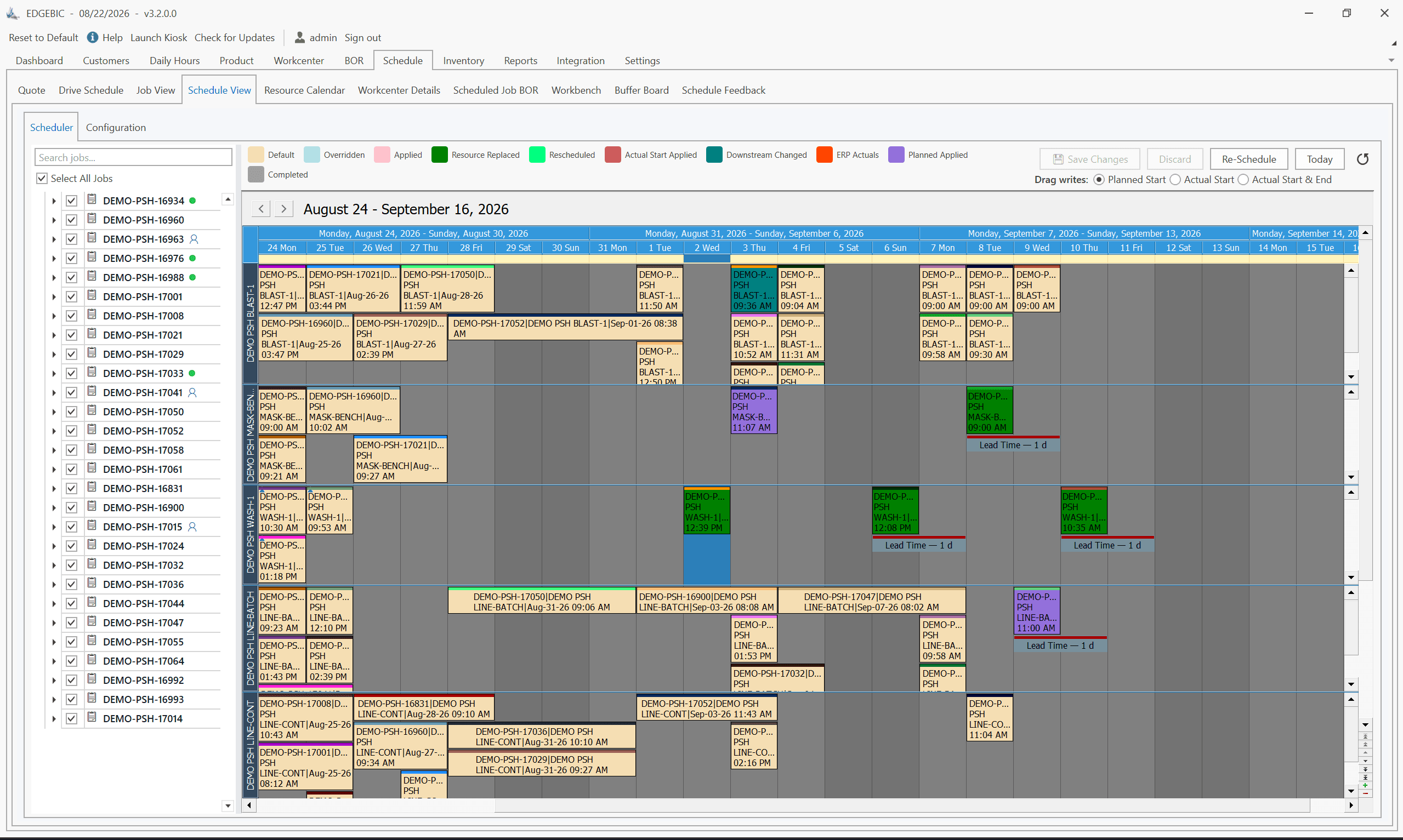
- EDGEBI visual Gantt with drag-and-drop rescheduling, what-if scenario analysis, and visual conflict flagging.
Honest weaknesses:
- RMDB is not an ERP. It does not handle purchasing, CRM, costing, or accounting. It requires an existing ERP or at least structured work order and routing data.
- The interface reflects its desktop software roots. It is functional and capable but less visually polished than newer cloud-native tools.
- Scheduling depth means a higher learning curve than simplified tools. Schedulers new to finite capacity concepts benefit from the structured training; occasional users may find it more than they need.
Best for: Job shops, make-to-order manufacturers, aerospace/defense/automotive contract manufacturers, and any shop with 10-500 employees where scheduling quality directly affects delivery performance and customer satisfaction.
Pricing: Sold today as EDGEBIC (RMDB 2.0) by User Solutions: $25,000 (APS) or $35,000 (Complete), one-time perpetual license, updates included.
2. MRPeasy
What it is: A cloud-based manufacturing ERP for small manufacturers (5-200 employees). Covers production planning, inventory, purchasing, CRM, and basic accounting in a single subscription platform.
Honest strengths:
- Accessible pricing for very small manufacturers. At $49/user/month, it is within reach of shops that cannot justify larger ERP systems.
- Clean, modern interface that new users can navigate without extensive training.
- Self-guided setup typically takes 2-6 weeks with no IT department required.
- Good integration with QuickBooks (both Desktop and Online) and Shopify - the two most common small-business back-office tools.
- Broad feature scope: a shop using MRPeasy for production gets inventory, purchasing, and basic CRM included.
Honest weaknesses:
- Capacity planning is not finite capacity scheduling. MRPeasy shows workstation loading and flags overloads, but it does not automatically sequence jobs within constraints. Resolving overloads requires manual intervention.
- Subscription costs accumulate. At $99/user/month for 5 users, you pay $71,280 over 5 years - more than most perpetual license alternatives.
- High-mix job shops with complex routings, sequence-dependent setups, or tight capacity constraints frequently outgrow MRPeasy's scheduling and need an additional dedicated scheduling layer.
- Customer support response times can be slow during peak periods given the company's European time zone and support staffing.
Best for: Small manufacturers with 5-50 employees, simpler production environments (repetitive or semi-repetitive), and a need for affordable all-in-one ERP coverage without advanced scheduling.
Pricing: $49-$149 per user per month depending on plan.
3. PlanetTogether
What it is: An enterprise advanced planning and scheduling (APS) system targeting mid-market manufacturers with complex multi-plant environments. Known for certified connectors to SAP, Oracle, Microsoft Dynamics, Infor, and Epicor.
Honest strengths:
- Genuine enterprise-grade APS capability. PlanetTogether handles multi-plant capacity balancing, global due-date optimization, and simultaneous multi-constraint scheduling at a scale that few other mid-market tools match.
- Pre-built ERP connectors are a real technical differentiator. For SAP and Oracle shops that have struggled with integration projects on other tools, PlanetTogether's certified connectors reduce risk and implementation time.
- Strong scenario comparison and what-if analysis that works at the plant-level and enterprise-level.
- Purpose-built for high-complexity scheduling - not a scheduling module bolted onto a broader ERP.
Honest weaknesses:
- Expensive. Typical annual costs including maintenance and support run $30,000-$100,000+ for mid-market configurations. Implementation services add significantly to first-year cost.
- Implementation timelines are long. A single-plant SAP environment typically takes 3-6 months. Multi-plant projects can run longer.
- Overkill for single-site manufacturers under 200 employees. The total cost of ownership is difficult to justify at smaller scale.
Best for: Mid-market manufacturers with 200-2,000 employees, multiple production facilities, and established ERP investments in SAP, Oracle, or Microsoft Dynamics.
Pricing: Subscription - pricing not published. Requires sales engagement.
4. Fishbowl Manufacturing
What it is: An inventory and manufacturing management add-on for QuickBooks. Adds work orders, BOMs, and production tracking to an existing QuickBooks accounting system.
Honest strengths:
- Strong QuickBooks integration. If your business runs on QuickBooks and you need structured work order management, Fishbowl extends QuickBooks without requiring an ERP migration.
- One-time license pricing (approximately $4,395) is accessible for small businesses.
- Inventory management is Fishbowl's strongest suit - lot tracking, serial number tracking, and multi-location inventory are well-implemented.
- Large existing user base means abundant community support, training resources, and third-party integrations.
Honest weaknesses:
- Fishbowl is not a scheduling system. It does not have finite capacity scheduling, Gantt charts, or constraint-based job sequencing. Shops that need actual production scheduling will need a separate tool.
- Work order management is functional but basic. Complex routings with multiple operations and work center constraints are not well-supported.
- Annual maintenance fees add to total cost of ownership beyond the initial license.
Best for: Small manufacturers with 5-30 employees, embedded in the QuickBooks ecosystem, who need structured work order and inventory management rather than advanced production scheduling.
Pricing: Starting at approximately $4,395 one-time plus annual maintenance.
5. E2 ShopTech
What it is: A job shop management system covering quoting, scheduling, shop floor tracking, and quality management for small precision machining, sheet metal, and fabrication shops. Now part of ECI Software Solutions.
Honest strengths:
- Purpose-built for job shops. The quoting-to-scheduling workflow is tight and reflects how job shops actually operate.
- Visual scheduling board gives schedulers a Gantt-style view that most operators can use without extensive training.
- Strong in the precision machining market - many integration partners, consultants, and community resources built around E2 specifically.
- Real-time shop floor data collection via mobile devices or terminals.
Honest weaknesses:
- Scheduling depth is limited. E2's scheduling is adequate for simpler job shop environments but struggles with high-mix shops that have tight capacity constraints, sequence-dependent setups across multiple work centers, or the need for true finite capacity optimization.
- As part of ECI, the product development roadmap is shared across a portfolio of acquired products. Some users note slower feature development compared to the standalone era.
Best for: Small precision machining, sheet metal, and fabrication shops with 5-75 employees seeking a purpose-built job shop management system with integrated basic scheduling.
Pricing: Cloud subscription - requires a quote.
6. Global Shop Solutions
What it is: A comprehensive manufacturing ERP platform developed specifically for discrete manufacturers. In business since 1976, with a focus on aerospace, automotive, defense, and general job shop environments.
Honest strengths:
- Deep manufacturing ERP coverage - production control, inventory, purchasing, quality, and scheduling in a single integrated database, no bridging software required.
- Long track record in demanding manufacturing environments. Aerospace and defense manufacturers appreciate the compliance and audit support.
- Dedicated US-based implementation teams with actual manufacturing experience. Not offshore generic ERP consultants.
- On-premise deployment gives data control and long-term cost predictability.
Honest weaknesses:
- Implementation is a serious project. Typical mid-size deployments take 4-9 months and require dedicated internal project management.
- Higher upfront investment. Software plus implementation for a mid-size shop typically runs $25,000-$100,000+.
- User interface shows age compared to cloud-native tools. Functional, but new users accustomed to modern SaaS interfaces face a steeper adaptation.
Best for: Mid-size discrete manufacturers with 50-500 employees who need a comprehensive on-premise ERP and are willing to invest in a proper implementation.
Pricing: Perpetual license - requires a quote based on modules and user count.
7. Odoo Manufacturing
What it is: The manufacturing module within Odoo's open-source ERP platform. Covers MRP, work orders, inventory, and basic production tracking. Available as open-source Community (free) or as Enterprise with hosting ($24-$36/user/month).
Honest strengths:
- The Community edition is genuinely free and open source. For tech-savvy teams with in-house development resources, Odoo offers maximum customizability without vendor lock-in.
- Broad module ecosystem covers manufacturing, inventory, purchasing, sales, accounting, CRM, and more. A shop that wants everything in one platform can configure Odoo to cover it.
- Strong community of developers and partners worldwide. Finding Odoo expertise is easier than finding expertise in niche manufacturing ERP tools.
Honest weaknesses:
- Base manufacturing module does not include finite capacity scheduling - it uses infinite capacity MRP. Adding real scheduling capability requires third-party modules or custom development.
- "Free" is misleading without accounting for configuration time, implementation services, and ongoing customization. Total implementation cost for a production deployment typically runs $10,000-$50,000 depending on complexity.
- Odoo updates can break customizations, requiring ongoing developer time to maintain.
Best for: Tech-savvy manufacturers with in-house development resources or reliable Odoo partner relationships, who want highly customizable ERP coverage and are willing to invest in configuration.
Pricing: Community (open-source, free) or Enterprise ($24-$36/user/month). Implementation services extra.
8. QuickBooks Manufacturing
What it is: QuickBooks does not have a dedicated manufacturing edition, but many small manufacturers use QuickBooks Online or QuickBooks Desktop as their primary business system and add manufacturing capability through integrations like Fishbowl, MRPeasy (QuickBooks sync), or Method:Manufacturing.
Honest strengths:
- If you are already on QuickBooks for accounting, staying within the ecosystem avoids migration. Most small manufacturers know QuickBooks and have an accountant who knows it.
- QuickBooks integrations are abundant. Fishbowl, Katana, MRPeasy, and numerous other tools sync with QuickBooks for accounting.
Honest weaknesses:
- QuickBooks by itself has no production scheduling, finite capacity planning, or shop floor management capability. Using QuickBooks as a manufacturing system means relying entirely on integrations, which creates data synchronization complexity and the risk of errors at the seam between systems.
- As business complexity grows, the QuickBooks-plus-add-ons approach becomes increasingly difficult to maintain. Most manufacturers eventually consolidate onto a purpose-built manufacturing system.
Best for: Very early-stage manufacturers who are already on QuickBooks and need basic work order tracking before they are ready for a full manufacturing system.
Pricing: QuickBooks Online $30-$200/month. Manufacturing add-ons priced separately.
Red Flags to Watch in Manufacturing Software Evaluations
"Unlimited users" pricing. Sounds appealing, but typically indicates a less mature product or one that monetizes through implementation services rather than licensing. Ask how the vendor sustains development without per-user revenue.
Demo with sample data only. Any vendor unwilling to run a demo using your actual data (or data very close to it) is hiding something. Your data has complexity that sample data does not - and that complexity is exactly what the demo should reveal.
"Our customers typically go live in X weeks." Ask for the 80th percentile, not the average. Averages are pulled up by the fastest implementations and mask the customers who struggled.
Feature lists that match your requirements exactly. Software evaluations often become checkbox exercises. Vendors respond by checking every box, even for features that barely exist or require extensive configuration to achieve. Ask for live demonstrations of the three features most critical to your operation, not a checkbox on a spreadsheet.
Reviews that mention no limitations. Every manufacturing software tool has genuine limitations. A review with only positive observations either came from a user with limited requirements, a customer who was solicited during the first 60 days of use, or a vendor-placed review. Useful reviews always discuss trade-offs.
How to Run a Proper Software Evaluation
Step 1: Define your top 5 pain points. Not a feature wish list - specific problems your current process fails to solve. Missed deliveries on a specific product line. Machine capacity blind spots that generate overtime. Re-scheduling chaos when a hot job arrives. The right software solves these specific problems.
Step 2: Build a realistic data profile. How many work orders active at once? How many work centers? How many routing steps on a typical job? How often does a machine go down? Bring this information to every vendor conversation.
Step 3: Require a live demo with your data complexity. If the vendor will not demo with something close to your data - at minimum a live system configured to your routing depth and job mix - treat that as disqualifying.
Step 4: Call reference customers. Ask vendors for 3-5 references in your industry, similar in size, who went live more than 12 months ago. Recent references are in the honeymoon phase. Long-tenured customers tell you what the product is actually like to live with.
Step 5: Calculate 5-year TCO for each finalist. License + implementation + training + annual maintenance + estimated IT support time. Apply a realistic user count and growth assumption. The sticker price comparison is almost never the right basis for a decision.
If you want to see RMDB's approach to your scheduling challenges, explore the full product overview or see EDGEBIC (RMDB 2.0) by User Solutions, the current generation of RMDB, before committing to a full evaluation.
Expert Q&A: Deep Dive
Q: We read a lot of reviews saying RMDB is hard to learn. Is that accurate?
A: That concern is worth addressing directly. RMDB is a dedicated finite capacity scheduling system with significantly more scheduling depth than general-purpose ERP tools or cloud MRP platforms. That depth does mean there is more to learn compared to simplified tools. That said, 'hard to learn' is a relative claim. Schedulers who understand production scheduling fundamentals - work center loading, routing logic, sequence constraints - typically find RMDB's interface logical once they complete the structured training during the 5-day implementation. The learning curve is steeper than a simple list-based tool and shallower than enterprise APS systems like SAP APO or PlanetTogether at the plant manager level. The more relevant question is whether the people running your scheduling are comfortable with complexity or prefer a simplified interface. RMDB is built for dedicated production schedulers, not occasional users. If your scheduling is done by an office manager who also handles 5 other functions, a simpler tool might be a better fit even at the cost of scheduling depth.
Q: Is Odoo a realistic option for a 60-person metal fabrication shop, or is the customization overhead too high?
A: Realistic - but with clear conditions. The Community (open-source) edition is genuinely free and covers MRP, work orders, and inventory. If you have someone in-house who can configure and maintain it, or a reliable Odoo partner in your area, it is a credible path for a shop that wants maximum control over the system without vendor dependency. The practical challenge is that Odoo's base manufacturing module uses infinite capacity scheduling. Turning it into a real finite capacity scheduler requires either a paid third-party module (several exist on the Odoo App Store, ranging $200-$2,000/year) or custom development. Budget realistically for the total solution including configuration time, not just the license cost. For a 60-person metal fab shop that wants to go live within 60-90 days without deep IT involvement, RMDB or Global Shop Solutions is likely a faster and lower-risk path. Odoo makes more sense if you have 3-6 months for setup and someone on staff who will own the system long-term.
Frequently Asked Questions
Ready to Transform Your Production Scheduling?
User Solutions has been helping manufacturers optimize their production schedules for over 35 years. One-time license, 5-day implementation.

User Solutions Team
Manufacturing Software Experts
User Solutions has been developing production planning and scheduling software for manufacturers since 1991. Our team combines 35+ years of manufacturing software expertise with deep industry knowledge to help factories optimize their operations.
Share this article
Related Articles
10 Best APS Software for Manufacturers in 2026
Compare the 10 best Advanced Planning and Scheduling (APS) software solutions, from EDGEBIC (RMDB 2.0) to PlanetTogether, Siemens Opcenter and SAP. Features, pricing, implementation timelines, and recommendations by manufacturer size.

Free vs Paid Production Scheduling Software: What Manufacturers Need to Know
Compare free and paid production scheduling software for manufacturers. Real costs, hidden limitations, and when to invest in a paid scheduling solution.

One-Time License vs SaaS Scheduling Software: Total Cost Comparison
Compare perpetual license and SaaS subscription pricing for manufacturing scheduling software. 5-year TCO analysis, pros, cons, and which model fits your shop.