
Cheap Production Scheduling Software: Real Cost Guide (2026)
 User Solutions Team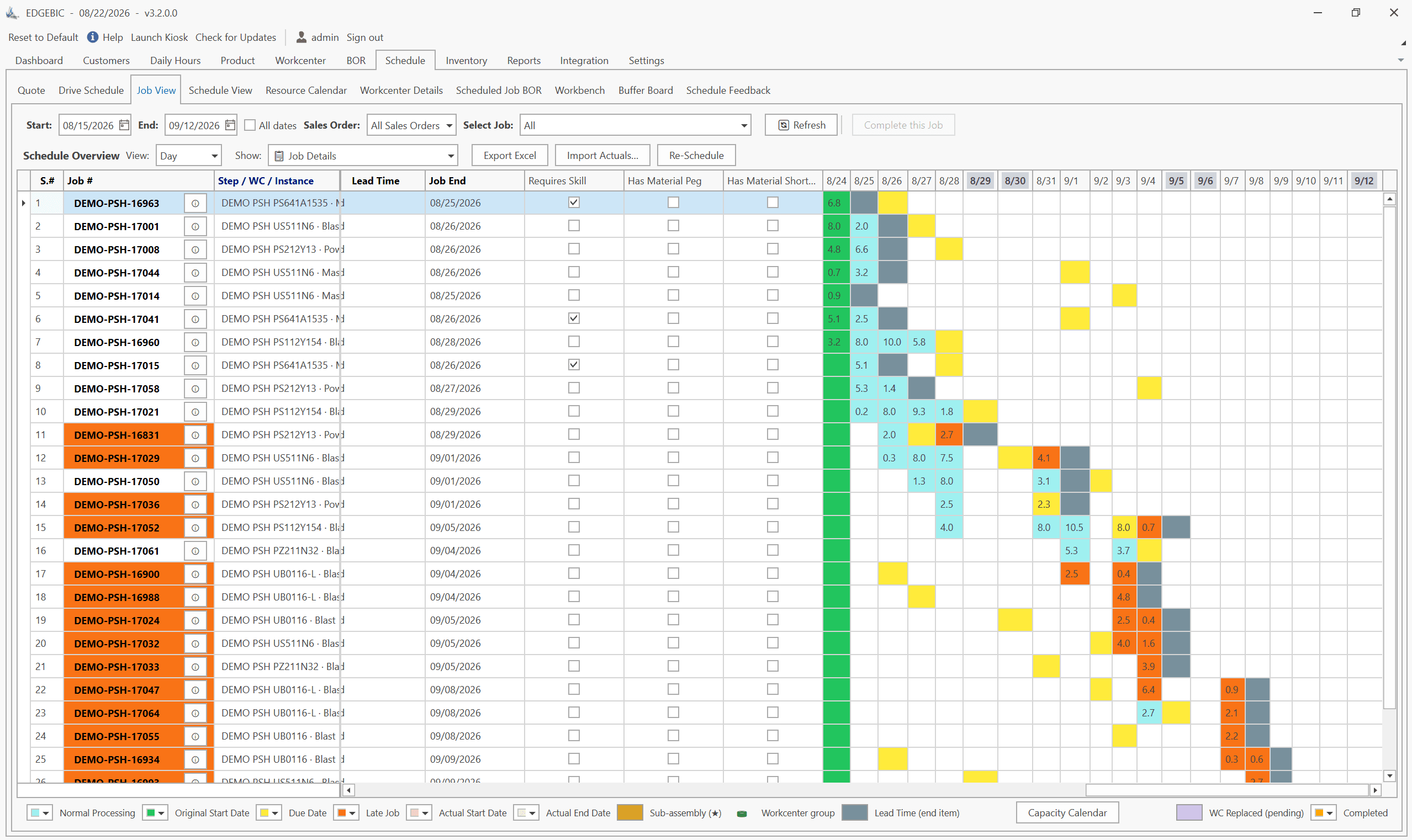
When manufacturers search for cheap production scheduling software, they are usually asking a reasonable question: how do I get my scheduling under control without a budget I do not have? That is a legitimate concern. The answer most software vendors give is a $150/user/month SaaS subscription dressed up as "affordable." That is not cheap - it is just cheap-looking until you run the numbers.
This guide covers the real economics of production scheduling software - free options, genuinely low-cost tools, and the math that shows when a one-time license becomes the cheaper choice over time. For a broader look at what scheduling software does and what features matter, see our production scheduling software guide.
The Real Cost of "Affordable" Scheduling Software
The most common pricing model for manufacturing software is the monthly SaaS subscription. It looks affordable because the number is small. It is not affordable because the number never stops.
The SaaS subscription math:
| Scenario | Monthly Cost | Users | Annual Cost | 5-Year Total |
|---|---|---|---|---|
| MRPeasy Starter | $49/user | 5 | $2,940 | $14,700 |
| MRPeasy Professional | $69/user | 5 | $4,140 | $20,700 |
| MRPeasy Enterprise | $99/user | 5 | $5,940 | $29,700 |
| MRPeasy Enterprise | $99/user | 8 | $9,504 | $47,520 |
| Generic APS SaaS | $150/user | 5 | $9,000 | $45,000 |
| Mid-tier MFG SaaS | $200/user | 5 | $12,000 | $60,000 |
MRPeasy figures use its published per-user monthly prices as of September 2026 (Starter $49, Professional $69, Enterprise $99, Unlimited $149); check mrpeasy.com for current pricing. These numbers do not include implementation fees (typically $2,000-$10,000), training costs, or the annual price increases built into most multi-year SaaS agreements.
The perpetual license math:
| Scenario | Upfront Cost | Annual Fee | 5-Year Total |
|---|---|---|---|
| RMDB, now EDGEBIC APS | $25,000 | $0 (updates included) | $25,000 |
| RMDB, now EDGEBIC Complete (adds MRP, inventory, purchasing) | $35,000 | $0 (updates included) | $35,000 |
At 5 users, MRPeasy Enterprise costs slightly more over 5 years than EDGEBIC APS ($29,700 vs $25,000) - and the RMDB engine delivers significantly deeper finite capacity scheduling. At 8 users, most SaaS tools pass RMDB's one-time cost within about three years. To be fair, at 5 users MRPeasy Starter ($14,700) and Professional ($20,700) cost less than EDGEBIC APS over five years; Professional passes it after about six years at 5 users, or in under four years at 8 users.
The crossover point for a 5-user shop comparing MRPeasy Enterprise ($99/user/month) to RMDB, now EDGEBIC APS ($25,000 one-time, updates included): approximately 51 months. After that, every additional month you are on MRPeasy costs more than if you had bought RMDB outright.
Free Production Scheduling Software Options
Free Excel Scheduling Templates
User Solutions publishes free Excel templates for manufacturers, including a production schedule template and a capacity planning template. For very small shops just getting started with structured scheduling, a good template gives you a consistent job list, work center assignments and a load view without any software cost.
Who it fits: Shops with 1-10 employees, simple routing structures, and scheduling needs that do not yet require finite capacity optimization or ERP integration.
Honest limitations: A spreadsheet does not enforce capacity, does not reschedule itself when priorities change, and does not integrate with your ERP. It is a starting point, not a long-term production scheduling solution for complex operations.
Cost: Free.
A note on older User Solutions tools: Job Scheduler Lite (JSL) and Resource Manager for Excel (RMX) are legacy products. They remain supported for existing users but are no longer sold; the current product is EDGEBIC (RMDB 2.0) by User Solutions.
Open-Source Options
Odoo Community Edition is open-source and free to download. It covers MRP and basic work order management. The manufacturing scheduling in the base Community edition is infinite capacity (no automatic constraint-based sequencing), so getting to real finite capacity scheduling requires additional modules or custom development.
For shops with in-house technical resources willing to invest configuration time, Odoo Community can be a zero-license-cost path. For shops without that technical depth, the hidden costs of Odoo configuration frequently exceed what purpose-built tools cost.
Budget Options Under $5,000
Fishbowl Manufacturing (~$4,395 one-time)
Fishbowl Manufacturing adds work order management and production tracking to QuickBooks. For manufacturers embedded in the QuickBooks ecosystem, it is one of the most accessible ways to add structured production tracking.
Important caveat: Fishbowl is a manufacturing management tool, not a scheduling system. It does not include finite capacity scheduling, Gantt charts, or constraint-based job sequencing. If scheduling is your primary pain point, Fishbowl solves an adjacent problem, not the scheduling problem itself.
One-Time License Options: $25,000–$35,000
RMDB by User Solutions - Best Value for Finite Capacity Scheduling
RMDB (Resource Manager DB) is a full finite capacity scheduling and advanced planning system available on a one-time perpetual license. Today it is sold as EDGEBIC (RMDB 2.0) by User Solutions at $25,000 (APS) or $35,000 (Complete), one-time, with updates included. It is not the cheapest tool on this page; it is a one-time path to genuine multi-constraint finite capacity scheduling with full Gantt visualization, what-if analysis, and ERP integration, with no subscription.
What you get with EDGEBIC APS at $25,000:
- True finite capacity scheduling - machine availability, labor, tooling, and sequence-dependent setups handled simultaneously
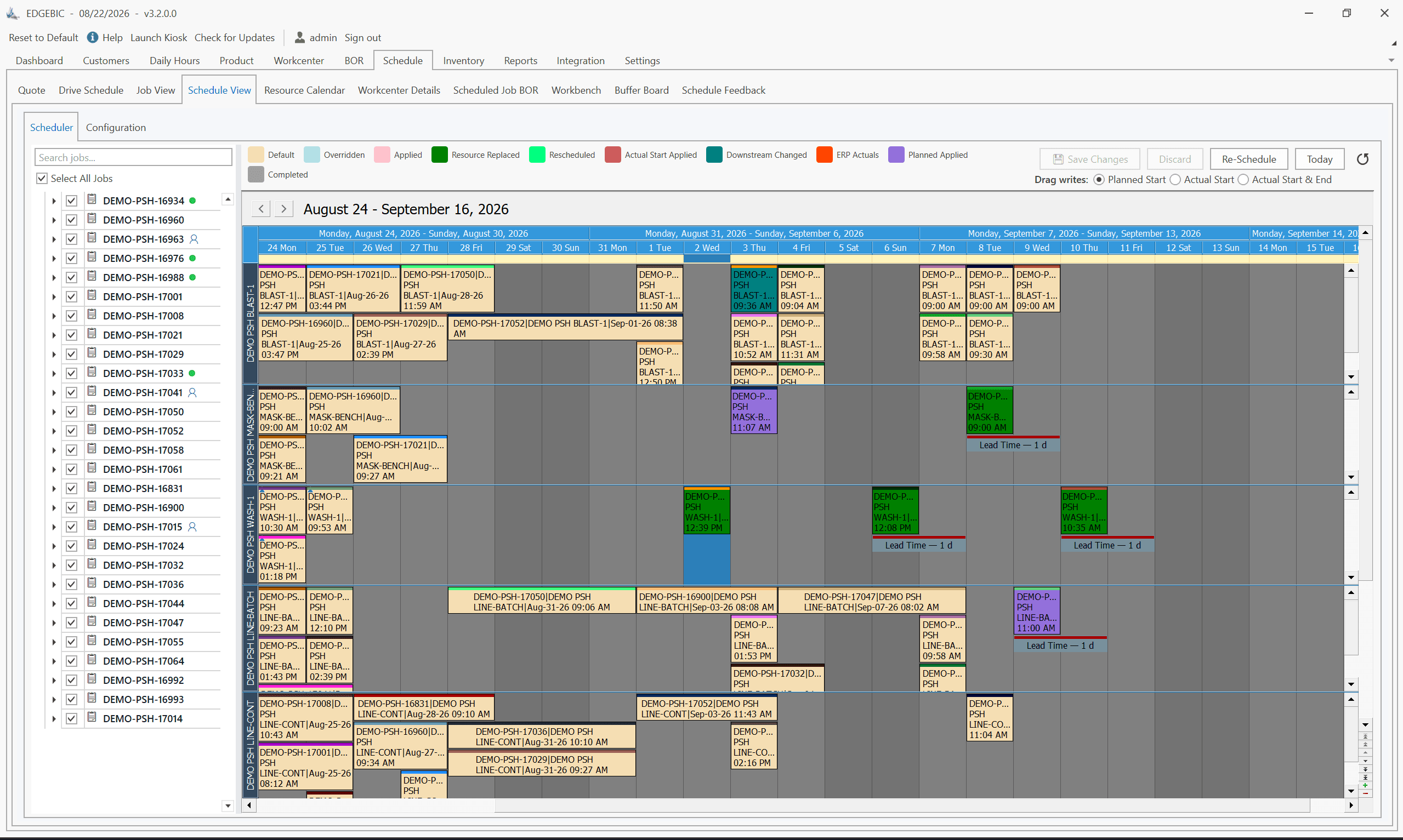
- Visual Gantt board with drag-and-drop rescheduling and conflict visualization, the successor to the legacy EDGEBI visual layer
- What-if scenario analysis
- ERP integration via flexible import/export (SAP, Oracle, Epicor, JobBOSS, Sage, QuickBooks, and more)
- 5-day structured implementation with your real production data
- You own it - no monthly fees, no per-user overage charges
The 5-year cost comparison at 5 users:
| Tool | Year 1 Cost | Year 2-5 Cost | 5-Year Total |
|---|---|---|---|
| MRPeasy Starter ($49/user/mo) | $2,940 | $2,940/yr | $14,700 |
| MRPeasy Professional ($69/user/mo) | $4,140 | $4,140/yr | $20,700 |
| MRPeasy Enterprise ($99/user/mo) | $5,940 | $5,940/yr | $29,700 |
| RMDB, now EDGEBIC APS | $25,000 | $0 (updates included) | $25,000 |
| RMDB, now EDGEBIC Complete | $35,000 | $0 (updates included) | $35,000 |
At 5 users, RMDB-engine scheduling (EDGEBIC APS) passes MRPeasy Enterprise on cost in a little over four years and keeps its lead every year after. At 8 users, the crossover comes in under three years. The one-time model is about owning the tool, not about the lowest first-year bill.
The 5-Year SaaS vs. One-Time License Math
The clearest way to understand scheduling software costs is a direct 5-year comparison with a real user count.
Scenario: 5-person shop (2 schedulers, 3 production managers using the system)
- MRPeasy Starter ($49/user/month): $49 × 5 × 12 × 5 = $14,700 over 5 years
- MRPeasy Professional ($69/user/month): $69 × 5 × 12 × 5 = $20,700 over 5 years
- MRPeasy Enterprise ($99/user/month): $99 × 5 × 12 × 5 = $29,700 over 5 years
- Typical APS SaaS ($150/user/month): $150 × 5 × 12 × 5 = $45,000 over 5 years
- RMDB, now EDGEBIC APS ($25,000 one-time, updates included): $25,000 over 5 years
Scenario: 8-person shop
- MRPeasy Enterprise ($99/user/month): $99 × 8 × 12 × 5 = $47,520 over 5 years
- RMDB, now EDGEBIC APS ($25,000 one-time, updates included): $25,000 over 5 years
At 5 users the five-year difference is small: a shop that chooses RMDB-engine scheduling over MRPeasy Enterprise saves about $4,700. At 8 users it saves about $22,500, and the gap widens every year after year five.
This math assumes static pricing. In practice, SaaS vendors typically raise prices 5-10% annually. RMDB's one-time license, now EDGEBIC, has no annual fee to raise.
When Cheap Isn't Enough
Budget constraints are real, but there is a version of "cheap" that costs more in the long run - not through licensing fees, but through operational failure.
A scheduling tool that cannot handle your capacity constraints, cannot integrate with your ERP without manual re-entry, or collapses under the job volume of a growing shop forces one of two outcomes: (1) you limp along with a broken process and pay for it in missed deliveries and overtime, or (2) you go through a second software evaluation and implementation that costs more than the first one would have.
The cheapest production scheduling software is the one that solves your actual scheduling problem once. Free tools and lightweight SaaS make economic sense if they genuinely match your current needs. They become expensive when they fail to scale and you repeat the implementation process in 18 months.
Specific situations where entry-level tools are not enough:
- More than 20 concurrent jobs across 5+ work centers - constraint complexity quickly exceeds what simplified tools handle
- Sequence-dependent setup times - require scheduling engine logic not present in basic tools
- Multiple operators or machines per work center with different skill constraints - needs proper finite capacity handling
- Rush order insertion more than once a week - what-if analysis and rapid rescheduling become critical
- ERP data synchronization required - manual re-entry between systems is a hidden ongoing cost that compounds
Recommendations by Budget
Zero budget: Start with a free Excel production schedule template or evaluate Odoo Community with help from a local Odoo partner. Set a 90-day review point to assess whether the tool is keeping pace with your actual scheduling needs.
Under $5,000: Fishbowl Manufacturing (for QuickBooks shops) or an entry-level SaaS plan. Check whether the tool schedules at finite capacity before you buy; most in this range do not.
$25,000 one-time: RMDB, now EDGEBIC APS (EDGEBIC (RMDB 2.0) by User Solutions), is the one-time choice for shops with 5+ users and genuine capacity scheduling needs. The one-time pricing model means you pass comparable SaaS spend within three to five years, then keep saving.
$35,000 one-time: RMDB-engine scheduling plus MRP, inventory and purchasing in EDGEBIC Complete, or Global Shop Solutions for shops that also need full ERP coverage. At this range, you are in perpetual license territory with full feature depth and multi-year cost predictability.
To see how RMDB's one-time pricing, now EDGEBIC at $25,000 or $35,000, compares to your current software spend, see EDGEBIC pricing, explore the product details or start with a free Excel scheduling template to experience User Solutions' scheduling approach with zero upfront commitment.
Expert Q&A: Deep Dive
Q: We are a 12-person job shop and our budget for scheduling software is $3,000-$5,000 total. What are our realistic options?
A: At $3,000-$5,000 total budget, you have several realistic paths. First, get disciplined in Excel with a free production schedule template, such as the ones User Solutions publishes. If a structured spreadsheet covers your scheduling complexity, that is genuinely zero software spend. (User Solutions' older entry-level tools, JSL and RMX, are legacy: supported for existing users, not sold.) Second, look at low-cost tools that fit the budget, such as entry-level SaaS plans or Fishbowl if you run QuickBooks, knowing that most of them do not schedule at finite capacity. Full finite capacity scheduling sits above this budget: RMDB is now sold as EDGEBIC (RMDB 2.0) by User Solutions at $25,000 (APS), one-time. When the budget can reach that, you own it - there are no monthly fees, no per-seat annual fee, and no per-user overage charges, and against a 5-user SaaS plan at $99/user/month it pays back in a little over four years. Avoid being drawn into monthly SaaS subscriptions without doing the 3-year cost math. $99/user/month for 5 users is $29,700 over 5 years - not cheap for a 12-person shop.
Q: Our current ERP vendor is pushing us to buy their scheduling module add-on for $8,000. Is that a good deal compared to standalone options?
A: It depends on what that $8,000 buys and what scheduling depth you actually need. ERP vendor scheduling modules have one genuine advantage: integration is built-in. Your work orders, routings, and inventory data are already in the system, so there is no separate data pipeline to build and maintain. That saves real implementation time. The honest limitation of most ERP scheduling modules is that they are not purpose-built for complex finite capacity scheduling. They were designed to match the data model of the parent ERP, not to optimize scheduling under real-world constraints. If your scheduling pain points are basic - you mostly need visibility into what is scheduled when - an ERP module may be sufficient. If your pain points involve true capacity conflicts, sequence-dependent setups across multiple work centers, what-if scenario analysis, or the need to resequence dozens of jobs quickly when a machine goes down, a dedicated scheduling tool like RMDB will almost always outperform an ERP module even at comparable cost. Ask your ERP vendor to demonstrate their module handling a day where machine capacity is fully loaded and a rush job arrives. How the tool resolves that specific scenario tells you more than any feature list.
Frequently Asked Questions
Ready to Transform Your Production Scheduling?
User Solutions has been helping manufacturers optimize their production schedules for over 35 years. One-time license, 5-day implementation.

User Solutions Team
Manufacturing Software Experts
User Solutions has been developing production planning and scheduling software for manufacturers since 1991. Our team combines 35+ years of manufacturing software expertise with deep industry knowledge to help factories optimize their operations.
Share this article
Related Articles
10 Best APS Software for Manufacturers in 2026
Compare the 10 best Advanced Planning and Scheduling (APS) software solutions, from EDGEBIC (RMDB 2.0) to PlanetTogether, Siemens Opcenter and SAP. Features, pricing, implementation timelines, and recommendations by manufacturer size.

Free vs Paid Production Scheduling Software: What Manufacturers Need to Know
Compare free and paid production scheduling software for manufacturers. Real costs, hidden limitations, and when to invest in a paid scheduling solution.

One-Time License vs SaaS Scheduling Software: Total Cost Comparison
Compare perpetual license and SaaS subscription pricing for manufacturing scheduling software. 5-year TCO analysis, pros, cons, and which model fits your shop.