
Pegging in MRP: How to Trace Customer Orders All the Way to Raw Materials
 User Solutions Team
A supplier calls at 9 a.m. to tell you a critical casting will be 3 weeks late. You have 47 open work orders that might use that casting. You have 12 customer orders due in the next 6 weeks. Which customers are actually affected? Which work orders can still run on time? Who do you call first?
Without pegging, answering these questions takes hours of spreadsheet work that is still probably incomplete. With pegging, it takes 15 minutes and gives you a precise, system-verified answer.
Pegging is the MRP capability that traces every planned order to its demand source - and every demand to its planned supply. It is one of the most powerful tools in a production planner's kit, and one of the most underused. After 35 years supporting planners at manufacturers like GE, Cummins, and BAE Systems, User Solutions has seen pegging transform how teams handle disruptions - from reactive scrambling to structured exception management.
For full MRP context, start with our complete MRP guide. You may also find our post on what is MRP useful for foundational concepts.
What Pegging Is (and What It Is Not)
MRP generates a web of planned orders: purchase orders for raw materials, work orders for sub-assemblies, work orders for finished goods. Each order in this web is driven by a demand signal - a customer order, a forecast requirement, or a safety stock replenishment trigger.
Pegging is the ability to traverse that web in either direction:
- Upward pegging (backward tracing): Starting from a supply order (a purchase order, a planned work order), trace up through the BOM to the customer demand that drove it. "Why does MRP want me to buy 500 units of Part A next week?" The answer is pegging.
- Downward pegging (forward tracing): Starting from a customer order or a demand signal, trace down through the BOM to the planned supply covering it. "What purchase orders and work orders are planned to cover Customer X's order due March 15?" The answer is also pegging.
What pegging is not: it is not the same as a BOM where-used query. A where-used query tells you which assemblies use a component. Pegging tells you which specific planned orders for those assemblies are currently covering which specific customer demands, at this moment in time, based on the current plan.
The distinction matters enormously under disruption. A where-used query tells you Part A goes into 23 assemblies. Pegging tells you the 3 specific work orders that are currently scheduled to use Part A in the next 6 weeks, and which customer orders those 3 work orders are covering.
Single-Level vs. Full (Multi-Level) Pegging
Single-Level Pegging
Single-level pegging traces one level of the BOM at a time. Starting from a purchase order for raw material, it shows you the planned work orders at the next BOM level that consume it. From a work order for a sub-assembly, it shows you the parent work orders that consume that sub-assembly.
Single-level pegging is computationally simple and available in virtually every MRP system. It is useful when your BOM is shallow (1–2 levels) or when you only need to identify the immediate downstream impact of a supply disruption.
Limitation: to trace from a raw material all the way to a customer order through a 4-level BOM, you have to peg manually level by level - 4 separate lookups. This is manageable but tedious under time pressure.
Full (Multi-Level) Pegging
Full pegging - sometimes called global pegging or multi-level pegging - traces the complete chain from any supply order all the way to the top-level customer demand in a single query. It handles multi-level BOMs automatically, showing you the entire supply-demand relationship graph from any starting point.
Full pegging is what you need for:
- Deep BOM structures (3+ levels)
- High-volume disruption analysis (many orders affected simultaneously)
- Customer-specific supply tracing (which materials are allocated to which customer)
- Priority sequencing when capacity is constrained
Full pegging requires more sophisticated MRP system capability and more data structure discipline (all demand must be properly linked to supply through the planning chain). But for manufacturers with complex products or enterprise customer relationships, the investment is essential.
Using Pegging for Disruption Analysis
The most immediate and dramatic value of pegging is disruption analysis - understanding the impact of a supply problem before it becomes a customer problem.
Scenario: Late Supplier Delivery
Situation: A supplier confirms that a machined housing component - Part H12 - will arrive 3 weeks late. You have 250 units on order. The original expected dock date was next Monday.
Without pegging: You pull a where-used for H12 and get a list of 8 assemblies that use it. You manually search open work orders for each assembly, cross-reference due dates against customer orders, and estimate which customers might be affected. This takes 2–3 hours and is likely incomplete.
With pegging (upward trace from PO for H12):
- Open the purchase order for 250 units of H12
- Launch upward peg → system shows 3 planned work orders consuming H12: WO-4421 (80 units, due in 12 days), WO-4489 (110 units, due in 19 days), WO-4502 (60 units, due in 24 days)
- Peg WO-4421 upward → feeds sub-assembly SA-22 → feeds finished good FG-9 → covers Customer Alpha, Order CO-8812, due March 22, $48,000 value
- Peg WO-4489 upward → feeds FG-9 and FG-11 → covers Customer Beta (CO-8891, due March 27) and Customer Gamma (CO-8901, due March 29)
- Peg WO-4502 upward → feeds FG-11 → covers Customer Beta (same CO-8891, partial coverage)
Result: In 15 minutes, you know exactly 3 customer orders are at risk. Customer Alpha's order is most at risk (first due date, smallest buffer). Customer Beta has 2 work orders covering their order - one still on time, one late - so you need to determine if partial shipment is acceptable. You can now call these 3 customers with specific information rather than a vague delay notice.
Scenario: Work Order Priority When Capacity Is Constrained
Situation: A key machining cell is down for 2 days for an unplanned repair. You have 9 work orders queued at that cell. Which ones do you run first when it comes back up?
Without pegging: Priority is usually based on work order due date. But due dates don't distinguish between a work order that feeds a customer order due tomorrow versus one that has 3 weeks of float.
With pegging: Peg each of the 9 work orders upward to their customer orders. The result:
- 2 work orders peg to customer orders due within 5 days → run these first (critical)
- 3 work orders peg to customer orders due in 2–3 weeks → run second (important)
- 4 work orders peg to forecast demand with no customer order yet → run last (deferrable)
This takes 20 minutes and produces a priority sequence that is objectively defensible - you can show the customer, the sales team, and the operations manager exactly why you chose this sequence.
Pegging for Supply Allocation Decisions
In a shortage situation - when total supply is less than total demand - pegging enables fair and strategic supply allocation.
Scenario: You have 400 units of a constrained component. MRP shows 600 units demanded across 5 customer orders. You need to allocate.
With full pegging, you can see:
- Which customer orders are using this component
- Which customer orders are highest priority (strategic accounts, penalty clauses, contract minimums)
- Which customer orders have alternative configurations that use a different component
- Which orders can absorb a partial shipment vs. which require complete order fill to be useful
Without pegging, allocation decisions are based on whoever yelled loudest at the sales team. With pegging, they are based on system-visible facts about demand priority and supply availability.
Pegging and Safety Stock: Understanding Non-Demand-Driven Pegging
Not all MRP demand is customer-driven. Safety stock replenishment, forecast demand for stock items, and min/max replenishment all generate planned orders that do not trace to a specific customer order.
When you peg upward from a purchase order and the chain terminates at "Safety Stock Replenishment" or "Forecast - Item X, Period 3," that is correct and expected. It means MRP is maintaining your buffer stock, not fulfilling a specific customer requirement. These orders can typically be delayed or reduced without immediate customer impact - useful to know when you are prioritizing limited capacity or supplier allocation.
Understanding the pegging destination - customer order vs. forecast vs. safety stock - is critical for disruption triage. Delaying a safety stock replenishment order costs you buffer. Delaying a customer order costs you a customer.
Pegging in Practice: What Good Looks Like in RMDB
A planning system with effective pegging capability should let your planners do the following without leaving the work order or purchase order screen:
- One-click upward peg: From any planned or released order, view the customer demand driving it - including the customer name, order number, required ship date, and value
- One-click downward peg: From any customer order, view the complete supply chain coverage - all planned and released work orders and purchase orders planned to fulfill that order
- Multi-level chain view: See the complete BOM chain from raw material through sub-assemblies to finished goods in a single screen, without navigating level by level
- At-risk order flagging: When a supplier confirms a late delivery, the system automatically flags customer orders whose supply chain includes that late purchase order
- Pegging in the exception message: MRP exception messages should include the pegging context - not just "Reschedule WO-4421 to 3 weeks later" but "Reschedule WO-4421 to 3 weeks later - this order covers Customer Alpha CO-8812 due March 22"
RMDB is built around this kind of contextual pegging. Planners at manufacturers like GE and BAE Systems use it to manage complex multi-level BOMs under constant supply pressure - getting the customer impact analysis done in minutes, not hours.
Common Pegging Mistakes to Avoid
Mistake 1: Pegging in a system with dirty planning data
Pegging is only as reliable as the planning chain behind it. If open work orders have wrong quantities, if purchase orders are not linked to their planned requirements, or if BOM structure is incomplete, the pegging chain breaks. Pegging delivers a false sense of completeness - you peg a PO and find 2 customer orders, but the real answer is 5 because 3 WOs were not properly linked. Always validate your planning chain integrity before relying on pegging for critical decisions.
Mistake 2: Using single-level pegging on deep BOMs and assuming completeness
A single-level peg on a 4-level BOM shows you only the next level up. If you stop there, you have a partial answer. Either use full multi-level pegging, or be explicit with your team that a single-level peg requires follow-up at each level above.
Mistake 3: Forgetting to peg safety stock and forecast orders
Planners sometimes assume that if a pegging chain terminates at a forecast or safety stock trigger rather than a customer order, the supply is unimportant. Not true. Safety stock exists for a reason - if you consistently delay safety stock replenishment to prioritize customer orders, your buffer erodes and you will eventually be short on a demand spike with no buffer to absorb it.
Mistake 4: Running pegging analysis after the fact
Pegging is a proactive tool, not just a post-mortem tool. The best planning teams use pegging at the start of each week to identify which in-flight orders are most critical, which supply chains are most fragile, and where to focus attention before disruptions become crises.
Pegging is the ability to trace any planned or released order in MRP back to the demand that drove it - a customer order, a forecast, a safety stock requirement - and conversely, to trace any demand forward to the supply that is planned to cover it. It answers two critical questions: 'Why does MRP want me to make or buy this?' and 'Which customer orders are at risk if this supply is late?'
Single-level pegging traces one level up or down in the BOM at a time. Full pegging (or multi-level pegging) traces all the way from a raw material order up through sub-assemblies to the top-level customer order - or from a customer order all the way down to every raw material component covering it. Full pegging is far more powerful for disruption analysis but requires more system capability and processing time.
When a supplier confirms a late delivery, you use backward pegging starting from the affected purchase order to trace which planned work orders depend on that material, then which sub-assemblies those work orders feed, and ultimately which customer orders are at risk of missing their due date. This takes minutes with pegging versus hours of manual cross-referencing in a spreadsheet environment.
Yes - this is one of the most valuable operational uses of pegging. When your shop floor has more work than capacity in the near term, pegging lets you see which work orders have customer orders due earliest, which are for highest-revenue customers, and which have slack time. This turns priority sequencing from a gut-feel exercise into a data-driven decision.
Want to see pegging in action on your product mix? Contact User Solutions to learn how RMDB gives your planners real-time supply-to-demand traceability. Trusted by GE, Cummins, BAE Systems, and hundreds of manufacturers for 35+ years.
Expert Q&A: Deep Dive
Q: We have a 3-level BOM and a supplier just told us a key raw material is delayed 3 weeks. How do we figure out which customer orders to call?
A: This is exactly where full multi-level pegging pays off. Start at the late purchase order for the raw material. Use upward pegging to find all planned or released work orders that consume that material. Then peg those work orders up to their parent sub-assemblies. Then peg those up to the top-level finished goods work orders. Then peg those finished goods work orders to the customer orders they cover. In a system with good pegging, this analysis takes 10–15 minutes and gives you the exact list of customer orders at risk, their due dates, and the quantity shortfall per order. Without pegging, this is a 2–3 hour spreadsheet exercise that is still probably incomplete.
Q: Our MRP system technically supports pegging but our planners never use it. How do we get adoption?
A: Pegging adoption usually fails because nobody trains planners on the specific scenarios where it applies - they know it exists but not when to reach for it. The fastest path to adoption: run one real disruption analysis using pegging in a team setting, with a supervisor's laptop on the screen. Walk through an actual late supplier PO and peg it all the way to affected customer orders in real time. When planners see it working on a real problem in 15 minutes versus the 2-hour spreadsheet hunt they normally do, adoption follows immediately. Build that example into your standard new-planner onboarding. Also ensure your pegging view is accessible within 2 clicks from the purchase order or work order screen - if it requires navigating to a separate module, it will not get used under time pressure.
Frequently Asked Questions
Ready to Transform Your Production Scheduling?
User Solutions has been helping manufacturers optimize their production schedules for over 35 years. One-time license, 5-day implementation.

User Solutions Team
Manufacturing Software Experts
User Solutions has been developing production planning and scheduling software for manufacturers since 1991. Our team combines 35+ years of manufacturing software expertise with deep industry knowledge to help factories optimize their operations.
Share this article
Related Articles
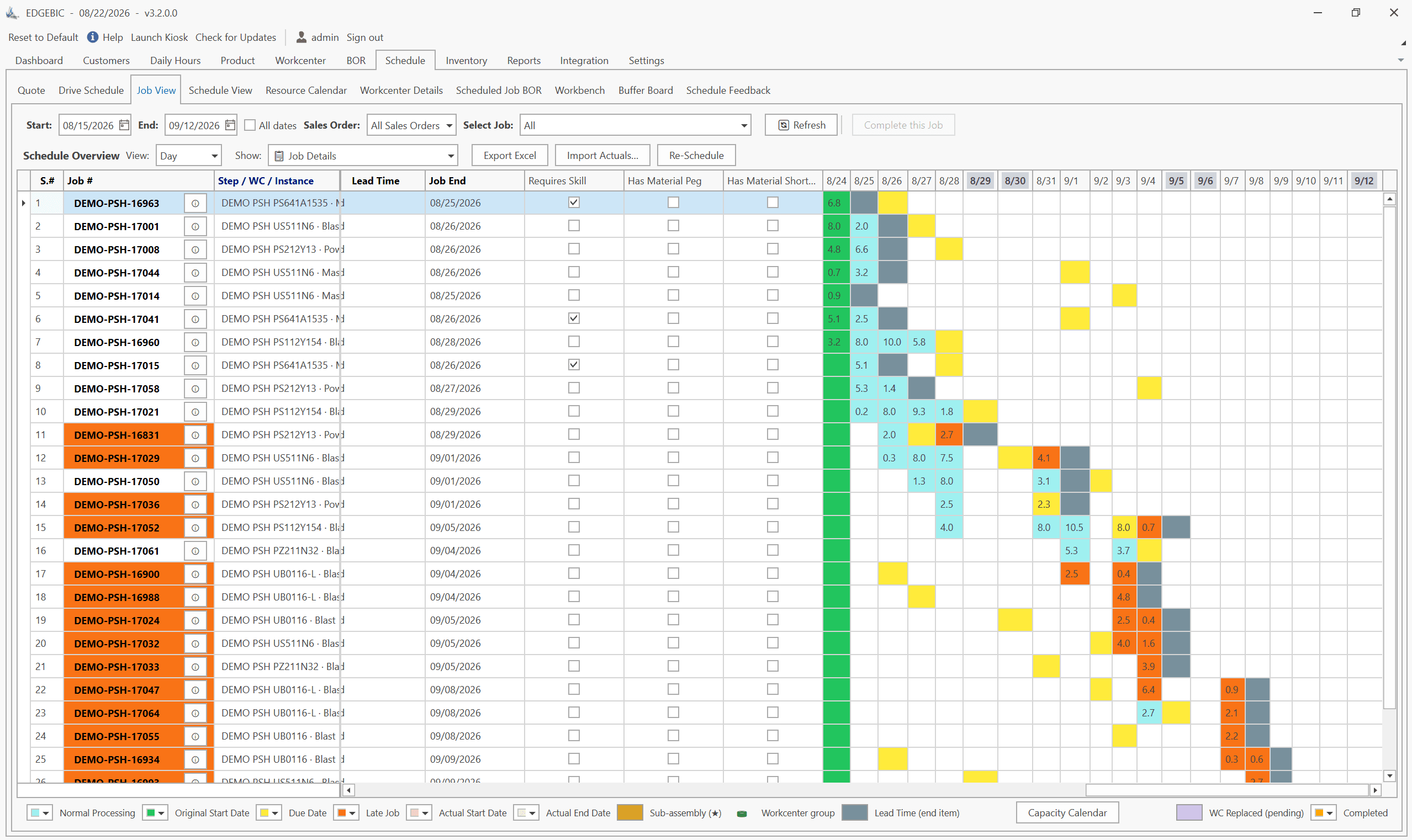
MRP vs APS: What MRP Assumes and What Finite Scheduling Fixes
MRP vs APS: MRP plans materials assuming infinite capacity and fixed lead times; APS schedules operations against real capacity. One job planned both ways.
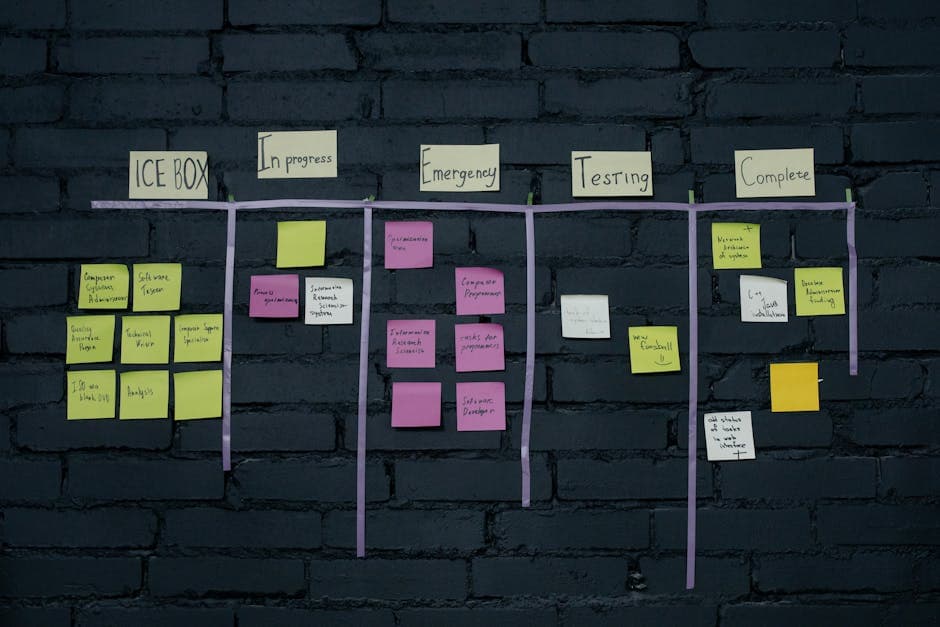
Lean-MRP Hybrid: How to Combine Pull Scheduling with MRP for Long-Lead Materials
Lean and MRP appear to conflict - but most lean shops still need MRP for long-lead purchased materials. Here's how to combine pull scheduling and MRP at the right decoupling points.

MRP Data Accuracy: The #1 Reason MRP Implementations Fail (And How to Fix It)
Poor data quality kills MRP before it starts. Learn the three data pillars, how to hit the 98% inventory accuracy target, and a practical implementation checklist.